
This tutorial explains, step by step, how to perform the survey consolidation in GlobalSuite® once the responsible parties have completed and submitted their responses.
This guide details how to consolidate surveys from the Inventory, Risk Analysis, and Control Management options, as well as directly from the survey itself. It describes the different consolidation methods available — maximum, minimum, arithmetic mean, or textual dimensions— and explains how to add new items and select the surveys to be included in the process.
Additionally, it shows how to perform manual consolidation from the Survey Management area, allowing administrators full control over the results integrated into the system.
Consolidation of Item Inventory Surveys.
From the Analysis> Inventory option, it is possible to consolidate the surveys of items that have been conducted. Upon accessing, the “Item Tree” tab is displayed by default (if enabled); you must access the “Item Table” option.
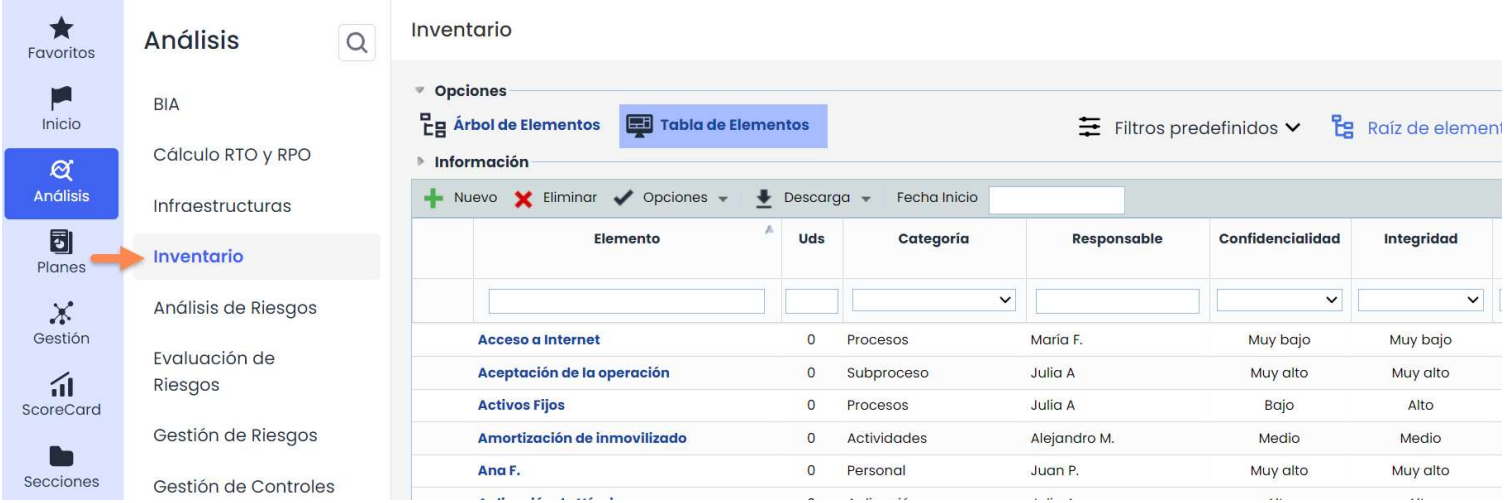
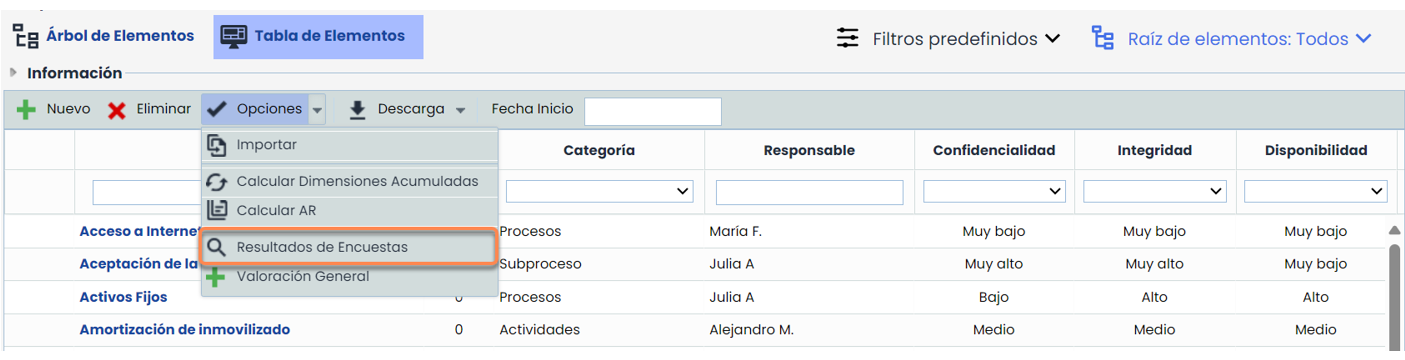
Within the “Item Table” tab, to access the survey consolidation, you must click on “ Survey Results” that appears when clicking on the “ Options” button.
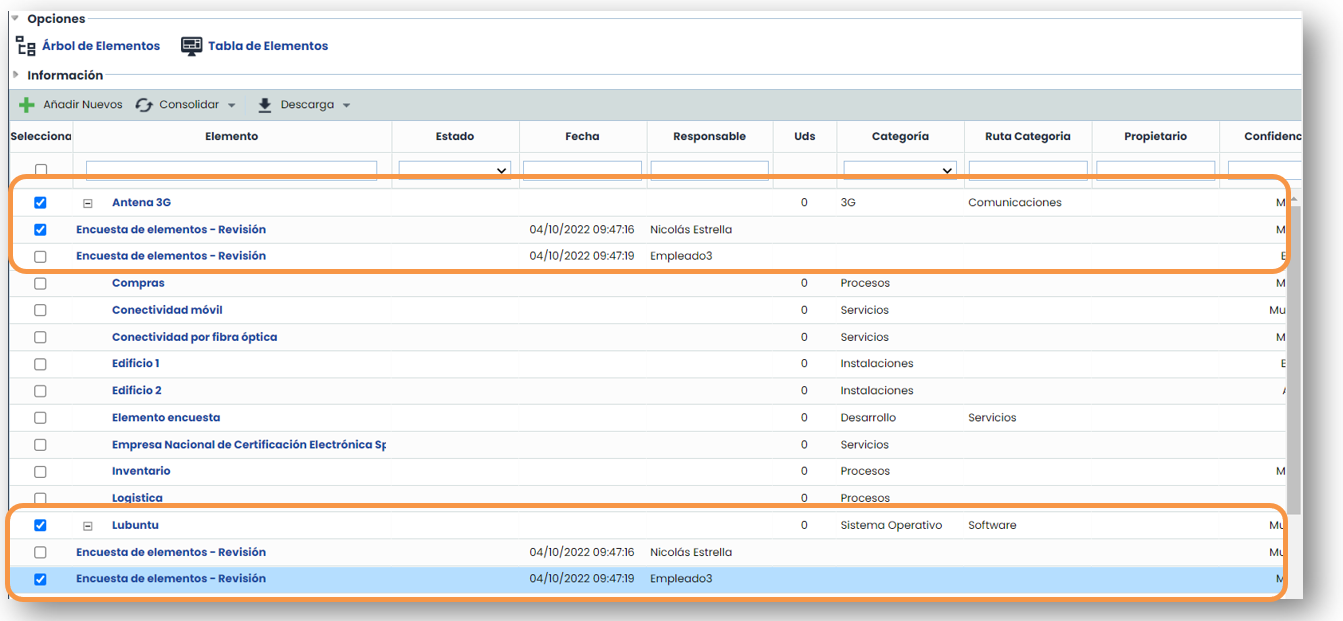
Once the “ Survey Results” button is clicked, the inventory items are displayed, along with a dropdown for each of them with the different surveys conducted on the items. Items without a dropdown are not included in any survey. Items marked in green are the new items added in the survey, which appear by default at the end of the list. In this example, they have been sorted by item name.
To add the new item, it must be selected and the “ Add New” button must be clicked.
To select the surveys to be consolidated, it is necessary to check the boxes on the left side of the table. Surveys that are not checked will not be considered in the consolidation.
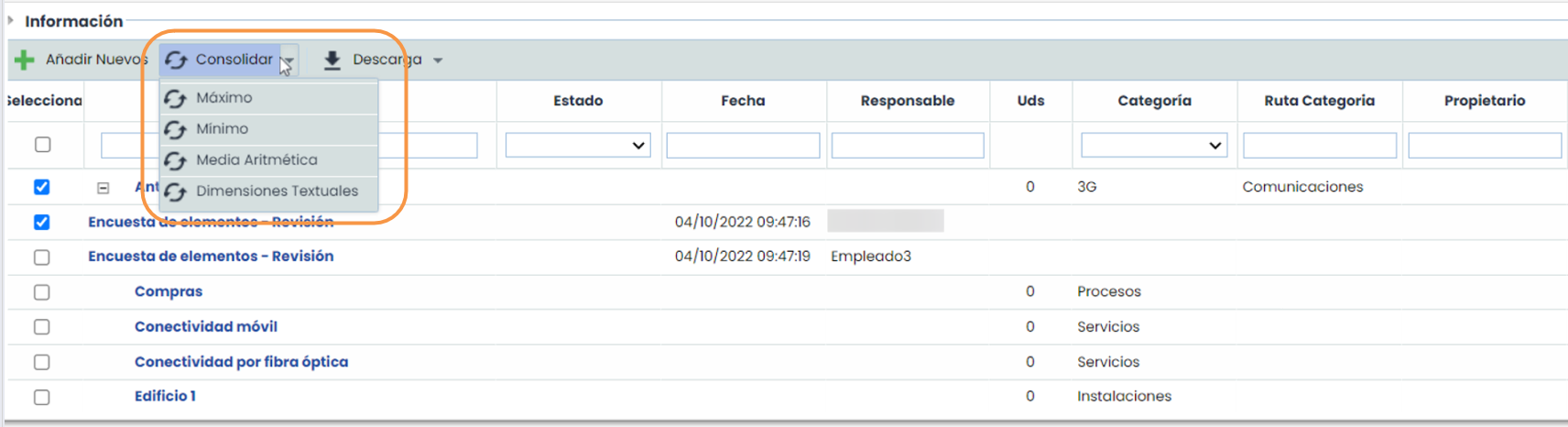
The next step is to click the “Consolidate” button, which offers 4 options:
-
Maximum: This option takes the maximum values from each survey to consolidate.
-
Minimum: This option takes the minimum values from each survey to consolidate.
-
Arithmetic Mean: This option calculates the arithmetic mean of each survey to consolidate.
-
On the other hand, to consolidate Text-type dimensions, the Textual Dimensions button must be selected.
Consolidation of Risk Analysis Surveys.
The consolidation of risk analysis surveys is performed in the Analysis> Risk Analysis option.
An analysis must be selected, and then an item to access the consolidation window. The consolidation option is found in the “ Options” button.
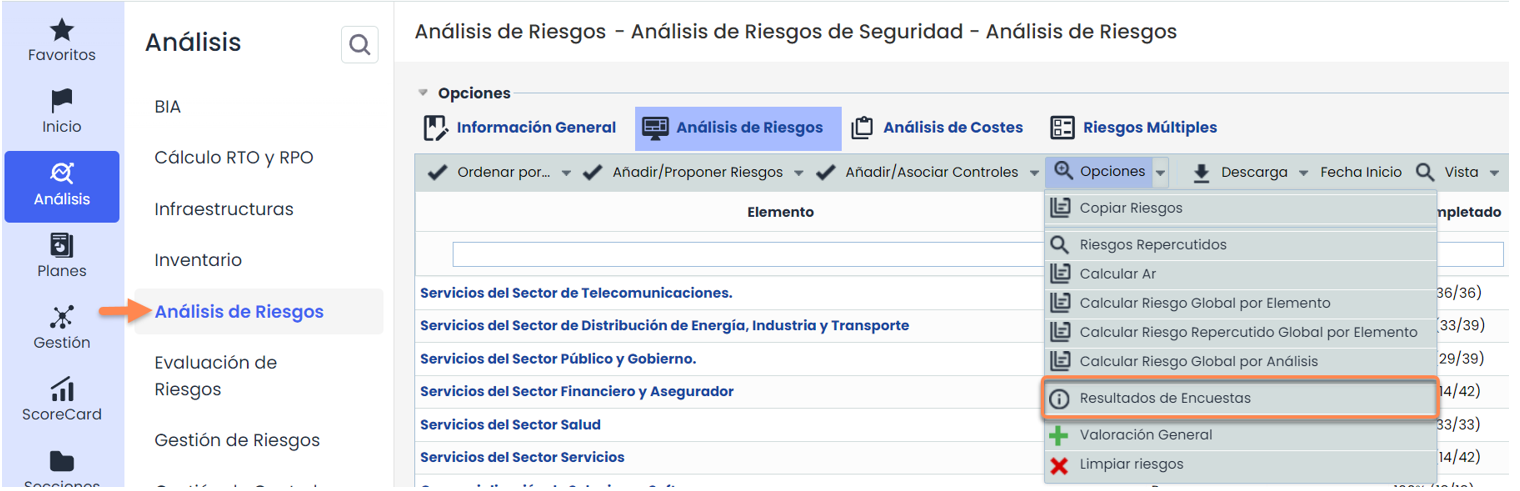
The process for performing the consolidation is the same as described for item surveys.
Consolidation of Control Surveys.
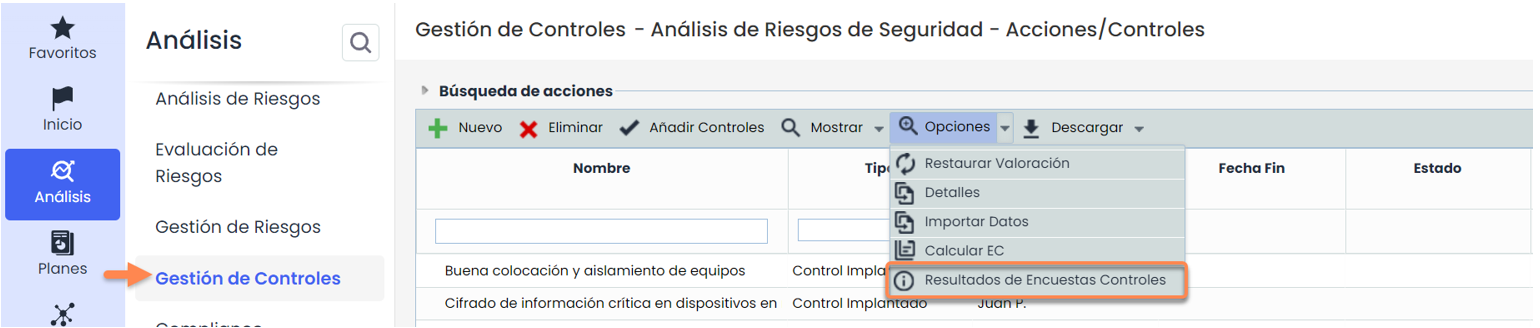
The consolidation of control surveys is performed in the Analysis> Control Management option.
An analysis must be selected to access the consolidation window. The consolidation option is found in the “ Options” button.
The process for performing the consolidation is the same as described for item surveys.
Consolidation of Surveys from the Survey Itself.
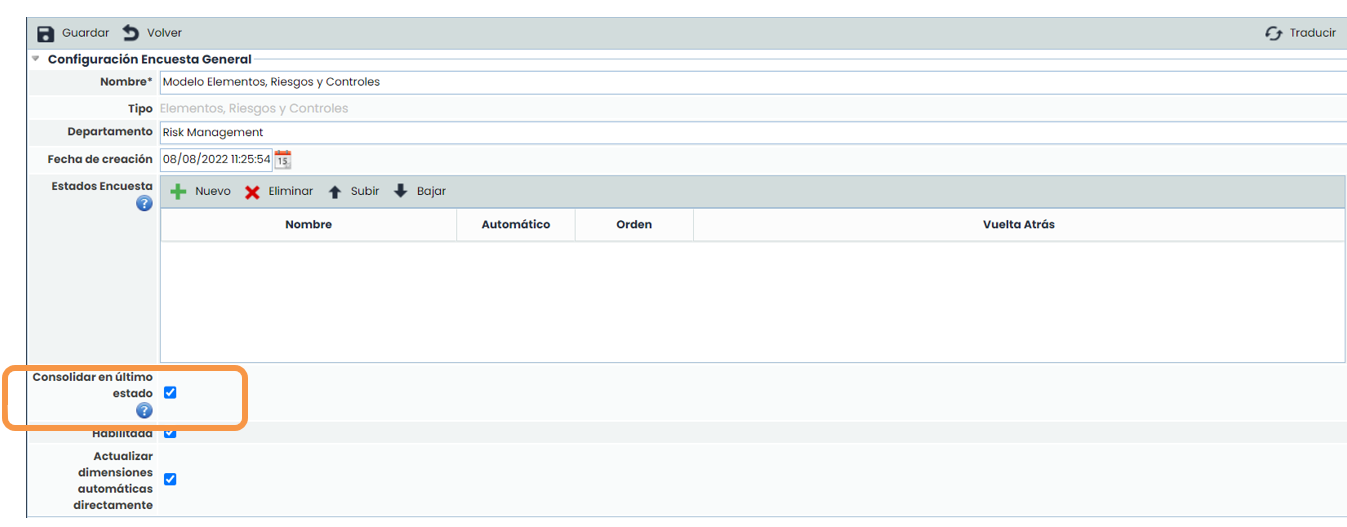
It is possible to consolidate the data through the survey. This action is performed by the GlobalSuite manager once they have verified that the data is correct. For this, in the modeling ( Settings > Survey Models ), the following checkbox must have been selected:
This consolidation is performed in the Management> Surveys option by selecting the “ Survey Management” icon.
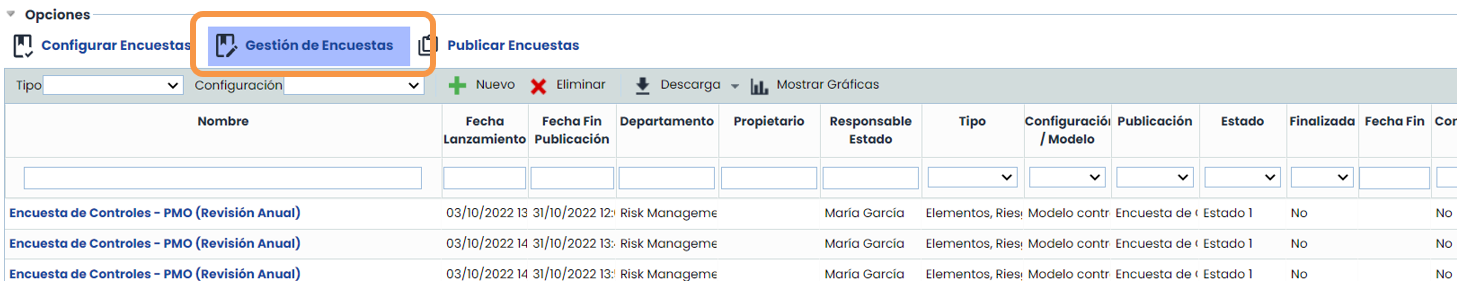
Once inside the selected survey, the Consolidate Survey button appears. Clicking it will display a message to confirm the process.
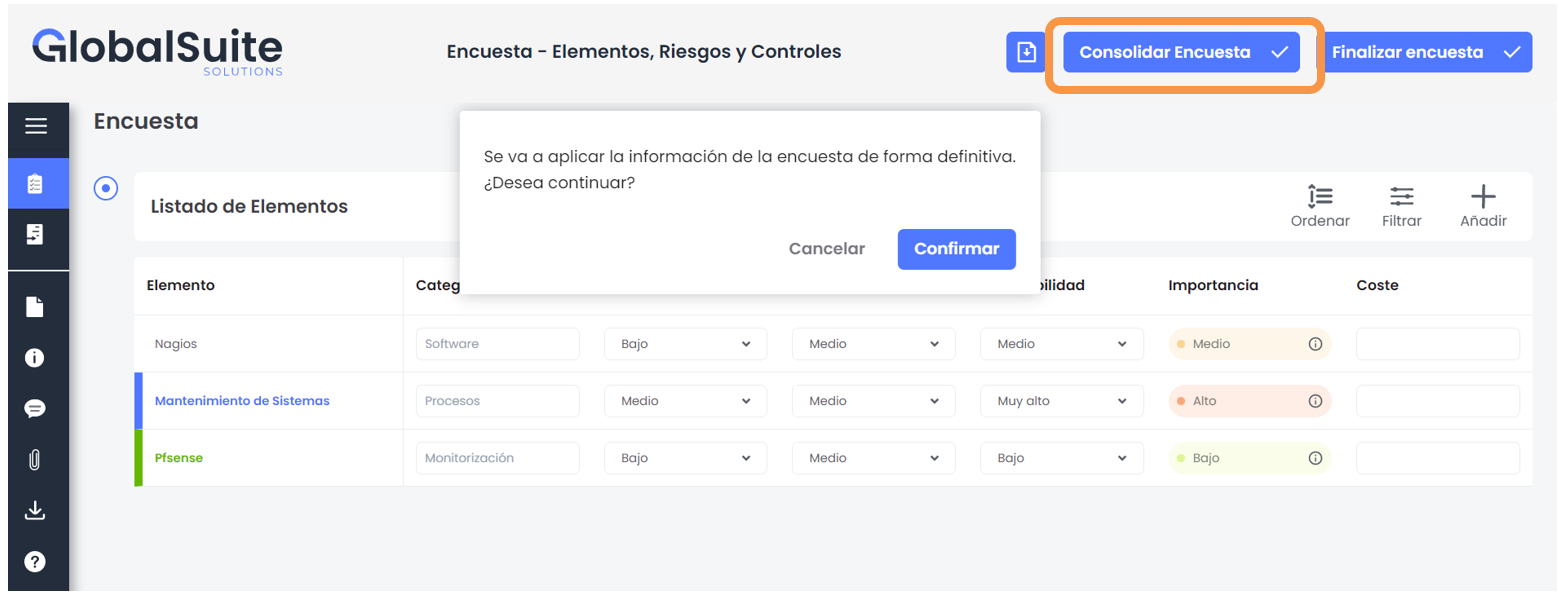
Once consolidated, the page will reload.