
This option allows you to view a summarized version of the different non-conformities associated with the entity and sub-entities.
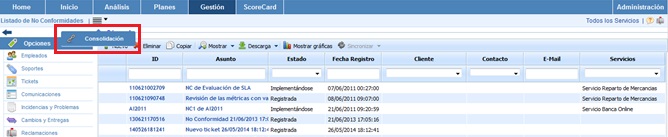
Below is the functionality provided by each of the available tables.
-
Services Table: Allows the user to filter the non-conformities associated with the selected Services.
.jpg?cb=57612fb94f9c179aa3dbbcd3ca29e303)
-
Sub-Entities Table: Provides the ability to filter the non-conformities defined in the selected sub-entities.
.jpg?cb=c059dbe77c277e1dd4f2bbff5027fb9a)
-
Label/Value Table: Allows you to view the non-conformities associated with a specific label.
.jpg?cb=ba30930d030225474c4a662bed08a785)
-
Specific Filters: Provides the ability to view non-conformities by their status or by filtering within a date range.

Once the necessary filters have been established, the query must be generated. To do this, the following options are available:
-
Consolidate: Once the button is clicked, and based on the established filters, it allows you to view a summarized version of the non-conformities in the lower table.
-
Back: Provides the option to return to the initial list of non-conformities.
The results are displayed in the lower table 'Consolidation Results'
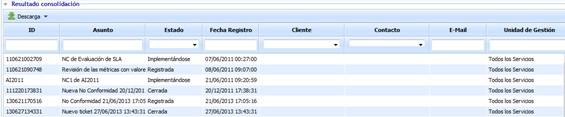
The information provided by the table is as follows:
-
ID: Allows you to view the identifier associated with the non-conformity.
-
Subject: Allows you to view a detailed description of the non-conformity.
-
Status: Allows you to view the status of the non-conformity, whether it is registered, open, closed, etc.
-
Registration Date: Allows you to view the date on which the non-conformity was registered.
-
Client: Provides the ability to view the client associated with the non-conformity.
-
Contact: Provides information about the contact associated with the non-conformity.
-
Email: Provides information about the email of the contact associated with the non-conformity.
-
Management Unit: Provides the ability to view the entity or sub-entity associated with the non-conformity.