
Regarding the requirements tickets, GlobalSUITE® has a specific section to register, manage, and store all types of requirements received from any area, including executed audit work.
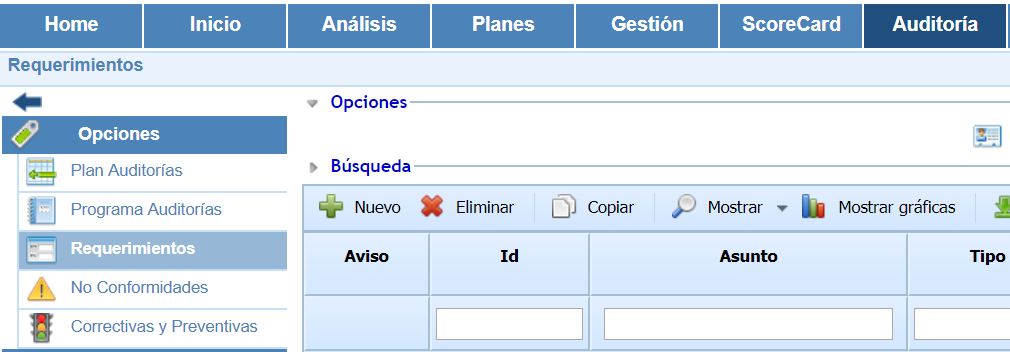
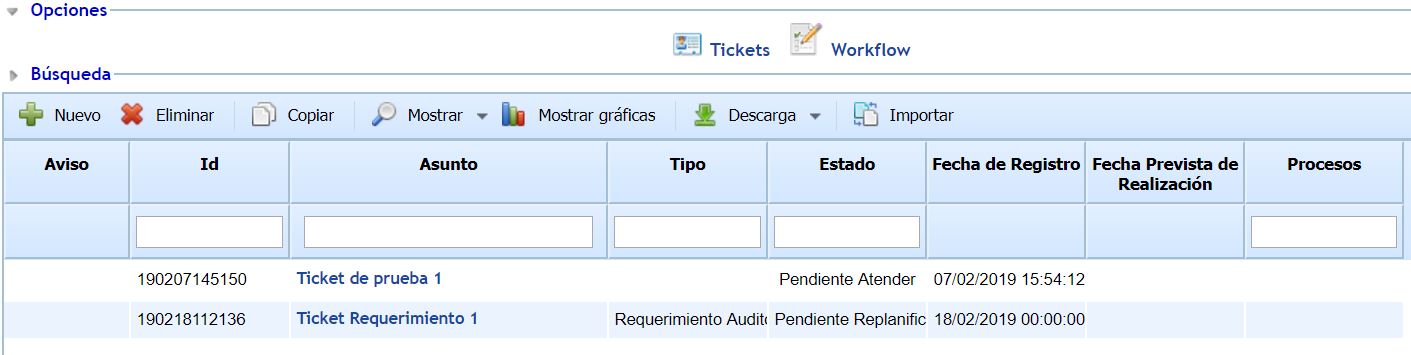
Once inside the Requirements option, by default, you will find the list of all those that remain registered, being implemented, rejected, or closed:
-
New: Allows you to manually create new requirements.
-
Delete: Allows you to delete the generated requirements.
-
Copy: This option allows you to duplicate a previously defined requirement, including all the information it contains.
-
Show: By using GlobalSUITE® as a knowledge database, this option allows you to display only those requirements that are open (which is the default view) or, on the contrary, all of them, including the closed ones, through the dropdown menu available in this option.
-
Download: Enables the download of the tickets currently visible in the table. They can be downloaded in either Excel or PDF format, depending on the required format.
The structure of the form and the fields it includes can be configured and adjusted in the 'Settings' section. The default structure is explained in the following section: