
This functionality includes the ability to generate customizable reports in Excel format, allowing users to adapt the structure and content of the report using system variables. This option will initially be available for ticket reports.
Upon accessing the option, the following options are displayed:
Download template
GlobalSuite provides a series of base templates to start the configuration. Currently, the following can be downloaded:
-
DORA - Contractual arrangements on the use of ICT services
-
DORA - ICT third-party service providers
-
DORA - Functions
-
DORA - Assessment of the ICT service
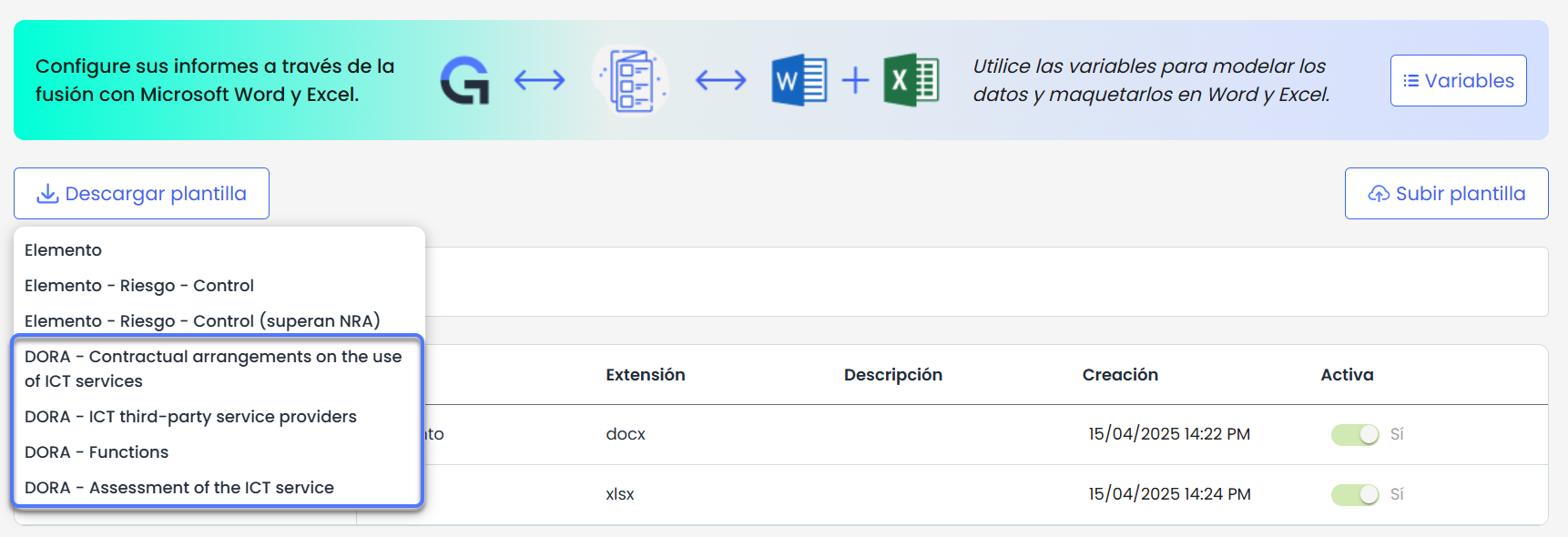
To download the DORA templates, it will be necessary to have the corresponding module license.
Upload Template
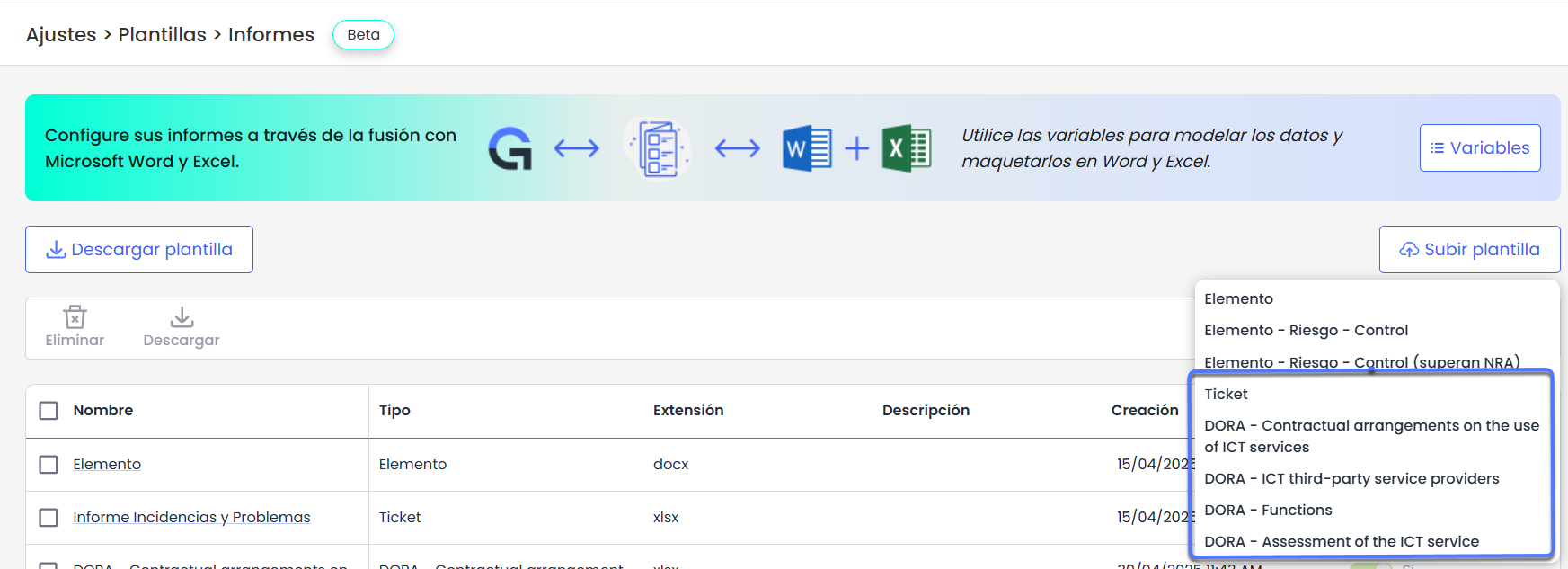
It is possible to upload customized templates in .xlsx format. Before uploading, it is necessary to assign a template type, as this will determine where in the system it will be available for download.
Currently, you can select from:
-
Ticket: for reports linked to lists by ticket type.
-
DORA Regulation: for specific reports related to predefined tickets of this regulation.
Template List
Upon accessing the option, all existing templates are displayed along with their information: name, type, extension, description, creation date and time, and whether they are active or not.
The actions available in this table are:
-
Delete: selecting the template to delete using the check.
-
Download: allows downloading the selected template.
Template Details
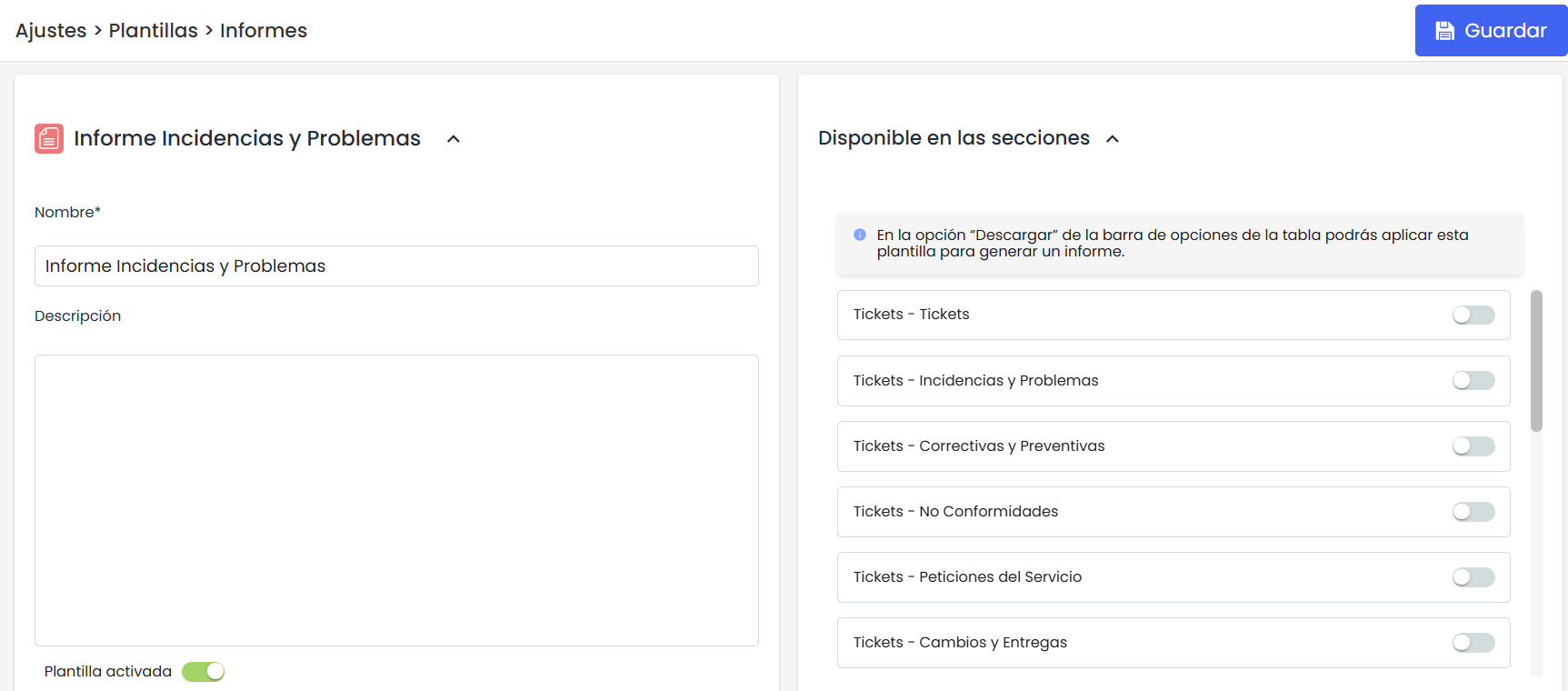
In this section, you can perform the following actions on the template:
-
Edit the template name.
-
Activate or deactivate the template as needed.
-
Configure visibility: Depending on the type of template, the module from which it can be downloaded with the corresponding data will be displayed.
Ticket Reports
Excel reports can be configured and downloaded by ticket type, allowing the information and format to be adapted to the specific characteristics of each one.
To do this, a new field Alias reports has been incorporated into the ticket type configuration, which allows defining the variable name that will be used in the Excel template. This alias is what will be inserted into the document so that the system replaces it with the corresponding value during report generation.
This field must be configured from Settings > Tickets > Fields.
Fields
The fields currently available to be used in ticket reports are as follows:
-
INPUT
-
SELECT
-
DATE
-
TXT
-
NUM
-
SUPPLIER
-
EMPLOYEES
-
SUPERVISOR
-
OWNER
-
TICKET-INPUTS
-
TICKET-OUTPUTS
-
SELECT-NESTED
Variables
The variables used in Excel templates are defined from the Alias reports field of each ticket field. This allows customization of what information will be displayed and how it will be named in the report.
It is important to note that aliases must be unique alphanumeric values, with a maximum length of 5 characters.
|
Field |
Variable |
Description |
|
TXT |
{Alias} |
Field Value |
|
INPUT |
{Alias} |
Field Value |
|
SELECT |
{Alias.name} |
Field Value |
|
SELECT |
{Alias.description} |
Field Description |
|
SELECT |
{Alias.abbreviation} |
Field Abbreviation |
|
SELECT |
{Alias.value} |
Field Value |
|
NUM |
{Alias} |
Field value. The format is applied directly in Excel |
|
DATE |
{Alias} |
Field value. The format is applied directly in Excel |
|
SUPPLIER |
{Alias.CIF} |
CIF Field Values |
|
SUPPLIER |
{Alias.business_name} |
Business Name Field Values |
|
EMPLOYEES |
{Alias.name} |
Field Name value |
|
EMPLOYEES |
{Alias.email} |
Email Field Value |
|
EMPLOYEES |
{Alias.role} |
Role Field Value |
|
EMPLOYEES |
{Alias.position} |
Position Field Value |
|
EMPLOYEES |
{Alias.status} |
Status Field Value |
|
SUPERVISOR |
{Alias.name} |
Field Name value |
|
SUPERVISOR |
{Alias.email} |
Email Field Value |
|
SUPERVISOR |
{Alias.role} |
Role Field Value |
|
SUPERVISOR |
{Alias.position} |
Position Field Value |
|
SUPERVISOR |
{Alias.status} |
Status Field Value |
|
OWNER |
{Alias.name} |
Field Name value |
|
OWNER |
{Alias.email} |
Email Field Value |
|
OWNER |
{Alias.role} |
Role Field Value |
|
OWNER |
{Alias.position} |
Position Field Value |
|
OWNER |
{Alias.status} |
Status Field Value |
|
TICKET-INPUTS |
{Alias1.Alias2} |
The corresponding alias for the input field must be indicated, followed by the alias of the input field to be displayed. |
|
TICKET-OUTPUTS |
{Alias1.Alias2} |
The corresponding alias for the output field must be indicated, followed by the alias of the output field to be displayed. |
|
SELECT-NESTED |
{Alias.option.name} {Alias.suboption.name} |
Name of the selected option/suboption |
|
SELECT-NESTED |
{Alias.option.description} {Alias.suboption.description} |
Description of the selected option/suboption |
|
SELECT-NESTED |
{Alias.option.abbreviation} {Alias.suboption.abbreviation} |
Abbreviation of the selected option/suboption |
|
SELECT-NESTED |
{Alias.option.value} {Alias.suboption.value} |
Value of the selected option/suboption |
|
SERVICES |
Option 1: {Alias.name} Option 2: {#Alias}
{/} Option 3: {#Alias|join:' - ' }{/} |
Service Name Field Values:
|
|
PROCESSES |
Option 1: {Alias.name} Option 2: {#Alias}
{/} Option 3: {#Alias|join:' - ' }{/}
|
Process Name Field Values:
|
|
STATUS |
{Alias.name} |
Field Name |
|
STATUS |
{Alias.description} |
Field Description |
|
STATUS |
{Alias.type} |
Field Type |
|
ID |
{Alias} |
Field Value |
|
FOLLOWS UP |
{Alias.user} |
Field User |
|
FOLLOWS UP |
{Alias.date} |
Field Date |
|
FOLLOWS UP |
{Alias.description} |
Field Description |
|
DELIVERABLES |
{Alias.name} |
Field Name |
|
DELIVERABLES |
{Alias.description} |
Field Description |
|
DELIVERABLES |
{Alias.extension} |
Field Extension |
|
DELIVERABLES |
{Alias.date} |
Field Date |
|
EVIDENCES |
{Alias.name} |
Field Name |
|
EVIDENCES |
{Alias.description} |
Field Description |
|
EVIDENCES |
{Alias.extension} |
Field Extension |
|
EVIDENCES |
{Alias.date} |
Field Date |
|
LINKED-EVENT |
{Alias} |
Field Value |
|
ROOT-EVENT |
{Alias} |
Field Value |
|
SEQUENCE |
{Alias} |
Field Value |
|
QUANTIFICATIONS - Quantifications Table |
{Alias.Account.quantificationId} |
Quantification ID |
|
QUANTIFICATIONS - Quantifications Table |
{Alias.Account.accountingAccount} |
Accounting Account ID |
|
QUANTIFICATIONS - Quantifications Table |
{Alias.Account.accountingDate} |
Accounting Date |
|
QUANTIFICATIONS - Quantifications Table |
{Alias.Account.description} |
Description |
|
QUANTIFICATIONS - Quantifications Table |
{Alias.Account.AliasCampoSelectNested} |
Business Line |
|
QUANTIFICATIONS - Quantifications Table |
{Alias.Account.amount} |
Amount |
|
QUANTIFICATIONS - Quantifications Table |
{Alias.Account.AliasColumnaAdicional} |
Value of additional quantification columns (configurable fields) |
|
QUANTIFICATIONS - Quantifications and Recoveries Table |
{Alias.Account.AliasCampoCuentaContable} |
Value of accounting account field options (configurable fields) |
|
QUANTIFICATIONS - Recoveries Table |
{Alias.Account.Recoveries.recoveryId} |
Recovery ID |
|
QUANTIFICATIONS - Recoveries Table |
{Alias.Account.Recoveries.accountingAccount} |
Accounting Account ID |
|
QUANTIFICATIONS - Recoveries Table |
{Alias.Account.Recoveries.accountingDate} |
Accounting Date |
|
QUANTIFICATIONS - Recoveries Table |
{Alias.Account.Recoveries.Form} |
Recovery Form |
|
QUANTIFICATIONS - Recoveries Table |
{Alias.Account.Recoveries.amount} |
Amount. |
|
QUANTIFICATIONS - Recoveries Table |
{Alias.Account.Recoveries.AliasColumnaAdicional} |
Value of additional recovery columns (configurable fields) |
|
AUDIT-WORK |
{Alias.name} |
Field Name value |
|
AUDIT-WORK |
{Alias.auditPlan} |
Audit Plan Field Value |
|
WORKFLOW |
{AliasWorkflow.name} |
Field Name value |
|
WORKFLOW |
{AliasWorkflow.role} |
Role Field Value |
|
WORKFLOW |
{AliasWorkflow.employee} |
Employee Field Value |
|
ORGANIZATIONAL STRUCTURE |
{Alias.name} |
Field Name value |
|
ORGANIZATIONAL STRUCTURE |
{Alias.Responsible} |
Responsible Field Value |
|
ORGANIZATIONAL STRUCTURE |
{Alias.description} |
Field Description value |
|
URGENCY |
{Alias.name} |
Field Name value |
|
URGENCY |
{Alias.description} |
Field Description value |
|
URGENCY |
{Alias.value} |
Field value |
|
PRIORITY |
{Alias.name} |
Field Name value |
|
PRIORITY |
{Alias.description} |
Field Description value |
|
PRIORITY |
{Alias.value} |
Field value |
|
IMPACT |
{Alias.name} |
Field Name value |
|
IMPACT |
{Alias.description} |
Field Description value |
|
IMPACT |
{Alias.value} |
Field value |
|
EVENTS-ID |
{Alias} |
Field value |
|
CHECK |
{Alias} |
Field value: it will display value 1 when checked and value 0 when unchecked. |
|
CLIENT |
{Alias.code} |
Customer/contact Code |
|
CLIENT |
{Alias.cif} |
Customer/contact CIF |
|
CLIENT |
{Alias.business_name} |
Customer/contact Business Name |
|
CLIENT |
{Alias.type} |
Contact/Group Type |
|
CLIENT |
{Alias.other_contact} |
Other Contact |
|
CLIENT |
{Alias.email}{Alias} |
|
|
INVOLVED AREAS |
{Alias} |
Field value |
Related resources
For more information about this functionality, you can check the tutorial Customize and download reports with our dynamic templates in Excel