
Roles and Responsibilities
The roles and responsibilities option is designed for the management of the ISO20000 Standard. It provides the possibility to associate which roles and employees are involved in the management of the 13 processes defined in the Standard for each service included within the scope.
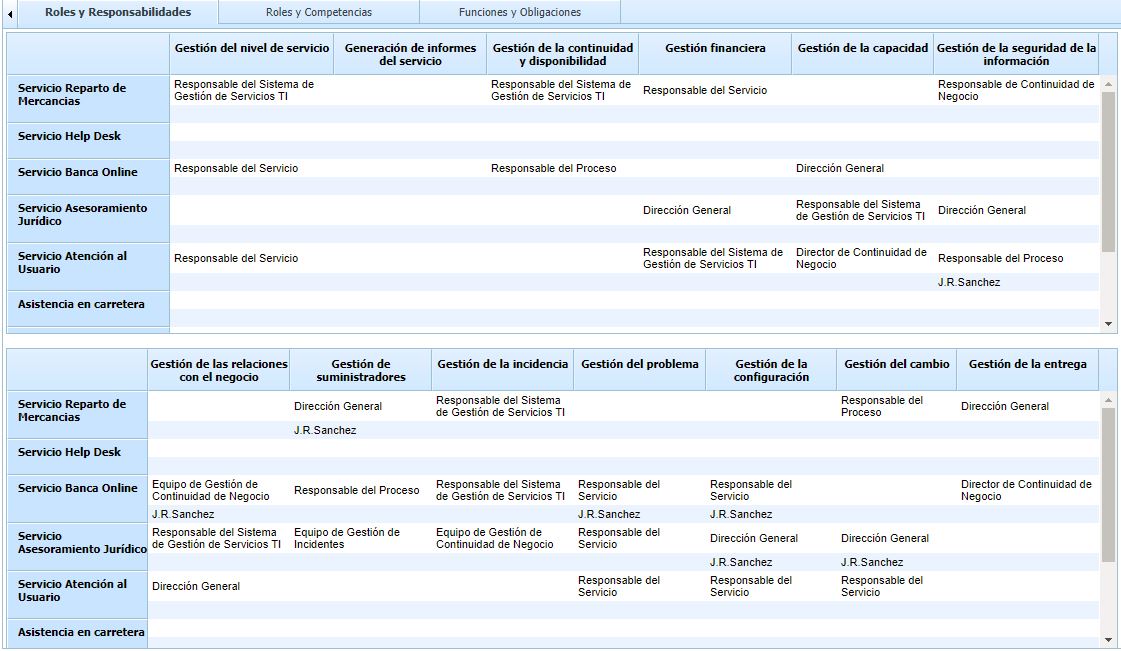
To associate the responsible parties and employees for each of the processes, double-click on the desired cell and select the role or employee from the dropdown menu.
NOTE: Services are defined in the section ‘Home/Service Catalog’
Roles and Competencies
This option allows the tool manager to define the competencies possessed by each of the defined roles.
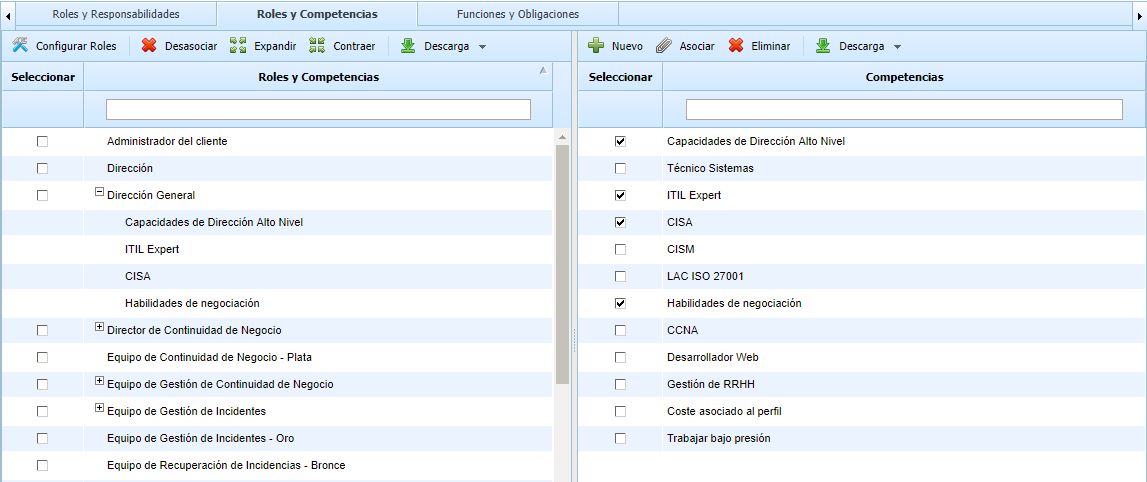
To perform this operation, it is necessary to mark the left column of the role or roles and the left column of the competency or competencies. This allows for multiple associations. If you want to disassociate a competency from a specific role, you must select the competency row by clicking on that row and then press the Disassociate button.
NOTE: Competencies are established in the competencies option itself. If you want to add a new competency, you must press the ‘New’ button. If you want to delete an already defined competency, you must select it and press the ‘Delete’ button.
Functions and Obligations
This option allows identifying different management functions and obligations and associating them with various defined roles.
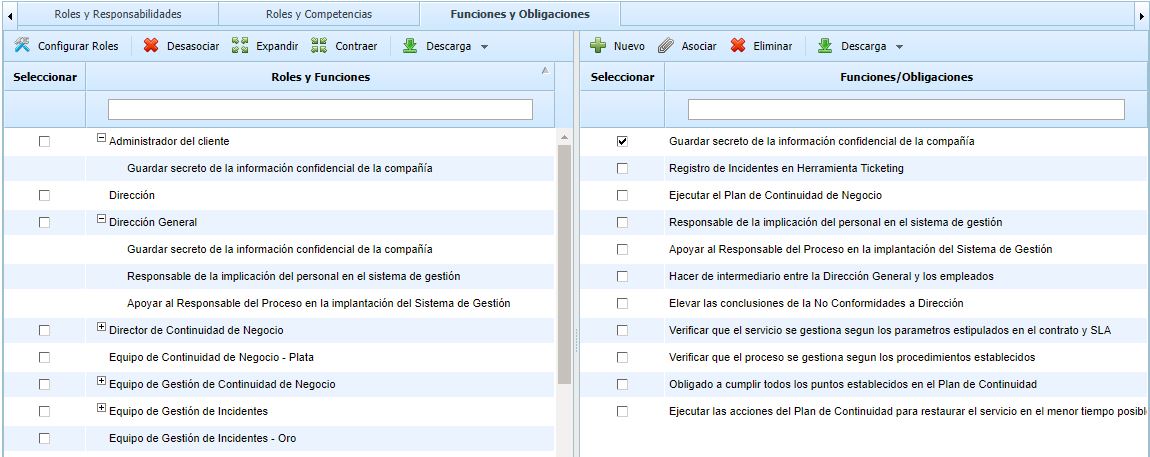
To perform this operation, it is necessary to mark the left column of the role or roles and the left column of the function/obligation or functions/obligations. This allows for multiple associations. If you want to disassociate a function/obligation from a specific role, you must select the function/obligation row by clicking on that row and then press the Disassociate button.
NOTE: Functions and obligations are established in the tab itself. If you want to add a new function or obligation, you must press the ‘New’ button. If you want to delete an already defined one, you must select it and press the ‘Delete’ button.