
This solution integrates the analytical capabilities of our software and allows users to perform detailed analysis without leaving the application.
This business analysis module enables the integration of visualization capabilities and supports decision-making directly in GlobalSuite®.
Interactive reports, charts, and tables can be integrated into the solution.
This will allow users to view and explore their data, as well as easily monitor and evaluate the effectiveness of the systems.
Additionally, it features integrated security by including the access and control policies of our platform .
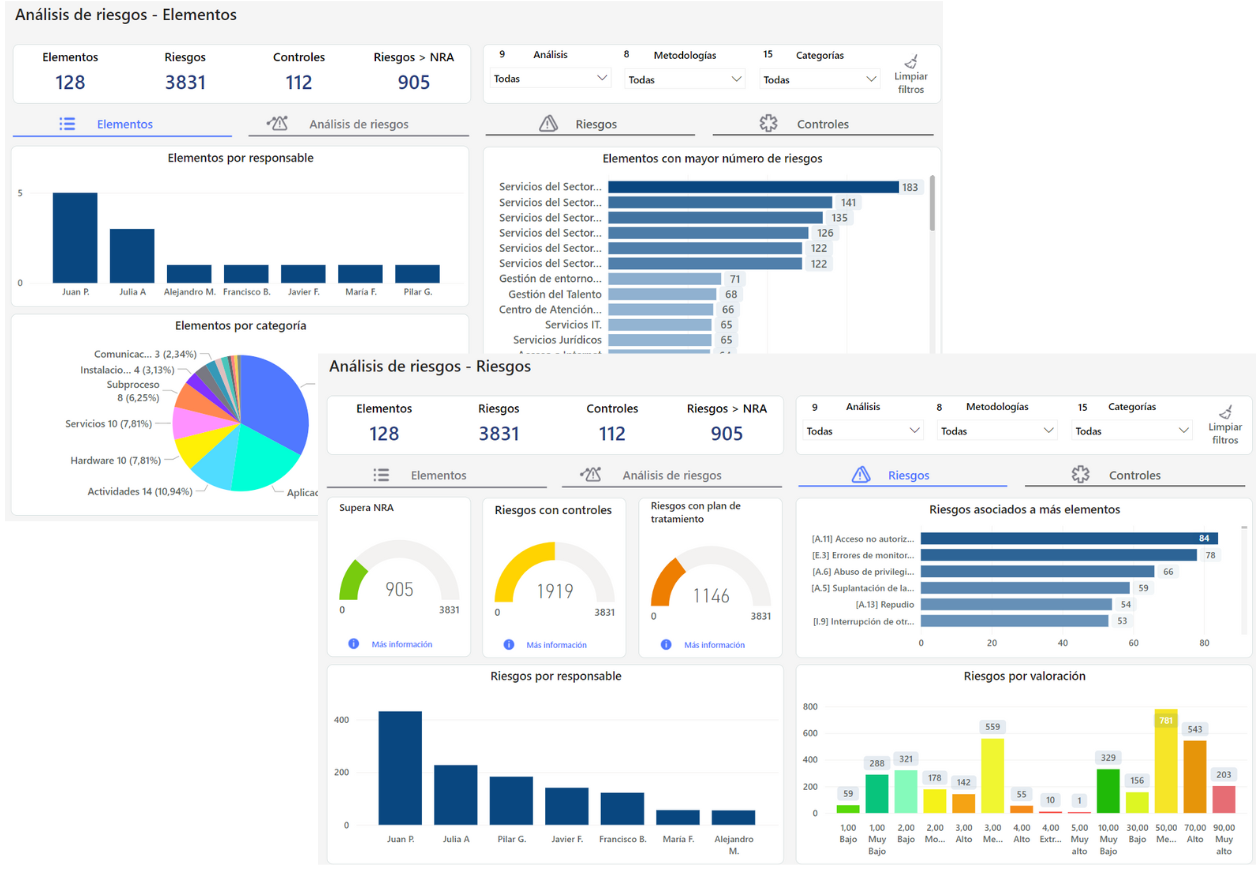
Currently, through our software, you can access different predefined dashboards:
There is also the option of custom dashboards with additional data sources that do not only come from the platform.
Request additional information at comercial@globalsuitesolutions.com
On-demand dashboard updates
This functionality allows users with a BI Plus license to manually update dashboards, aiming to provide up-to-date information on demand without waiting for the daily automatic update.
What is on-demand updating?
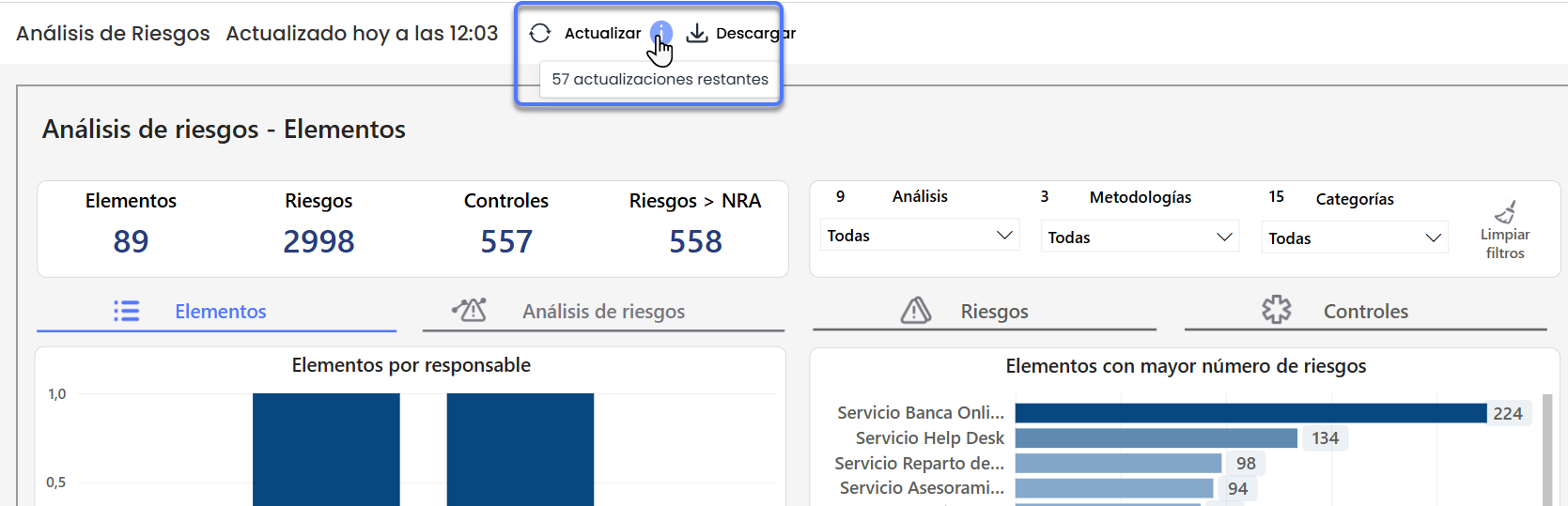
On-demand updating is a process that allows the user to request the immediate update of all enabled dashboards in the environment by pressing the "Update" button.
This action updates the data displayed on the dashboards to reflect the most recent information available in the system.
Who can use this functionality?
-
Users with a GlobalSuite® BI Plus license.
How does it work?
-
By pressing the Update button, available on all dashboards, the update process is triggered for all enabled dashboards in the environment.
-
The process may take approximately 10 minutes.
-
The system logs each manual update in a system log.
What is the limit of updates I can perform?
-
Users can perform up to 60 manual updates per environment per month.
-
By pressing update on any dashboard, all enabled dashboards in the environment, both predefined and custom, will be updated.
-
Additionally, dashboards will continue to update automatically once a day.
-
To check the remaining updates, you can hover over or click on the information icon.