
Welcome to the GlobalSuite® API, the GRC solution to optimize risk, security, continuity, audit, and compliance processes in your business.
By using the APIs, you can integrate GlobalSuite® with other applications, tools, or systems in your corporate ecosystem. For example:
-
You can automate the import of assets from other tools.
-
Synchronize information to export it to another tool for management.
-
Export records to store them in a repository or data lake (EDL).
You can consult the GlobalSuite® API through the documentation repository API GlobalSuite®. You can also perform tests directly to verify the operations it provides, including reading, writing, modifying, or deleting data.
NOTE: If you want to start using the GlobalSuite® APIs, please contact your provider.
Demo environments are available upon request to review and test integration with the available APIs:
Europe:
-
URL (API documentation):
-
URL (API integration):
Latam:
-
URL (API documentation):
-
URL (API integration):
Enable API Key
GlobalSuite® APIs are used securely, preventing unauthorized use. To do this, it is necessary to create an API Key or token that allows authenticated calls.
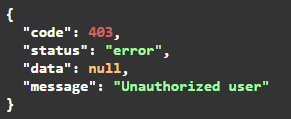
These API Keys are generated with a specific validity period (a date range) specified by the client or integrator. Before or after the indicated dates, the API Key will not be valid, and calls to the endpoints will return the following error message 403:
Subentities
If multiple Subentities are enabled in GlobalSuite®, a specific API Key must be generated for each entity you want to integrate with a proprietary or third-party tool or service.
In GlobalSuite®, the configuration is common at the company level, but the data and records are specific to each entity. Therefore, if you want to integrate an information repository with a section of the tool (e.g., Item Inventory), an API Key must be created for each entity, as the items registered with that API Key will be created in the entity it is configured for.
NOTE: If multiple entities are not available, it will not be necessary to define multiple keys.
Best practices and tips
-
Ensure you use a single API Key per application or integration performed.
-
Periodically change the API Key used for greater security.
Using the API Documentation
In the documentation of the API GlobalSuite®, the different items or models that can be consumed automatically are displayed.
Each of these resources is a symbolic representation of a business domain object in GlobalSuite®. For example, a Service, an Employee, etc.
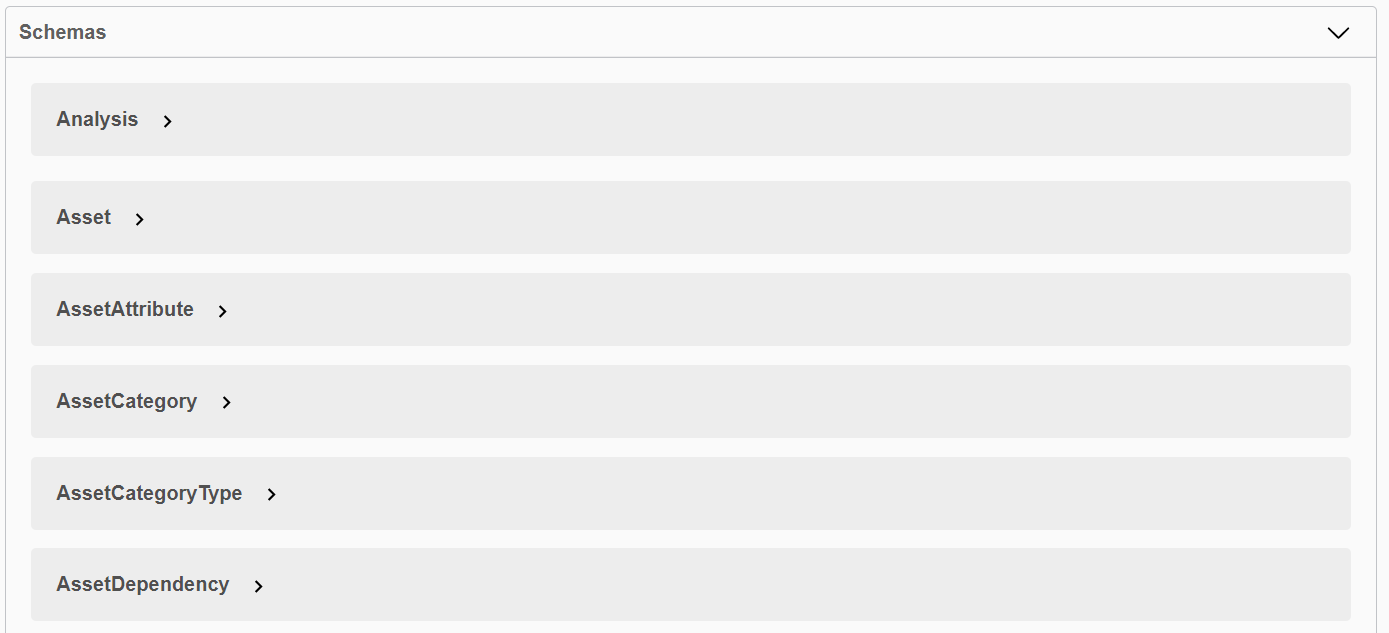
For each of the models, it is possible to consult the endpoints or operations GET, PUT, POST, and DELETE that are allowed:
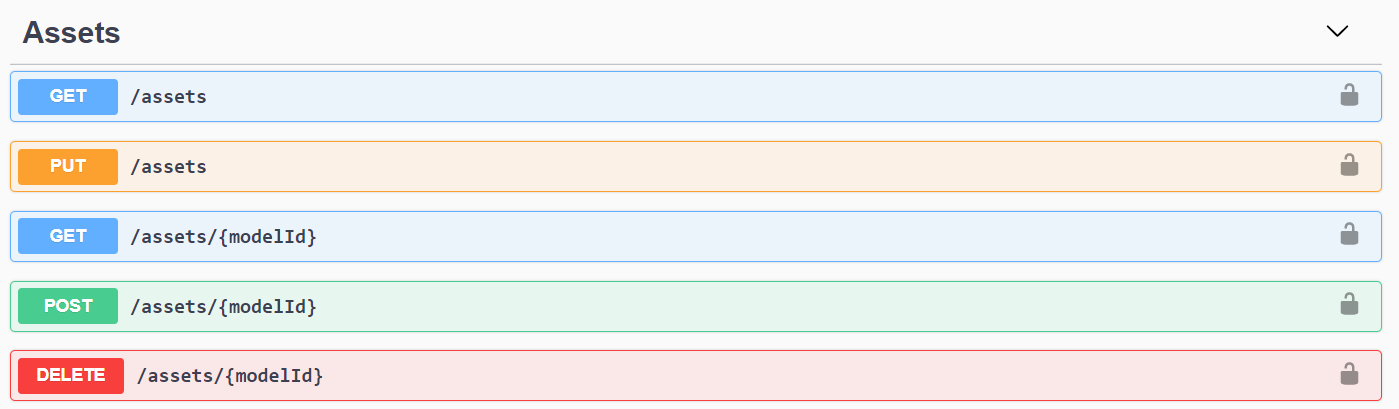
These endpoints correspond to the basic CRUD operations (Create, Read, Update, and Delete):
-
GET: Endpoint to retrieve one or more models to consult, allowing filtering of these queries.
-
POST: Endpoint to create a new record for a specific model.
-
PUT: Endpoint to modify or update some of the values or fields of the model.
-
DELETE: Endpoint to delete a specific record of the model.
The documentation for each of these endpoints includes the mandatory or optional parameters that can be included in each call:
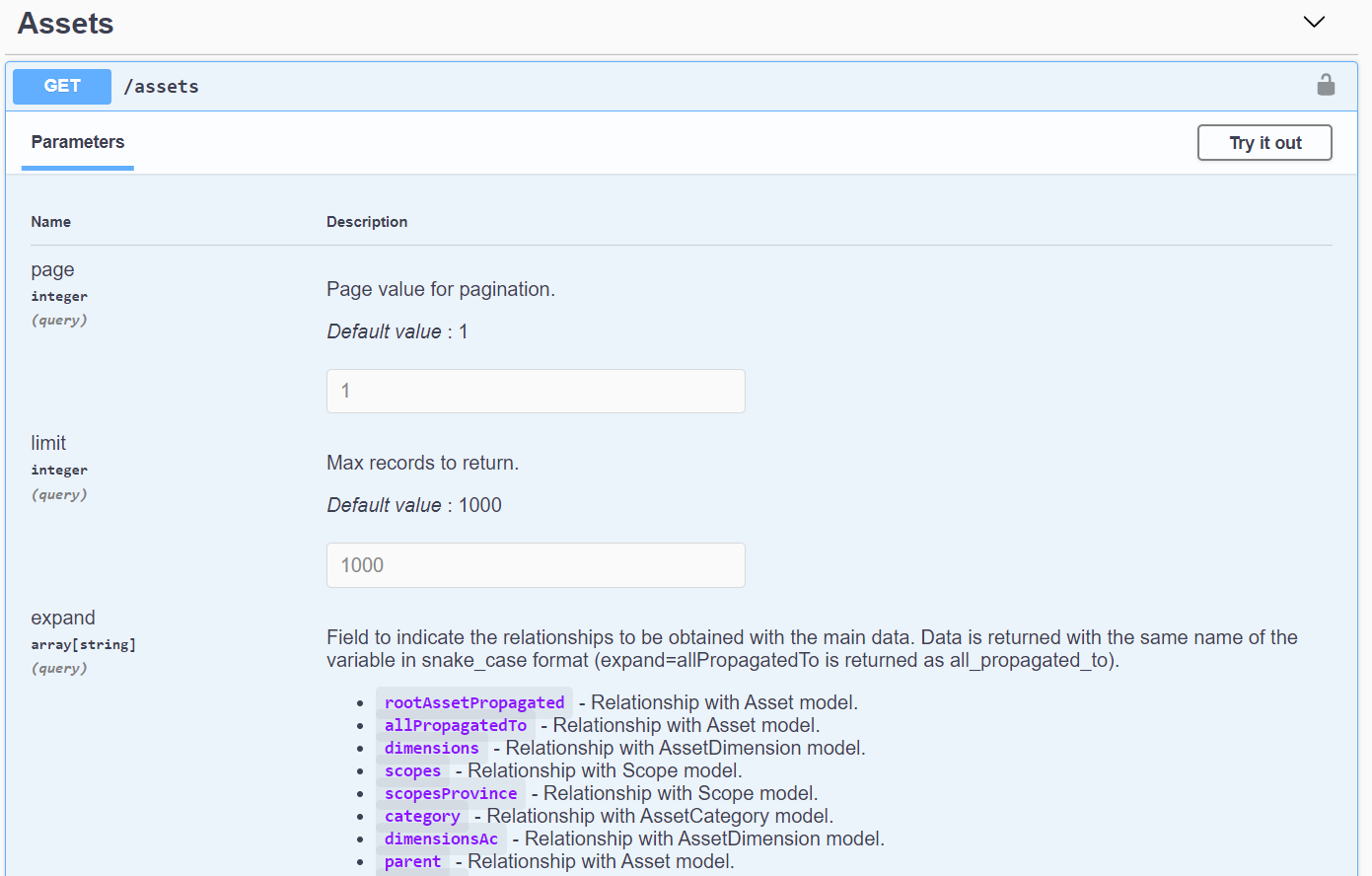
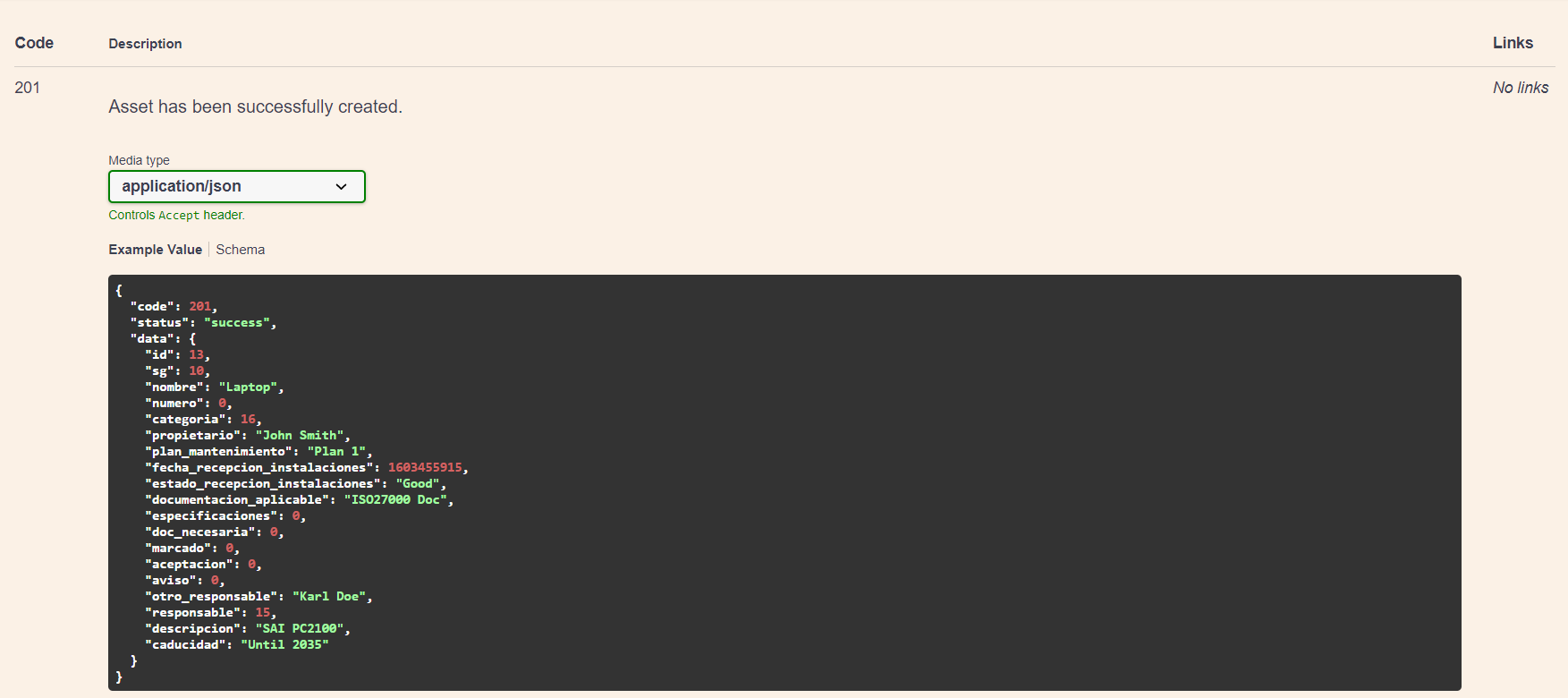
Additionally, in the explorer itself, examples of responses provided in each case are shown, including correct responses or error messages, as applicable.

Using a REST client
To make calls to the GlobalSuite® API, you can use various clients that perform HTTP calls to the GlobalSuite® server. It is possible to make both simple calls and more complex processes using tools like cURL or Postman.

Rate Limit
To avoid performance issues or brute force attacks such as DDoS or similar, a rate limit mechanism has been implemented, restricting the number of API calls that can be made within a given time period.
This limit is general, so the total number of calls made with the same API Key is considered, even if they are calls to different endpoints or records.
Currently, this limit is 180 calls per minute.
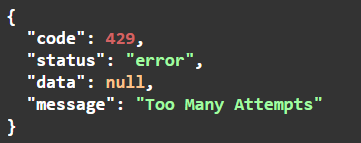
If this limit is exceeded, subsequent calls will return the error message 429 "Too Many Attempts," indicating that the rate limit has been exceeded, and it will be necessary to wait to continue using it.
Help: Reference Documentation
-
Before using the GlobalSUITE® APIs, we recommend familiarizing yourself with the GlobalSuite® User Manual, as there is a strong relationship between the business logic and the API.
-
If you have any questions or potential issues with any of the endpoints available in the GlobalSuite® API Documentation, you can contact our Customer Support Center.
-
Use the GlobalSuite® API documentation to find references for the latest available version of the REST API.
GlobalSUITE® Security Certification (CSWA)
As part of the continuous improvement cycle in our development processes used in GlobalSuite®, we have conducted external validation through a Ethical Hacking security audit.
This verification was carried out according to the standards OWASP Top Ten 2017 and API Security Top 10 2019, integrating the controls proposed by both standards into our verification and compliance processes.
This audit process has certified the security and resilience of GlobalSUITE®, resulting in the CSWA certificate for our SaaS and On-Premise environments.

API Versioning
As part of the maintenance and service of the APIs offered by GlobalSuite®, version management and change control are included.
The API is always offered in its most updated version ( Current), which will remain valid until a product evolution occurs that involves a Breaking Change.
This breaking change is an update that modifies the structure of calls and/or responses for some of the offered endpoints.
If this situation occurs, the previous version will move to a Deprecated status but will remain accessible until another breaking change occurs, allowing adaptations (if necessary) to maintain existing integrations.
GlobalSuite® version updates will be notified within the tool after an update and can be consulted at any time in the GlobalSuite® Changelog
List of GlobalSuite® API Versions
|
Version |
Publication |
Status |
Description |
|---|---|---|---|
|
v0 |
October 2021 |
Deprecated |
Initial version of the API. Available Inventory API |
|
v1 |
April 2022 |
Current |
Normalization of endpoints and PUT/POST verbs Available Controls API |
|
April 2023 |
Available Tickets API |
||
|
July 2023 |
Available Users API |
||
|
December 2023 |
Available Risk Analysis API |