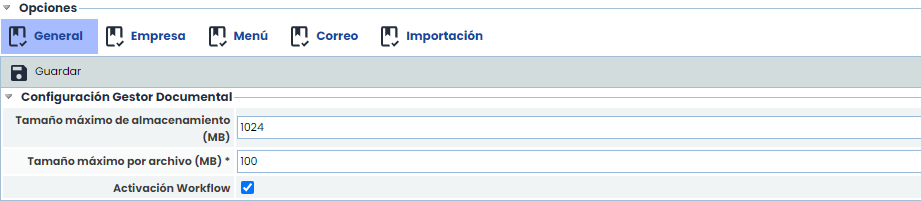
This section allows configuring specific aspects of the Document Manager:
-
Maximum storage size: Allows setting the storage limit (Megabytes) of the document manager. This storage space is associated with the contracted licensing and can only be modified by the GlobalSUITE® support department.
-
Maximum file size: Allows defining the maximum size of the attached files that can be uploaded to the tool. By default, this file size is 40MB, although it can be increased up to a maximum of 100MB. It can only be modified by the GlobalSUITE® support department.
-
Workflow Activation: Allows activating the document management workflow functionality.
NOTE: If it is deactivated for the parent company, none of the sub-entities will be able to use the Workflow. However, if it is enabled at the parent level, all sub-entities will have it activated by default. Nevertheless, it can be deactivated for the sub-entities that require it in the section Settings > Options > Sub-entities
-
Initial Document Manager View: Allows configuring the view of the document manager when accessing the option. There are three options: Expanded, Collapsed, and Expanded only at the first level.