
This section provides a comprehensive and structured view of the items linked to the BIAs (individual and consolidated). Its main objective is to centralize key information, such as recovery parameters, dimensions, and services, to facilitate analysis and decision-making.
This functionality allows:
-
Consult the relationship between the items and the associated BIAs through table-type item questions.
-
Access parameter evaluations such as RTO, RPO, and RT in a clear and consistent manner.
-
Download all the information in a CSV file for external analysis.
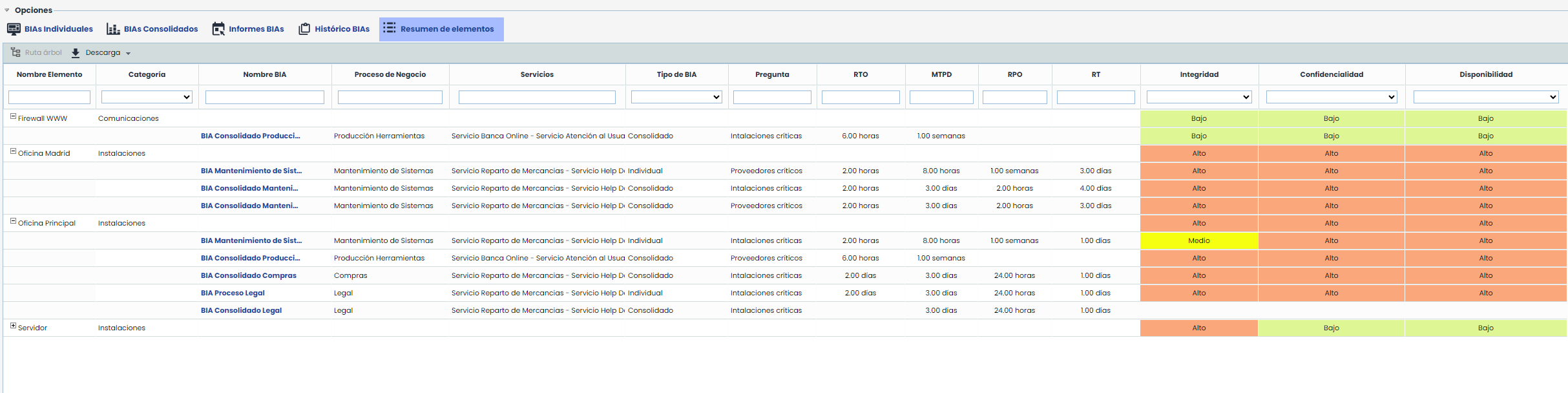
Table fields
Below are the most relevant fields included in the table:
-
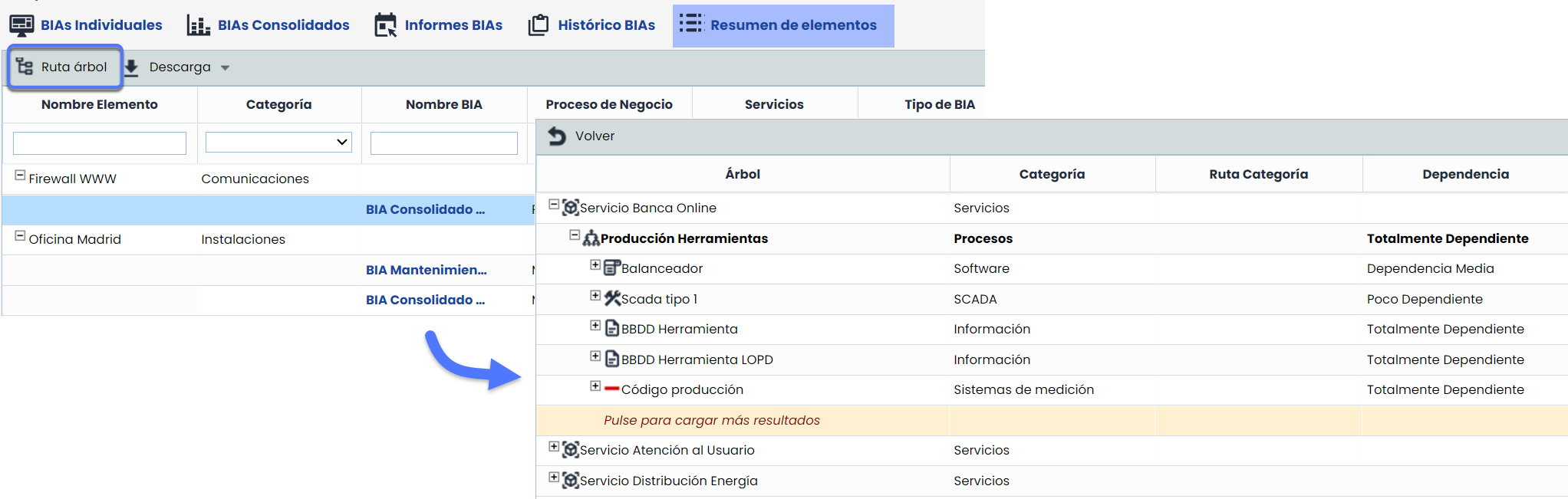
Tree Path: Hierarchical location of the item within the dependency tree.
-
Question: Questions from the table-type item form.
-
RTO and RPO
-
Individual and consolidated BIAs: the corresponding evaluation for the BIA is displayed.
-
-
RT
-
Individual and consolidated BIAs: the corresponding evaluation for the table-type item questions is displayed.
-
Note
If the option “Show RTO” is not enabled in Settings > BIA Configuration, the field will be displayed as empty.
-
Inventory Dimensions: all dimensions configured in the Item Methodology. will be displayed.
Customization and download options
-
Hide/show fields: Right-click on any field to hide or show it according to your needs.
-
Sorting and filters: All fields support filters and advanced sorting to efficiently locate information.
-
Download CSV report: The table information can be downloaded in a CSV file, which will include all visible fields and applied filters.