
The Business Impact Analysis, more commonly known as BIA, allows determining which processes are essential for the continuity of the organization's operations.
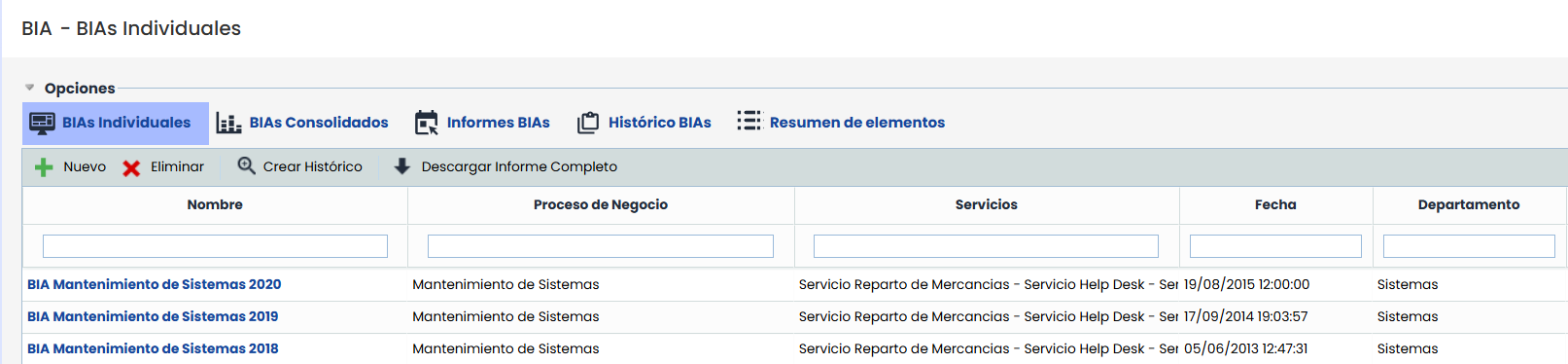
As soon as you access the BIA option, a list of registered impact analyses is displayed. By default, the tool shows individual BIAs, whose operation is detailed in the following section.
The starting options that can be performed are as follows:
-
New: Allows creating a new Business Impact Analysis (BIA) record. By pressing the “New” button, a modal opens with a table showing the available business processes for evaluation.
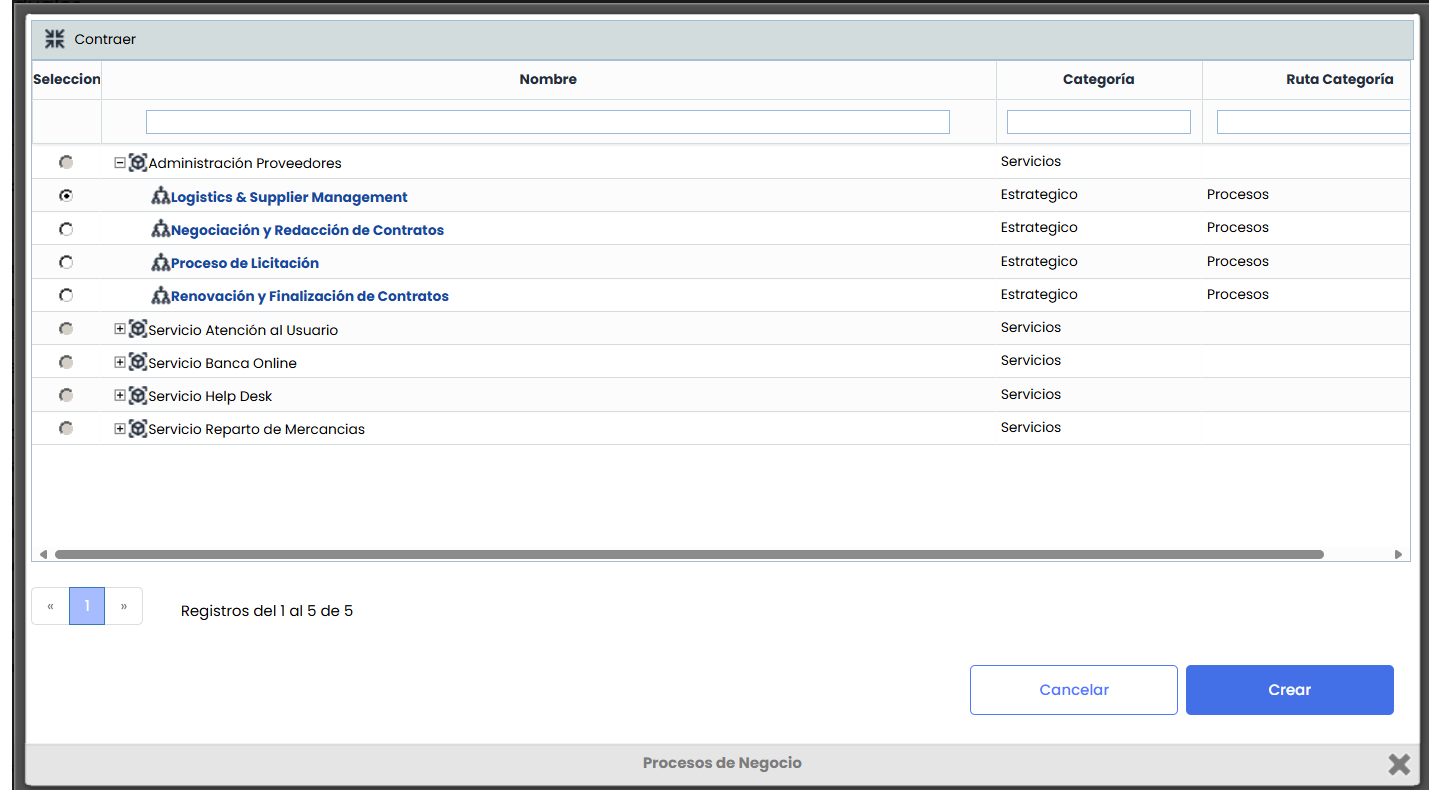
From this window, the user can search and filter processes by name, category, or category path, select the desired process, and click “Create”. Doing so closes the modal, returns to the main table, and displays the newly generated BIA.
-
Delete: Allows deleting a registered BIA. To do this, select the desired row or rows and press the ‘Delete’ button.
-
Download Full Report: Allows downloading the list of BIAs in CSV format. If the BIA contains custom questions of the Table Elements Type, in addition to the CSV Report with the general information of the BIAs, a CSV file will be generated for each custom question of this type.
NOTE: If you want to convert the downloaded reports into Excel format, you can do so by following the steps explained in the Pending Downloads section.