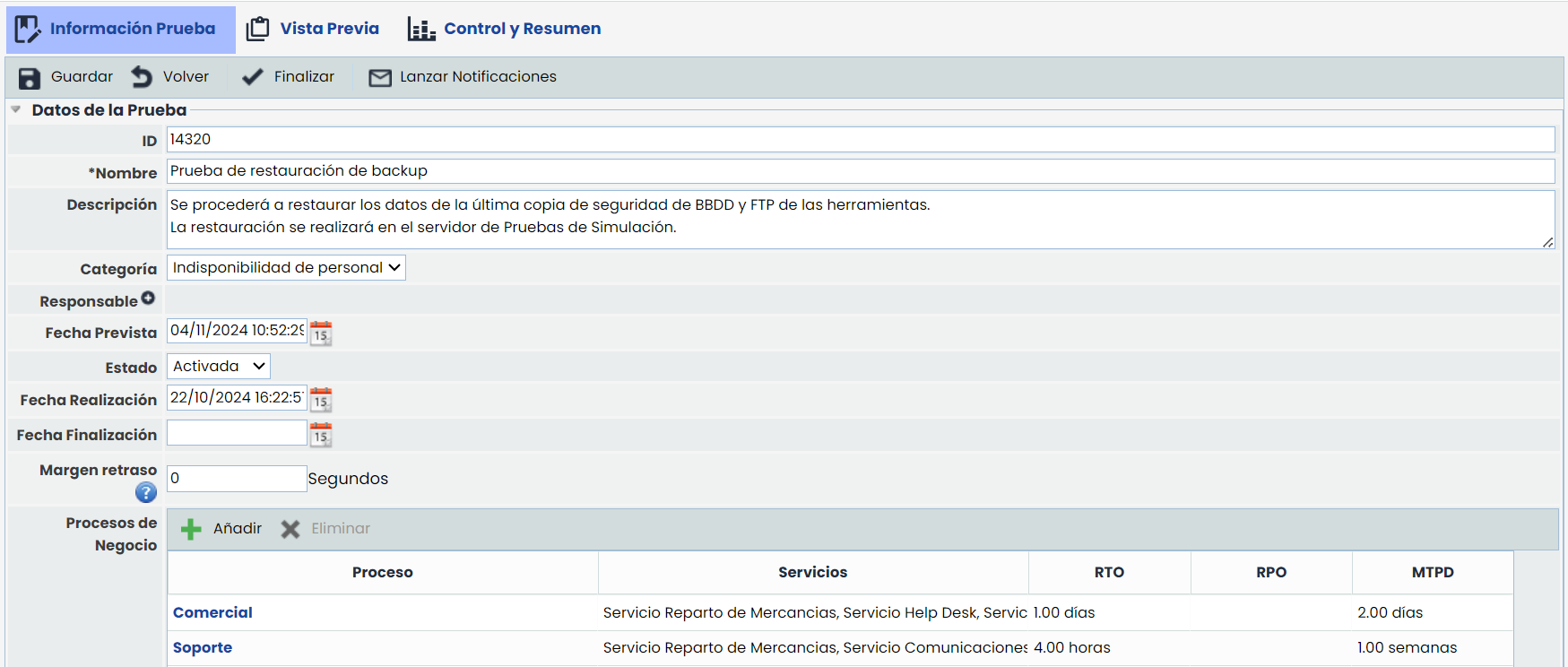
The options are as follows:
-
Save: Allows saving the information included in the test.
-
Back: Allows returning to the main option where all tests generated in GlobalSuite are displayed.
-
Activate: Allows indicating that the test has already been performed, determining the date on which the activation was carried out.
-
Launch Notifications: Allows notifying via email the personnel in charge of the tasks to be performed to complete the test in question.
The information that can be defined about a test is as follows:
Test Data
-
Name: Allows determining the name of the test.
-
Description: Allows establishing any additional information that clarifies what the test consists of.
-
Category: Allows defining the category of the test to be performed.
-
Responsible: Allows designating the employee responsible for the proper management of the test.
-
Planned Date: Allows setting the planned date for performing the test.
-
Status: Allows establishing whether the defined test has been executed or not.
-
Execution Date: Allows determining the date on which the test was performed.
-
Completion Date: Allows defining the date on which the test was completed.
-
Business Processes: Allows associating processes within the test cycle.
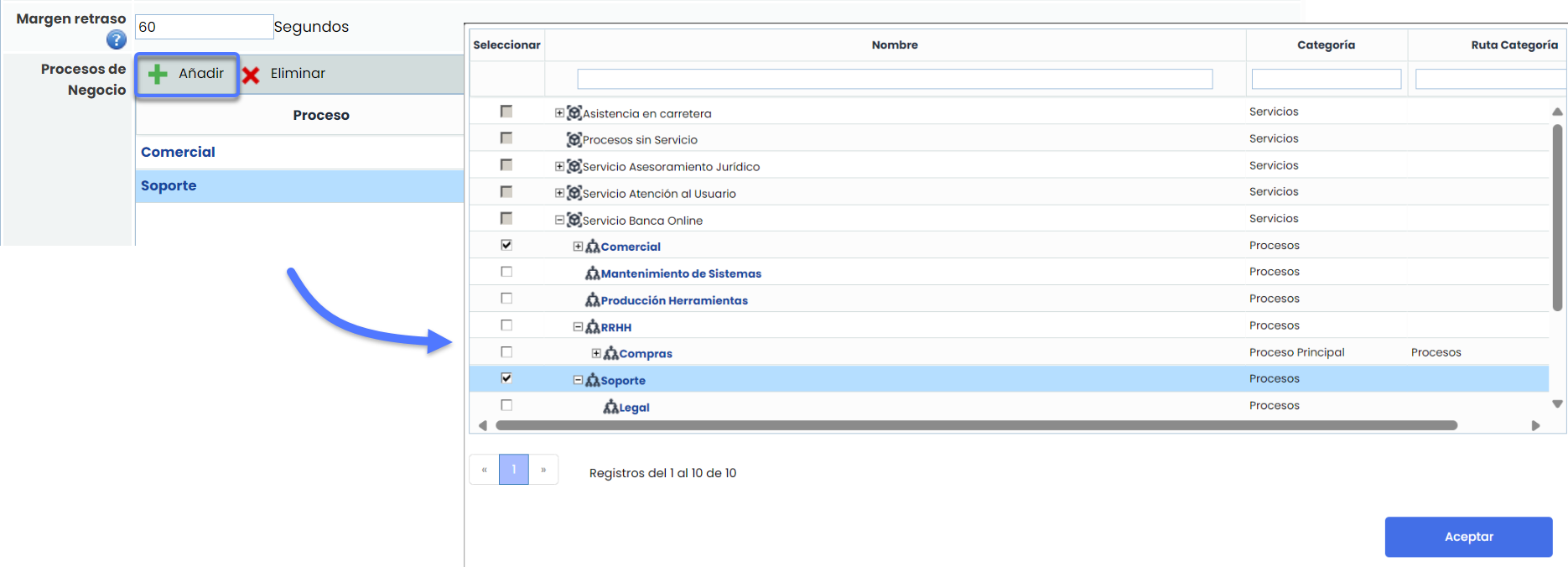
Recovery Plans and Sequences
The recovery plans and sequences option allows associating the different recovery plans established in the 'Plans/Recovery Plans' section to execute the test and its execution sequences.
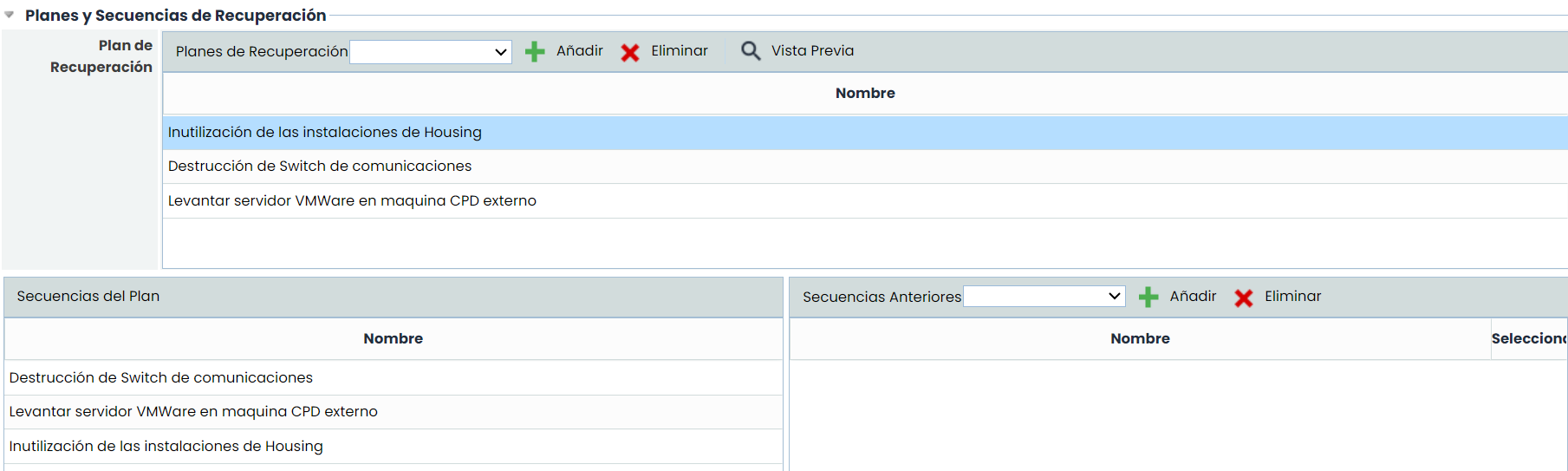
Task Tree
The task tree allows the user to establish the different tasks to be performed during the defined test.
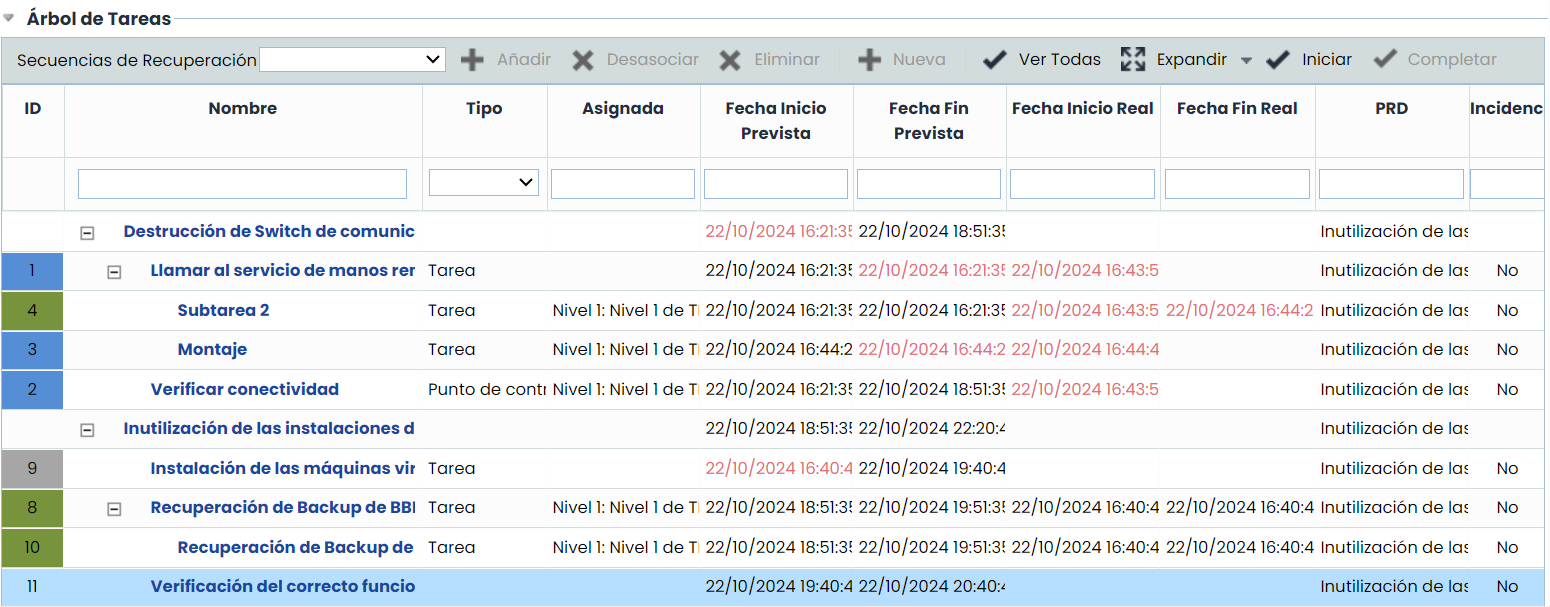
The options allowed by the table are as follows:
-
Add: Offers the possibility of inserting a recovery sequence.
-
Dissociate: Allows dissociating a recovery sequence along with the tasks defined in it from the table. To do this, the desired sequence must be selected, and the 'Dissociate' button must be clicked.
-
Delete: Allows deleting a recovery sequence along with the tasks defined in it from the table. To do this, the desired sequence must be selected, and the 'Delete' button must be clicked.
-
New: Allows inserting a new sequence into the table.
-
View All: Allows viewing all the tasks that have been added to the test.
-
Expand/Collapse: Allows expanding or collapsing the task tree.
-
Start: Allows starting a task that is in the task tree. To do this, a task is selected, and the button is clicked. This way, it is not necessary to enter the task to start it.
Note: Only tasks allowed based on the dependencies defined in the recovery sequences can be started.
-
Complete: Allows completing a task that is in the task tree. To do this, a task is selected, and the button is clicked. This way, it is not necessary to enter the task to complete it.
Note: Only tasks that have been previously started can be completed.
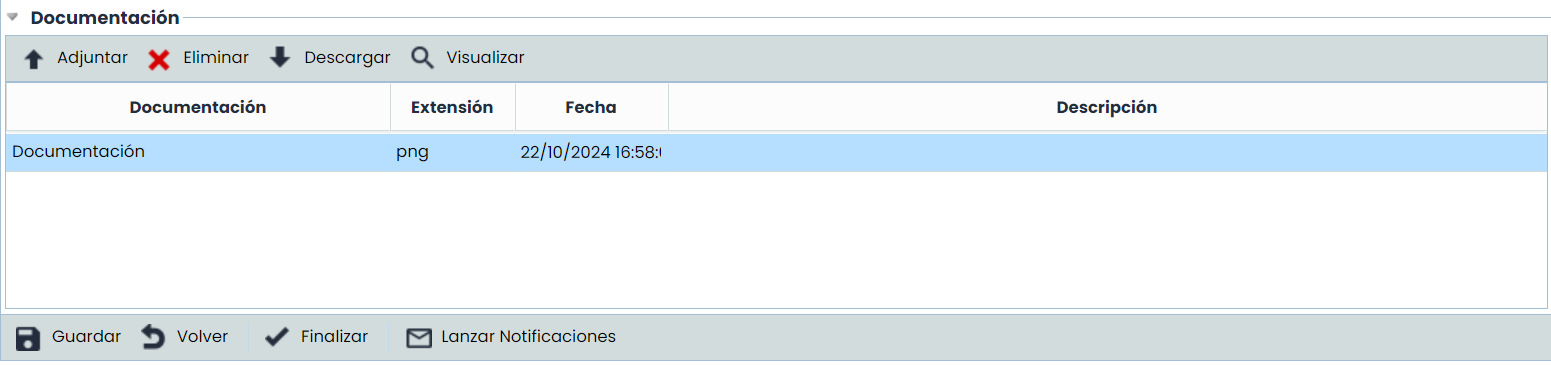
Documentation
Allows including any documentation related to the test plan.
To do this, the 'Attach' button must be clicked, and the desired file must be selected. If you want to delete a file, the desired row must be selected, and the 'Delete' button must be clicked.
Finally, by clicking the 'Download' button, the tool offers the possibility of downloading the file.