
The Incidents and Issues option will allow managing all those incidents and issues opened by clients, suppliers, or internally. It should be noted that they can be opened manually or, on the other hand, be automatically generated by clients from the client portal through a Ticket.
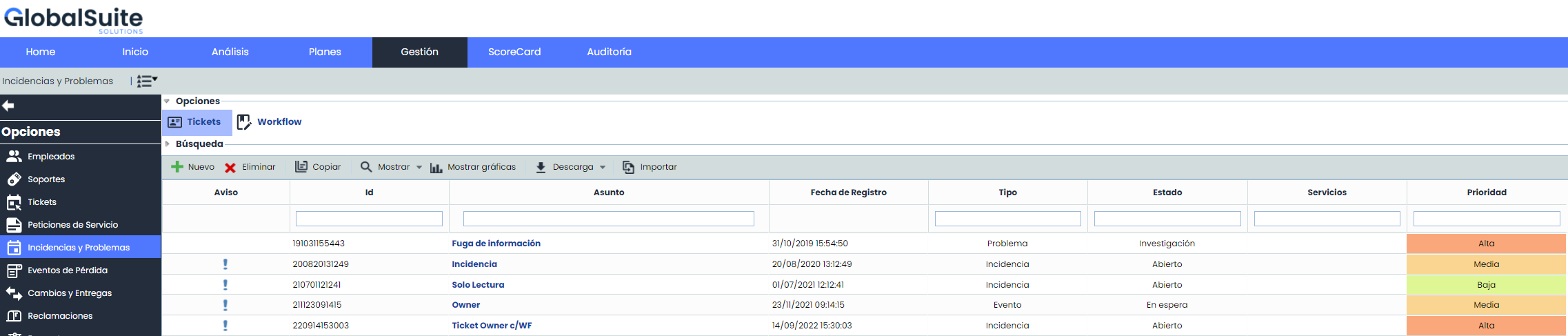
On the main screen, all those incidents and issues that are not yet in a closed state appear, as well as the following options:
-
New: Allows generating Incidents or Issues.
-
Delete: Allows deleting Incidents or Issues.
-
Copy: This option allows copying an Incident or Issue that has been previously defined.
-
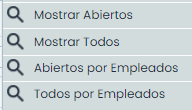
Show: By using GlobalSUITE as a knowledge database, this option allows selecting between different filters through the dropdown available in this option.
-
Show graphs: Allows representing all those Incidents and Issues that have been defined, by subtype and by state. This option allows us to display the following images:
The solution allows you to view both Incidents and Issues graphically and separately. The generated images allow displaying:
-
Totals: All registered Incidents and Issues.
-
Open: Only represent those that remain open.
-
Closed: Only represent those that remain closed.
It also allows representing any type of combination between these options.
Similarly, the images can be printed directly or downloaded in PNG, JPEG, PDF, and vector SVG formats.
-
Download: Allows downloading the list of Incidents and Issues in Excel or CSV format. This report will be available in Pending Downloads.
-
Import: This option allows performing a bulk upload of Incidents found in an Excel file. By clicking the button, the tool requests an Excel file that must contain a set of columns with the information of the Incidents to be imported, regardless of the order of the columns, as it allows selecting those to be imported.
.jpg?cb=c896c40aa5d5c3b056beb7c4dd99e5ce)
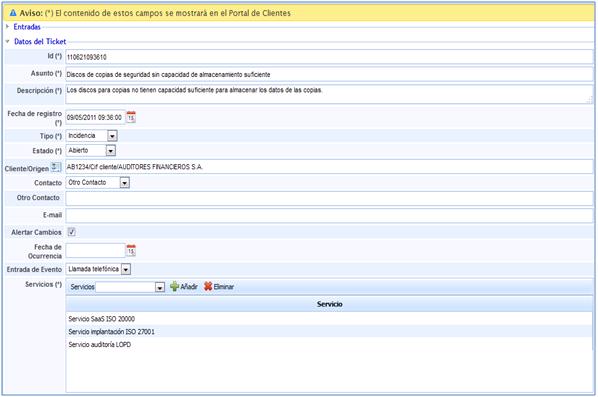
To access any Incident or Issue, simply click on the ID or the subject in the list on the main screen. Once inside, GlobalSuite provides us with the following options: