
Regarding claims, GlobalSUITE provides an option to register, manage, and store all types of claims received from any area of the organization.
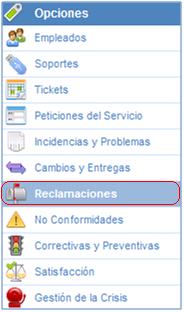
Once inside the Claims option, by default, you will find the list of all those that remain registered, informed, or under investigation:

-
New: Allows you to manually create claims.
-
Delete: Allows you to delete the generated claims.
-
Copy: This option allows you to copy a claim that has been previously defined.
-
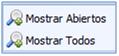
Show: By using GlobalSUITE as a knowledge database, this option allows you to select to display only those claims that are open, or alternatively all of them, through the dropdown menu available in this option.
-
Download: Allows you to download the list of Claims represented in Excel or CSV format. This report will be available in Pending Downloads.
-
Show graphs: Allows you to represent all the claims that have been defined. This option allows us to display the statistical images of these:
The solution allows you to graphically and separately view the status of the registered claims. The generated images allow you to display:
-
Totals: All registered changes.
-
Open: Only represent those that remain open.
-
Closed: Only represent those that remain closed.
It also allows representing any type of combination between these options.
Similarly, the images can be printed directly or downloaded in PNG, JPEG, PDF, and vector SVG format through the option identified below.

-
Import: This option allows you to perform a bulk upload of Claims that are in an Excel file. By clicking the button, the tool requests an Excel file that must contain a set of columns with the information of the Claims to be imported. The order of the columns does not matter as it allows you to select those you want to import.
.jpg?cb=c896c40aa5d5c3b056beb7c4dd99e5ce)