
By clicking on this option, the tool displays a summary view of the risks obtained in the 'Risk Analysis' option.
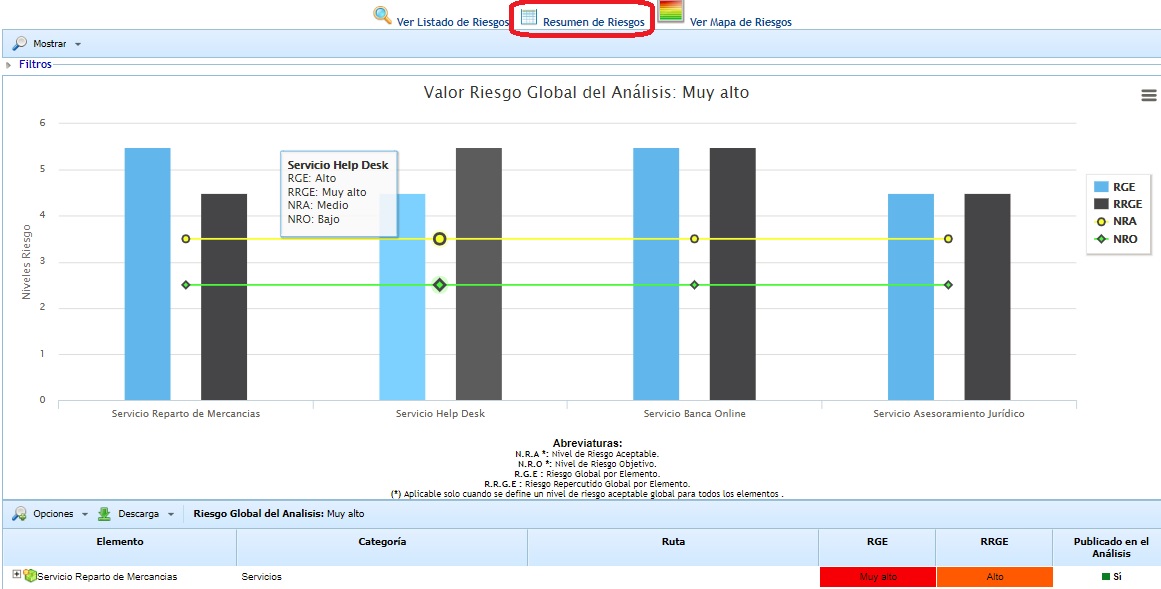
The graph at the top shows the Global Risk by Element (RGE) and Global Repercussed Risk by Element (RRGE) values for each of the defined services. These values can be compared with the Acceptable Risk Level (ARL) and Target Risk Level (TRL) values defined for the Risk Analysis. It is possible to select the services we want to appear in the graph.
Similarly, at the top of the graph, the Global Risk Value from the Risk Analysis is displayed, which is calculated based on the criteria defined for the Risk Analysis.
NOTE: All the risk values displayed in the graph (RGE, RRGE, ARL, TRL, and Global Risk from the Analysis) are established based on the criteria defined in the 'Risk Analysis - General Information' option.
At the bottom, below the graph, the list of elements is displayed along with the RGE and RRGE values calculated for each of them.
When the analysis has more than 15 top-level elements (services) associated, the graph is not displayed, and the following message is shown: "To view the graph, select the desired elements in the Select Elements option."
Therefore, you need to select the "Show" button and choose the "Select elements" option to mark which ones you want to display. In the pop-up window, you can filter by taxonomy to obtain the services that meet the condition that any of their threats have any of those risks associated.

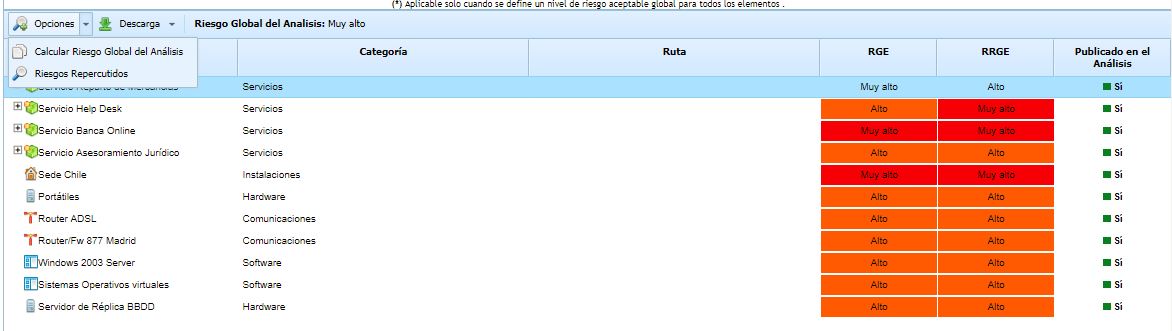
This table allows the following options:
-
Options - Calculate Global Risk of the Analysis: Performs the calculation of the Global Risk for the risk analysis. The criteria used to obtain the Global Risk by Analysis is defined in the 'Risk Analysis - General Information' section explained in previous sections.
-
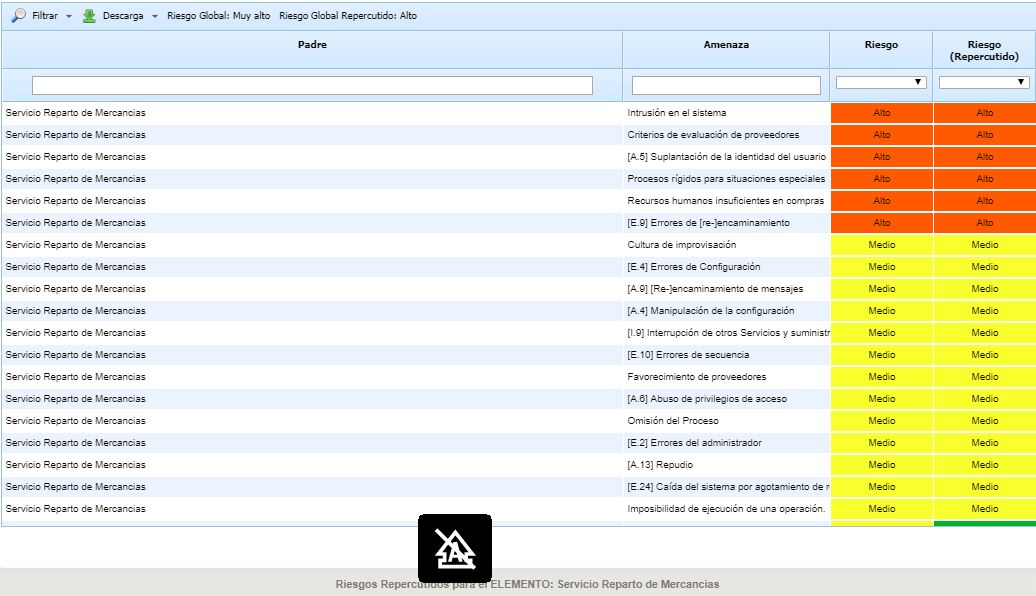
Options - Repercussed Risks: Allows viewing the repercussed threats of a specific element. The repercussed threats consist of the threats of the element itself plus the threats of the dependent elements (based on the dependencies established in the 'Inventory' section).
-
Download: Allows downloading the list of elements along with the RGE and RRGE values in editable format (.xlsx) or in .PDF format.