
By clicking on this option, the tool displays the following information:
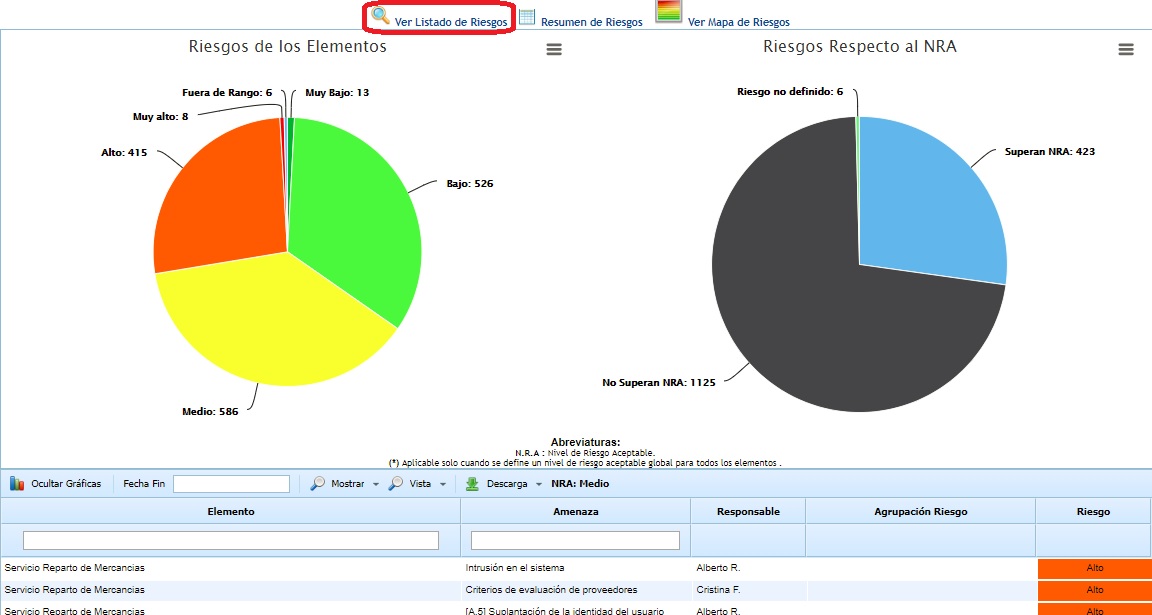
The graphs show the specific information of the selected analysis, indicating:
-
Risks of the elements: Displays the number of risks obtained.
-
Risks with respect to the NRA: Displays the number of risks that exceed the NRA and those that are below it.
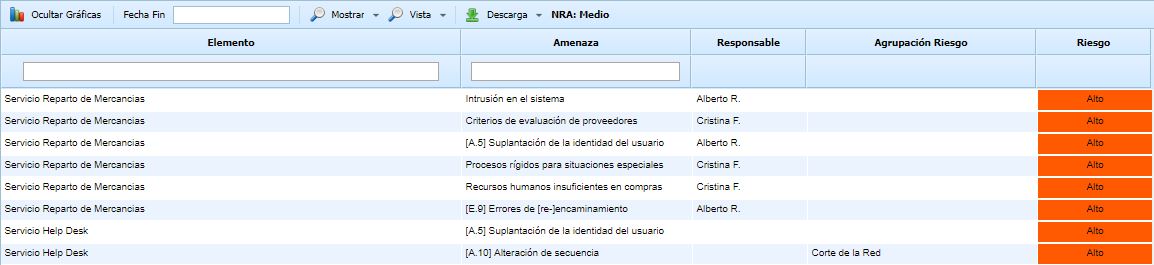
On the other hand, the list of elements and risks that have been analyzed is displayed, with the following information:
-
Element: Indicates the name of the evaluated element.
-
Threat: Indicates the name of the assessed threat associated with the element.
-
Responsible: Indicates the person responsible associated with the risk.
-
Risk Grouping: Displays the list of risk types that have been defined in the 'Settings /Analysis Catalogs' section.
-
Risk: Indicates the risk value obtained based on the assessments carried out in the 'Analysis/Risk Analysis' section. This value can be qualitative or quantitative depending on the assessment defined in the 'Settings/Analysis Methodologies' section for the risk dimension.
For better table management, the tool allows the following actions:
-
Hide graphs: Allows the user to hide the graphs in the upper section.
-
End Date: Enables the user to define the date on which the risk analysis and evaluation were completed.
-
Show: Allows filtering the list of elements by showing only those that exceed the NRA (Exceed the NRA), displaying the list with all evaluated elements and risks (All), or filtering by the percentage identified in the 'Settings /Analysis Methodologies' section.
NOTE: The threat filtering by percentage shows, from the total assessed threats, only the defined percentage starting from the most critical or very high ones until the established percentage is covered.
-
View: Allows filtering the visualization of risks by element or by risk.
If the risks option is selected, not all risks will appear in the graph, as only the top-level risks are displayed. To display more risks, you must select them in the "Select grouping" button where the entire tree can be viewed.
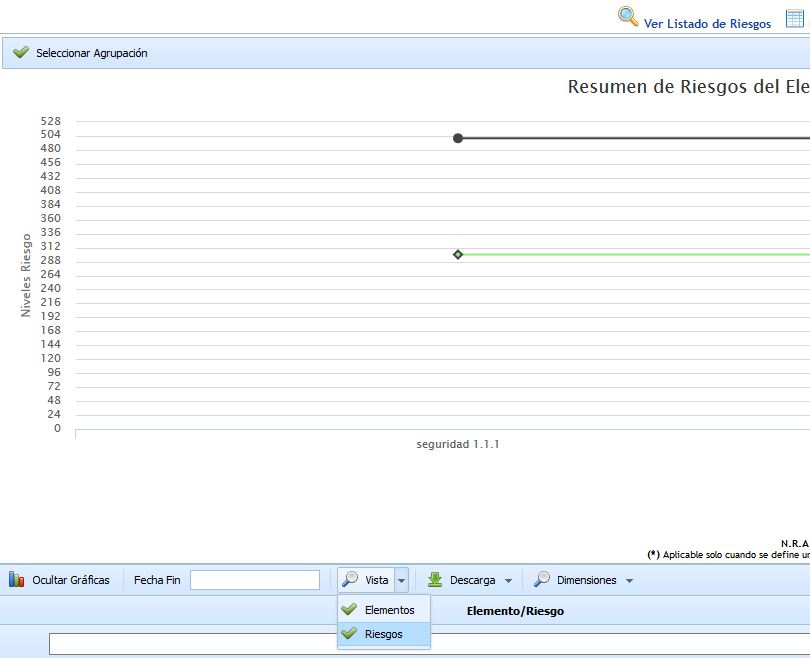
If the Elements option is selected, two new filters have been added in the "Responsible" and "Risk Grouping" columns so that filtering can be done directly by these two fields.

-
Download: Allows downloading the list of elements/risks in editable format (.xlsx) or in .PDF format. This option also allows downloading a specific report in xls format that contains, for each service/product of the organization, the consolidated values of each of the organization's risk categories. Quantitative values are calculated for both the risk dimension and the dimensions used to calculate the risk in the methodology (e.g., the typical probability and impact), using the calculation type called "Risk Calculation by Risk Grouping" configured in the "Risk Analysis - General Information" option.
-
Dimensions: Allows filtering the Risk Assessment information when the "View" button and the "Risks" option have been previously clicked, as otherwise the "Dimensions" button will not be available. The filter is applied to the methodology dimensions. Once the desired dimension is clicked, the graph and table information is updated.