
The Job Progress section allows you to view all background jobs that are currently running and those previously launched in the management system. These jobs include both the generation of reports and documents as well as specific processes, such as Calculate AR.
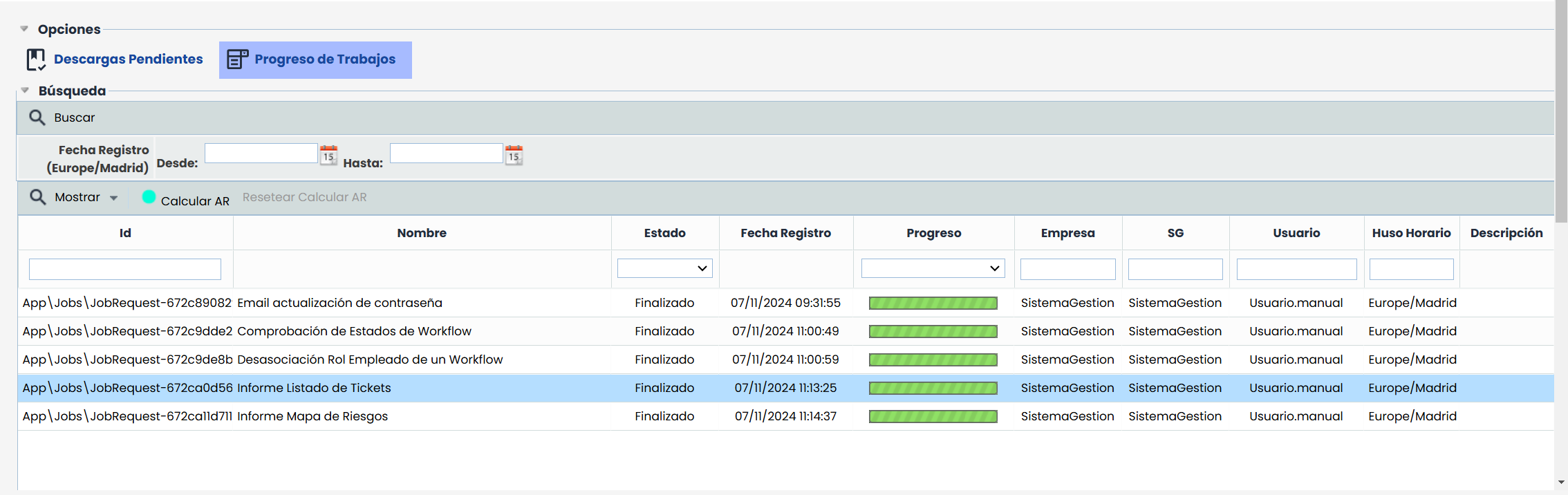
Filters and Functionalities
-
Registration Date (Europe/Madrid): Allows filtering jobs by their registration date, specifying a range between the From and To dates to display jobs registered within that interval.
-
Show Button: This button allows filtering jobs by their status. The filtering options are:
-
Pending: Displays only jobs that are in progress.
-
Completed: Displays only jobs that have been completed.
-
All: Displays all jobs, regardless of their status.
-
Indicator "Calculate AR"
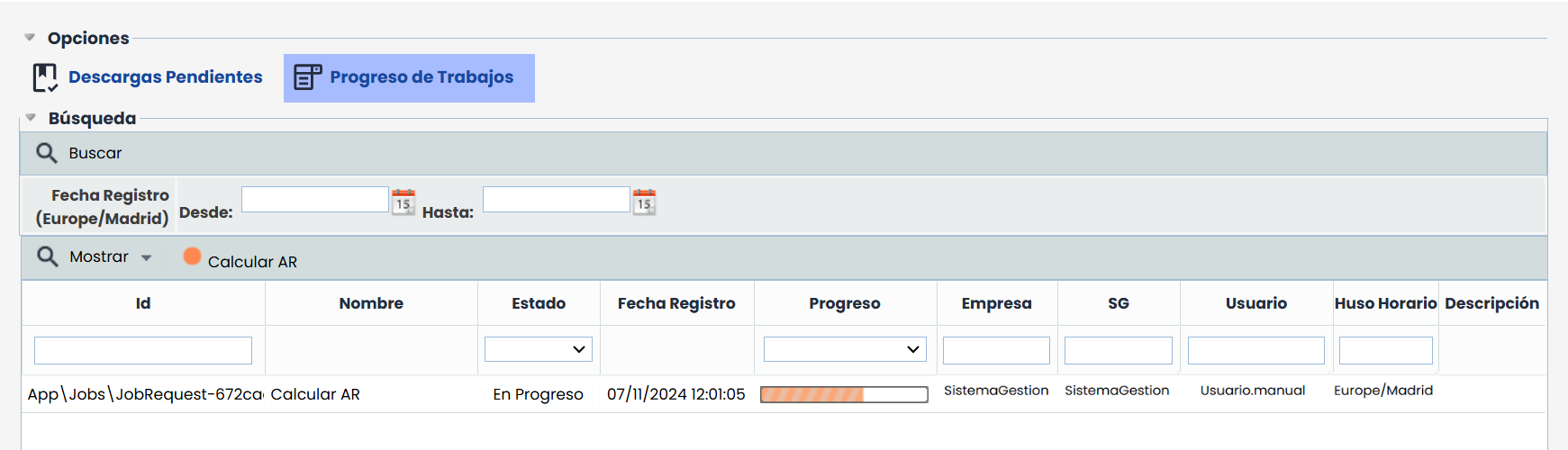
Depending on the number of elements and the complexity of the dependencies involved, the time required to complete Calculate AR may vary. To facilitate tracking of this process, the Calculate AR indicator in the main table's toolbar quickly shows the status:
-
Red: Indicates that the calculation is in progress or that a failure has occurred in the process.
-
Green: Indicates that the calculation has been successfully completed.
If an error occurs during execution, the indicator remains red to signal the failure, and in these cases, system administrators can see the Reset Calculate AR option, which allows it to be relaunched from the risk analysis module.
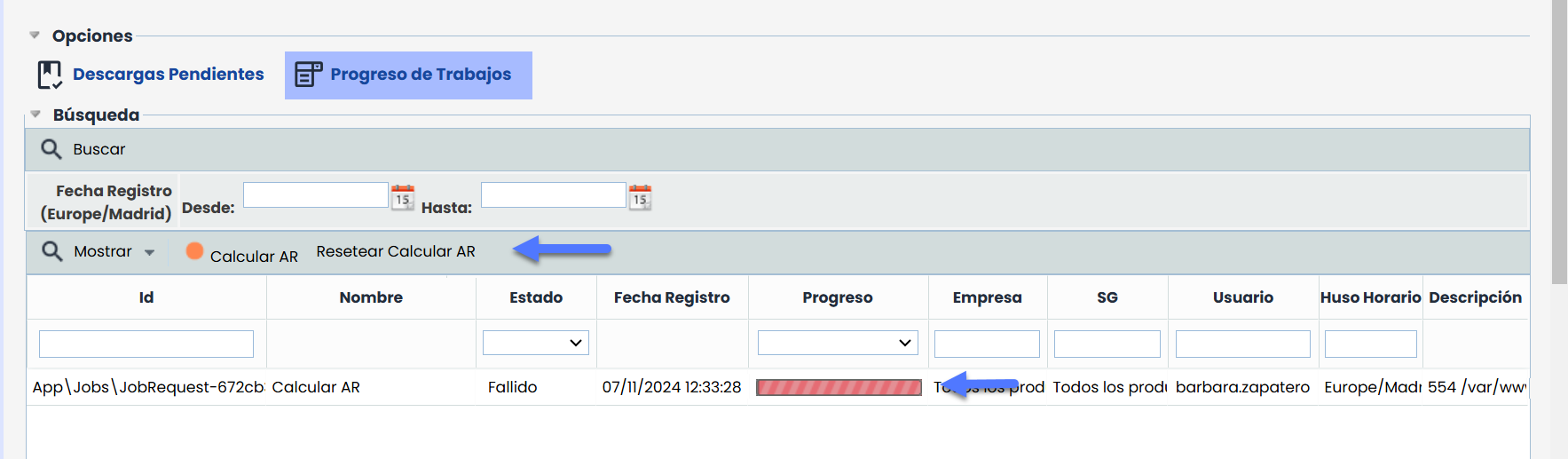
Main Table
-
Id: Unique identifier of the job in the system. This value is automatically assigned and facilitates the specific reference of each job.
-
Name: Describes the job being executed or completed.
-
Status: Indicates the current status of the job. The possible values are:
-
Registered: The job has been created and is waiting to be executed.
-
In Progress: The job is actively being executed.
-
Completed: The job has been successfully completed.
-
Failed: The job could not be completed due to an error.
-
-
Registration Date: Date and time when the job was registered in the system, in the format DD/MM/YYYY HH:MM
-
Progress: Graphical representation of the job's progress, usually in the form of a progress bar.
-
Company: Name of the company from which the job was executed.
-
MS: Management system from which the job was executed.
-
User: Name of the user who initiated the job.
-
Time Zone: Time zone in which the job was registered.
-
Description: If the job status is Failed, this column may include details about the reason for the failure, such as connection issues, input data errors, or management system failures. Reviewing this information can help identify the cause of the error and facilitate resolution or retrying the operation.