Control Survey Results
This option allows viewing the assessment of the controls that has been carried out in the different surveys of type 'Controls'. To access the option, it is necessary to click on the "Survey Results" option.
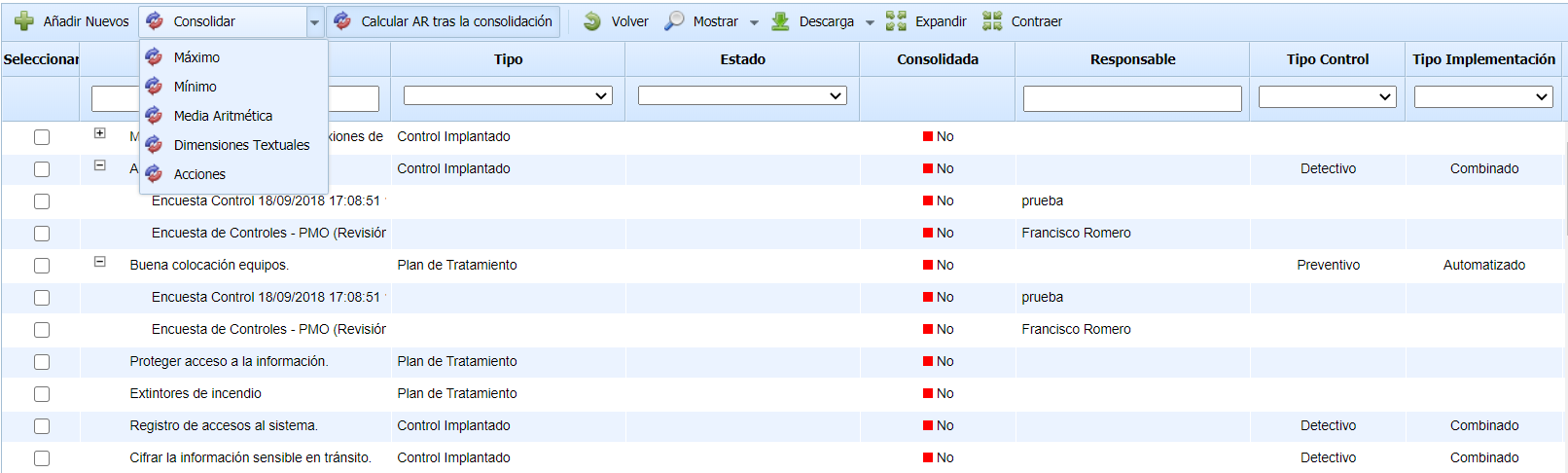
Once the option is accessed, a table is displayed containing the registered controls with the information obtained in the different surveys. The options provided by the tool for the table are as follows:
-
Add New: Allows inserting the new controls that have been identified in the control surveys. The newly identified controls are highlighted in green, and the tool allows selecting which controls to add and which not to add.
-
Consolidate: Allows the consolidation of the different assessments made on the same control in different surveys, using several consolidation options: Maximum (record of the highest assessment), Minimum (record of the lowest assessment), and Arithmetic Mean (record of the average among the different assessments). This option modifies the assessments of the controls. It is also possible to consolidate the Textual Dimensions and the actions of the controls.
-
Calculate AR after consolidation : This field is used to select whether, after consolidating the selected surveys, all the automatic dimensions of the analysis should be recalculated. By default, it is checked. Since this process may take several minutes, it is possible to uncheck it to perform several consolidations and recalculate the risks at the end.
-
Back: Allows returning to the control list.
-
Show : Allows displaying all control surveys, or only those pending consolidation.
-
Download: Allows downloading the information displayed in the survey management table in an editable file (.xlsx) or in .PDF format.
Asset-Control Survey Results
This option allows viewing the assessment of the controls that has been carried out in the different surveys of type 'Assets-Controls'. To access the option, it is necessary to click on the "Asset-Control Survey Results" option.
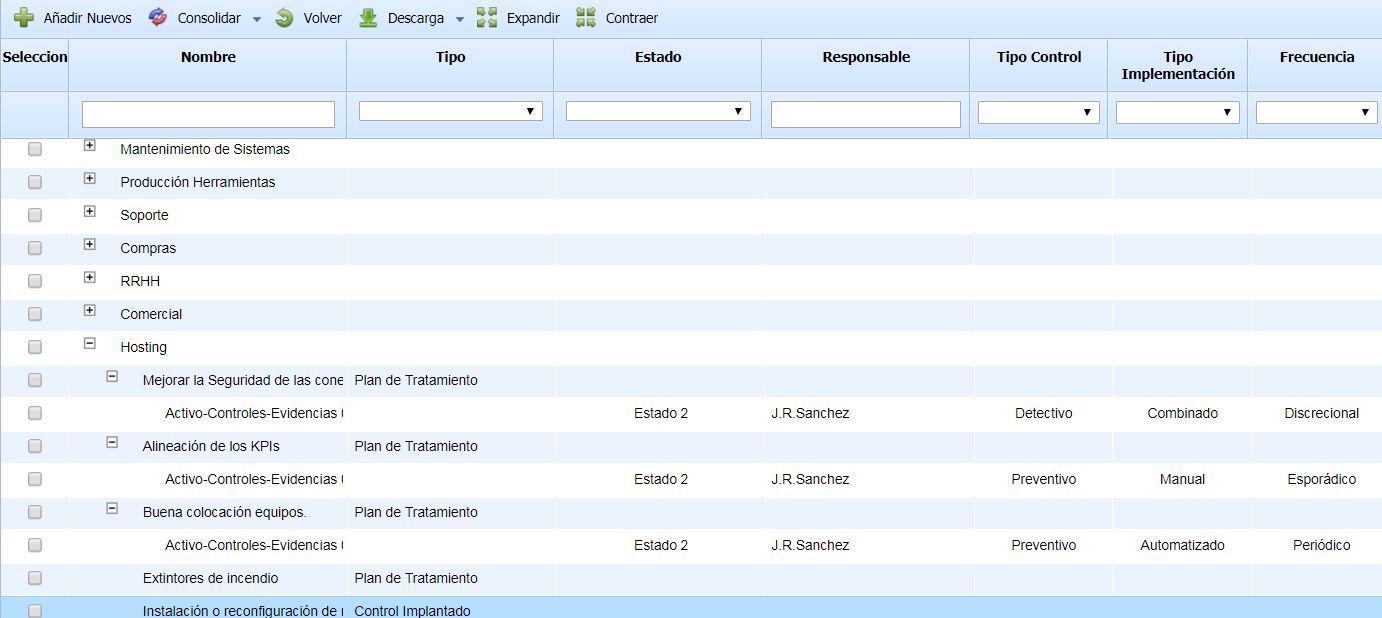
Once the option is accessed, a tree is displayed containing the assets as roots and the registered controls as children with the information obtained in the different surveys. The options provided by the tool for the table are as follows:
-
Add New: Allows inserting the new controls that have been identified in the control surveys. The newly identified controls are highlighted in green, and the tool allows selecting which controls to add and which not to add.
-
Consolidate: Allows the consolidation of the different assessments made on the same control in different surveys, using several consolidation options: Maximum (record of the highest assessment), Minimum (record of the lowest assessment), and Arithmetic Mean (record of the average among the different assessments). This option modifies the assessments of the controls.
-
Back: Allows returning to the control list.
-
Download: Allows downloading the information displayed in the survey management table in an editable file (.xlsx) or in .PDF format.
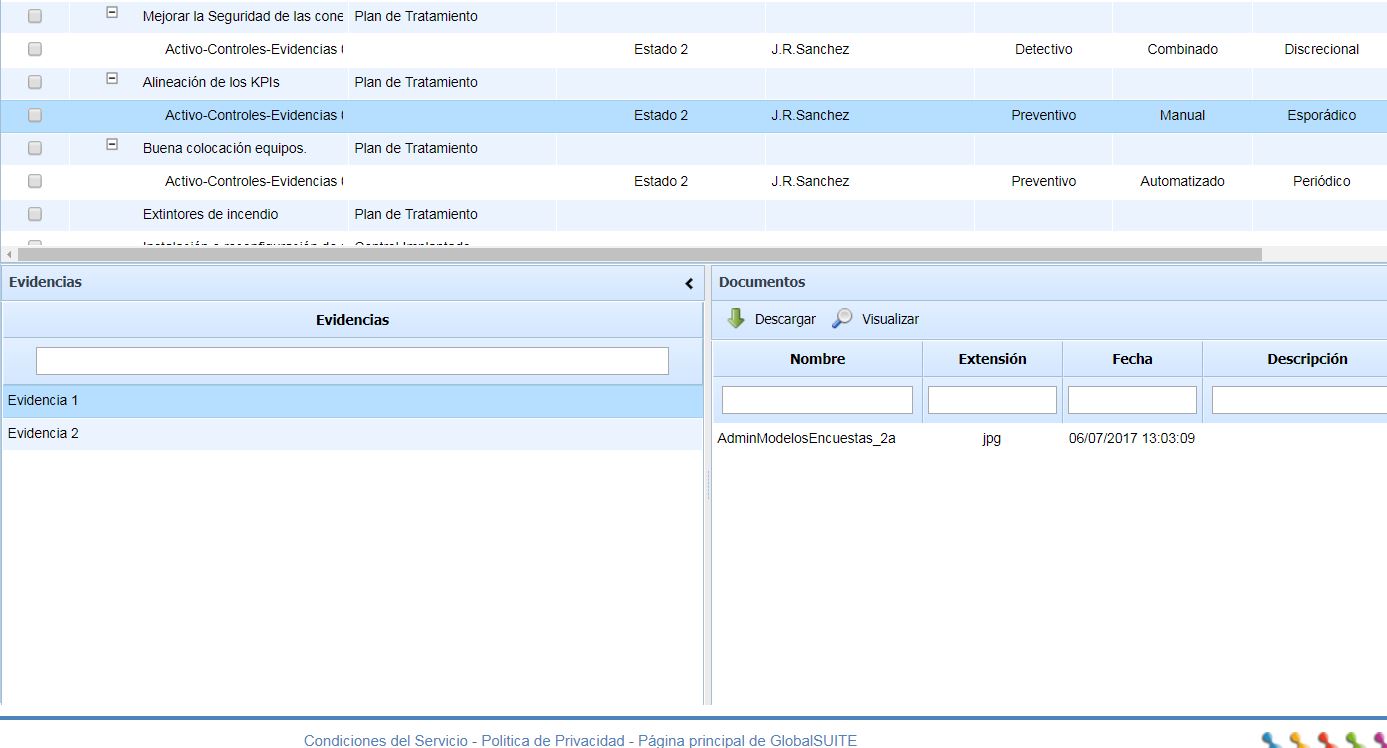
In the case that the survey also has Evidence, the associations defined in the surveys will be included, as well as the documents uploaded to each piece of evidence, for each control.