
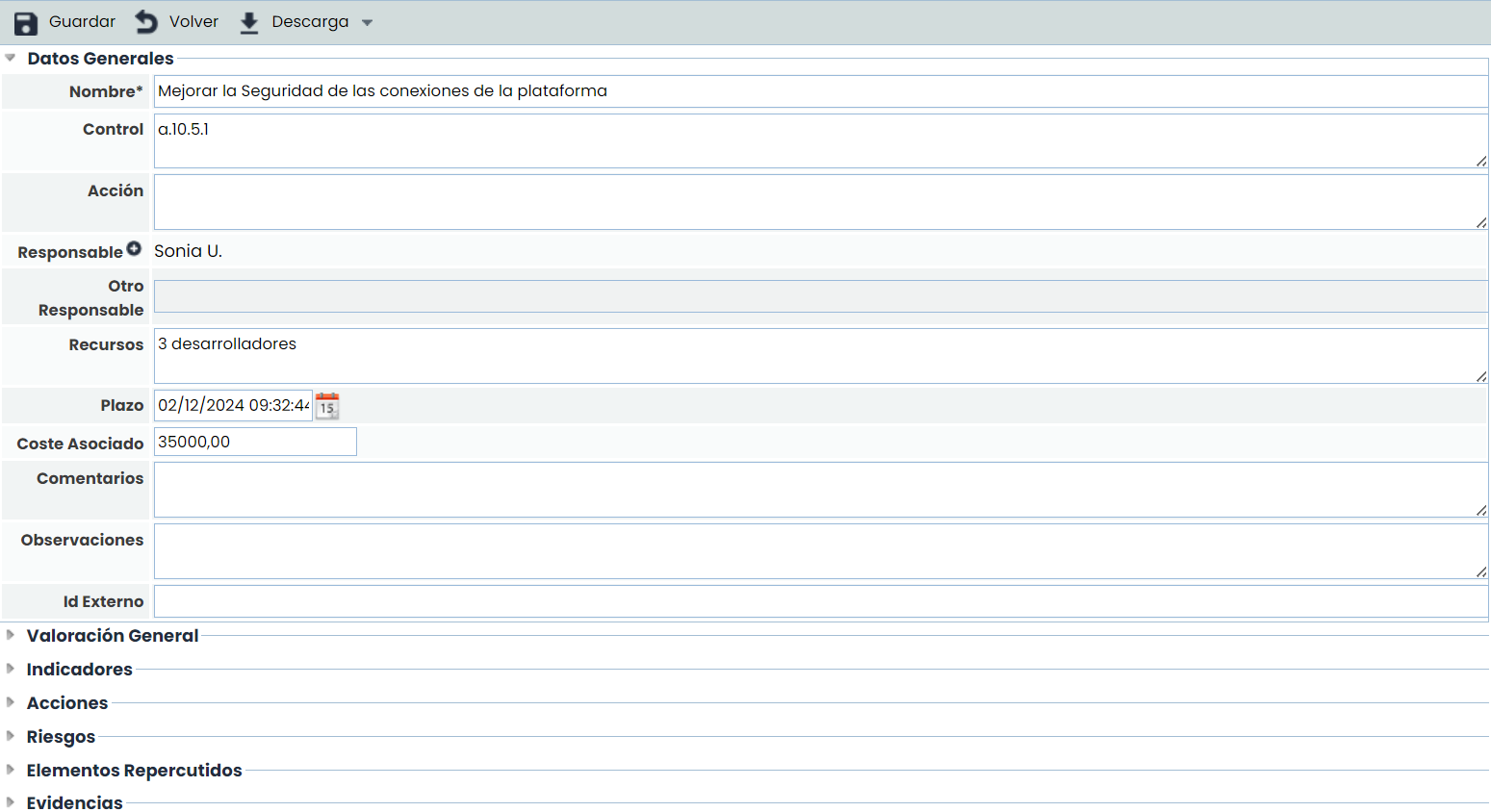
The form is divided into several sections, allowing the definition of the following fields:
General Data
-
Name: Identifies the name of the control that will be displayed in the table below.
-
Control: Allows identifying the control from the Statement of Applicability (SOA) to which it is associated.
-
Responsible: Identifies the person within the organization responsible for verifying the implementation of the control within the defined deadlines. This responsible person can be selected from the set of Employees (see section in the Management tab).
-
Other Responsible: Identifies the person within the organization responsible for verifying the implementation of the control within the defined deadlines, allowing it to be defined textually.
-
Resources: Allows identifying the resources or departments within the organization that will be involved in the implementation of the control.
-
Deadline: Identifies the deadline by which the control must be implemented within the organization.
-
Associated Cost: Allows defining the cost for the organization of implementing the control.
-
Comments: Allows adding specific clarifications about the implementation of the control.
-
Observations: Allows indicating any additional notes associated with the control.
General Control Assessment

Allows assessing the dimensions of the control that have been configured to be displayed in the Control Sheet. See Control Methodology.
Control Indicators
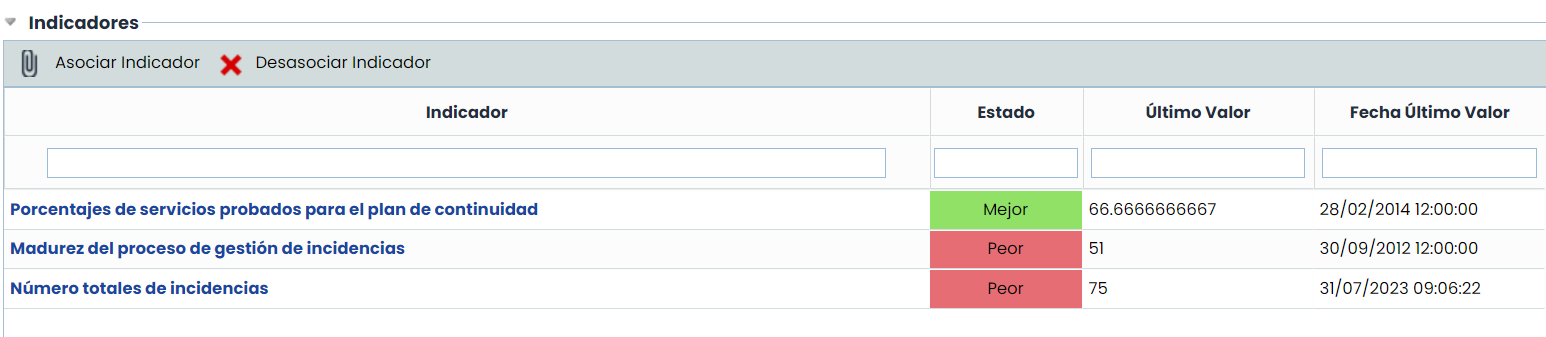
Allows associating one or more indicators defined in the ScoreCard > Indicators section.
Actions associated with the control

Allows defining the necessary actions for the implementation of the control by clicking on the 'New' button. This generates a new entry in the table that allows defining the following parameters:
-
Name: Allows identifying the name of the actions by double-clicking on the cell.
-
Responsible: Identifies the person or department within the organization responsible for verifying the completion of the action within the defined deadline.
-
Resources: Allows identifying the resource(s) or departments involved in carrying out the action.
-
Deadline: Identifies the deadline by which the action must be completed. This deadline must not exceed the final implementation deadline of the control.
If you want to delete an action, you must select the desired row or rows and click the 'Delete' button.
Risks with the associated control
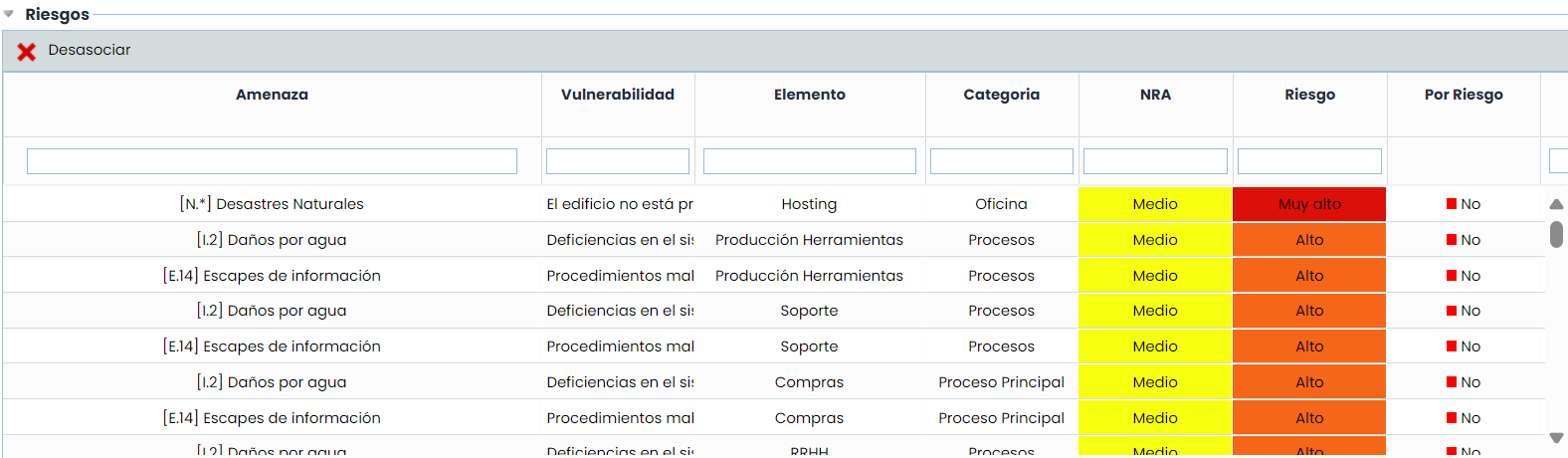
Displays the list of risks from the table above to which the control is associated, including the risk level and its type. To disassociate the threat from the control, select the desired row(s) and click the “Disassociate” button.
If the control methodology used is of the "By Risk" type, for each risk, the effectiveness evaluation of the control can be reviewed and modified, as well as updated. The "By Risk" checkbox will be set to Yes when the evaluation is specific to that risk, or otherwise, it will appear as No for risks that do not have a specific evaluation and to which the general control assessment will apply.
Associated Elements
This section is displayed if the control methodology is defined as "By Element". See Methodologies > Control Methodologies.
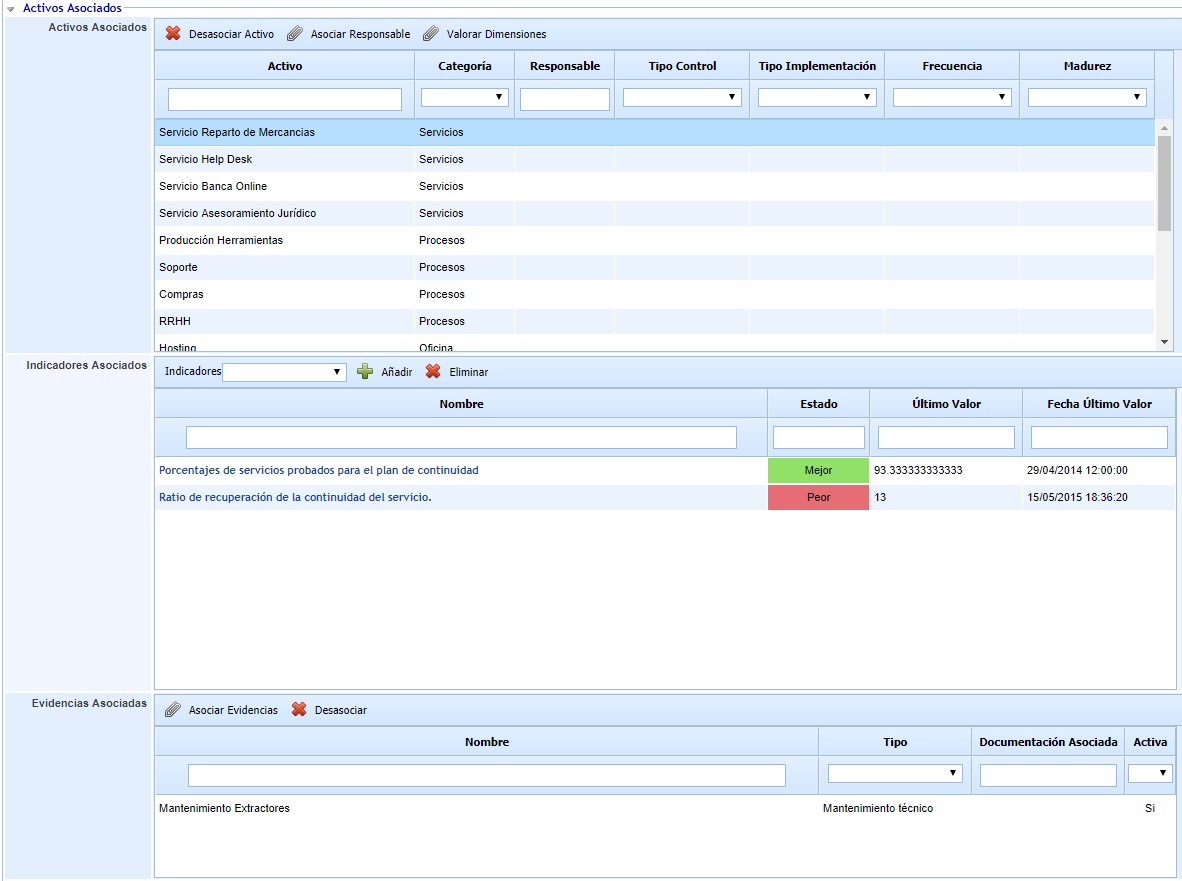
In the main table of “Associated Elements,” the assets to which the control is applied are displayed. If you want to disassociate the control from any of the assets, you can do so by selecting it in the table and clicking the “Disassociate Element” button.
You can also assign a control responsible for each asset by selecting it and clicking “Associate Responsible.” In this case, a window will open to choose the Employee to be assigned.
Similarly, the maturity or effectiveness of the control for each asset can also be assessed specifically.
Finally, when an asset is selected, the following tables of “Associated Indicators” and “Associated Evidence” are loaded with the control's indicators and evidence for each element, which are independent of the general indicators and evidence of the control.
Impacted Elements
Displays the list of elements that will be indirectly affected by the control. The displayed elements are those that depend on the element(s) identified in the previous section “Risks with the associated control.” Dependencies are defined in the Analysis > Inventory section.
Evidence associated with the control
Allows associating evidence to the treatment plan (or control) being defined. To do this, through the "Associate Evidence" button, a pop-up window is accessed containing all the evidence registered in the Analysis > Evidence Management option. One or more pieces of evidence from the list can be associated.
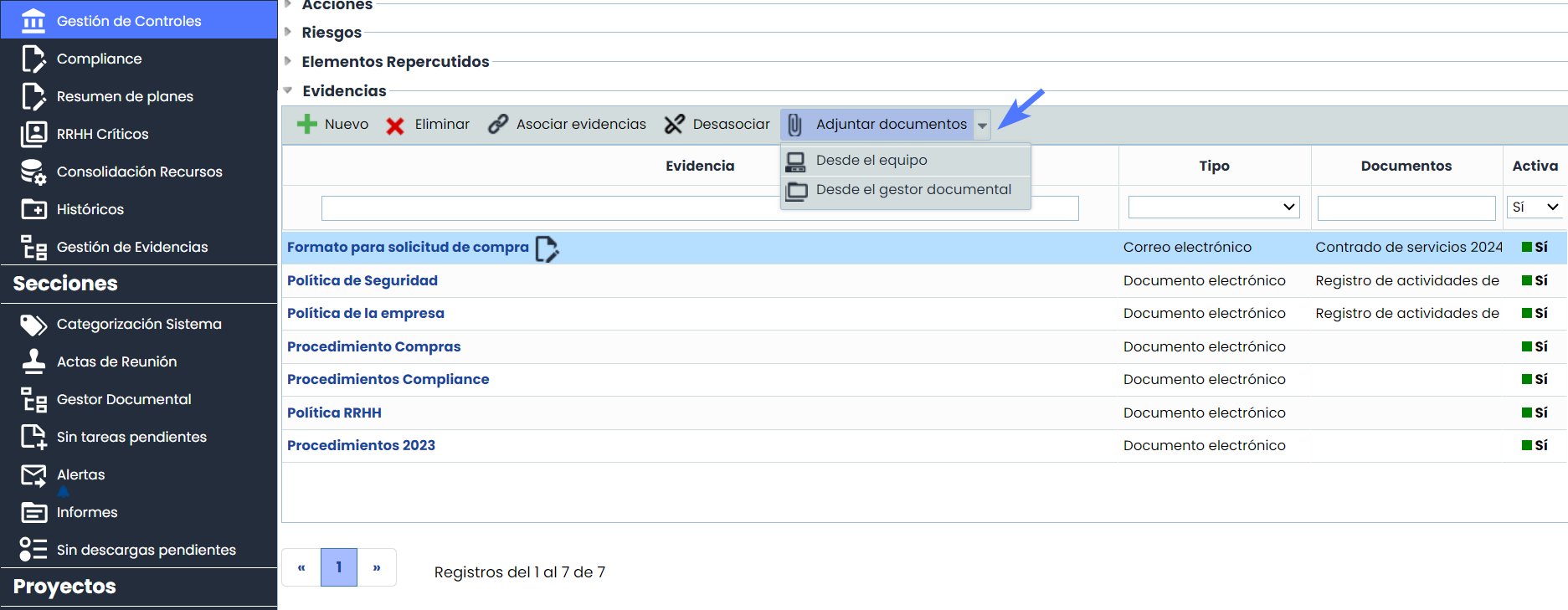
Additionally, the following actions can be performed:
-
Attach Documents: It is possible to attach documentation to the evidence from two sources:
-
From Document Manager: Documents previously stored in the Document Manager can be associated, as well as disassociated from the evidence when necessary.
-
From the Local Device: Files can be uploaded directly from the user's device.
-
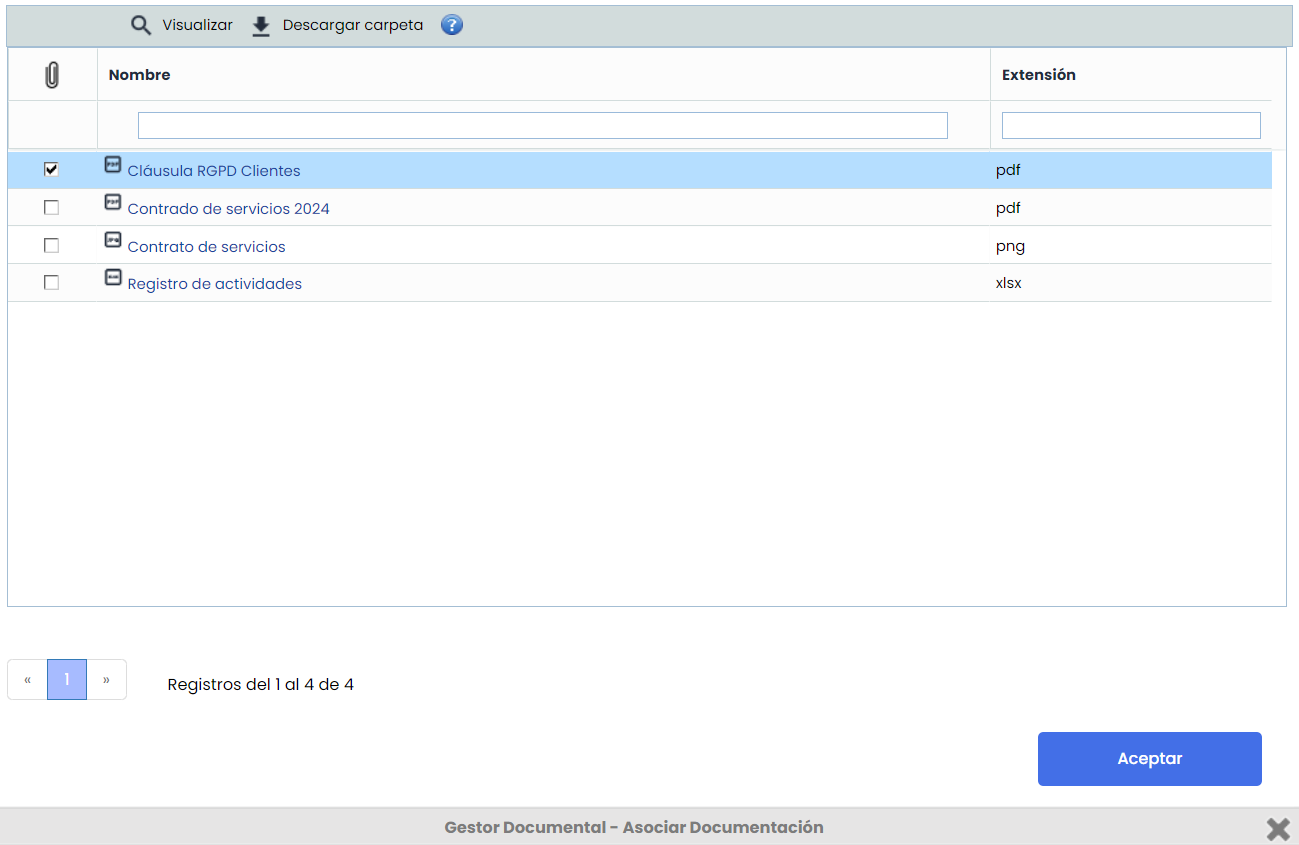
-
Creation and Deletion of Evidence:
-
Evidence can be created and deleted.
-
When deleting the evidence, it will be removed for all controls to which it is associated. If you only want to remove it from a specific control, you must perform the action of disassociating the evidence from that specific control.
-
Access and Editing of Evidence:
-
Evidence can be accessed via a direct link, facilitating navigation and quick access to the necessary information.
-
The name of the evidence can be edited by clicking the icon displayed next to the evidence name.
-
Automatic Notifications
Allows enabling the sending of notifications to the control responsible, or to the action responsibles of the control, depending on which fields are marked.
Alerts are sent when:
-
An employee is assigned as responsible for the control or an action
-
One week before the deadline
-
When the deadline is met
-
Subsequent weeks after the deadline is met
These alerts will be sent as long as the actions are not 100% completed, among the states defined in Configuration > Element Methodology ( Risk Management Control Levels / Adaptation Plan).

Compliance
In this table, you can check which compliance requirements are related to the control. Additionally, it is possible to access the linked Compliance evaluation through the link.
