The GlobalSuite Availability option allows defining the Availability Plans deemed necessary for the organization.
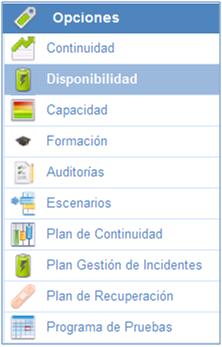
On the main screen, all the availability plans generated in the solution are available.

Apart from the list of availability plans, the solution provides the following tools:
-
New: Allows generating availability plans.
-
Delete: Allows deleting the defined availability plans. To perform this deletion, it is necessary to select it beforehand.
-
Download: Allows downloading the list of generated availability plans.
General Data
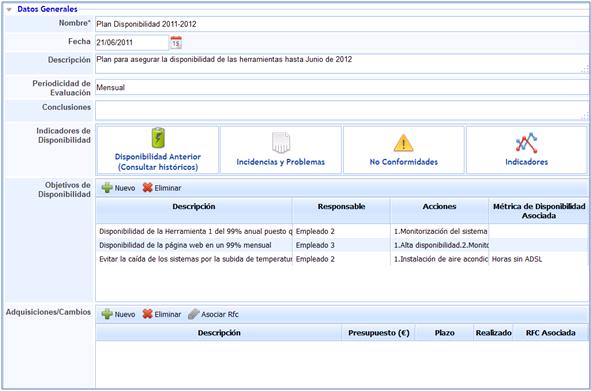
In this option, GlobalSUITE allows defining all the necessary information to fully establish an availability plan.
-
Name: Allows determining the name of the defined availability plan.
-
Date: Allows determining the date on which the Availability Plan is approved and put into operation.
-
Description: Allows determining any detail deemed necessary for the Availability Plan.
-
Evaluation Periodicity: Establishes how often the Availability Plan should be reviewed.
-
Conclusions: Allows defining any conclusion regarding availability.
-
Availability Indicators: The tool provides different options to measure availability through various GlobalSUITE options.

-
Previous Availability (Consult history): Represents and provides access to availability plans that have been previously defined through a history of Availability Plans.
-
Incidents and Issues: Automatically identifies all incidents and issues related to availability.
-
Non-conformities: Automatically identifies all non-conformities related to availability.
-
Indicators: Automatically identifies all indicators that allow measuring the defined availability objectives.
-
Availability Objectives: Allows establishing the different objectives to be achieved regarding availability.
Within this option, GlobalSUITE allows defining the following fields:
-
Description: Allows establishing the availability objective to be achieved.
-
Responsible: Establishes the person in charge of managing and reviewing compliance with the availability objective.
-
Actions: Allows establishing the actions or methodology to follow to meet the defined objective.
-
Associated Availability Metric: Defines if there is any metric that allows tracking the availability objective.
-
Acquisitions/Changes: Determines, based on the defined objectives, all acquisitions and changes considered necessary to meet those defined objectives.
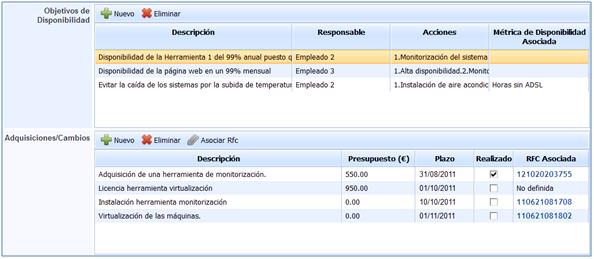
Within this option, GlobalSuite allows defining the following fields:
-
Description: Allows establishing the definition of the actions to be carried out to meet the determined availability objective.
-
Budget: Corresponds to the associated cost of the acquisition or change to be carried out.
-
Deadline: Establishes the date by which the corresponding acquisition or change must be implemented.
-
Completed: Allows establishing whether the acquisition or change has been carried out.
-
Associated RFC: Allows associating the change record if the acquisition has been carried out.
By default, the Acquisitions/Changes field will appear empty.
Acquisitions and changes appear once the proposed availability objective has been selected. The procedure is as follows:
1. Selection of the specific objective. Once selected, it will appear in orange by default.
2. Once selected, all acquisitions and changes considered necessary to meet the availability objective will automatically appear.
3. There will be different acquisitions and changes depending on each of the determined availability objectives.
-
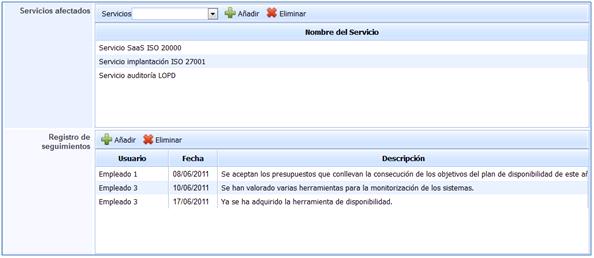
Affected Services: Allows determining the services affected in case of non-compliance with the defined availability objectives.
As with the Acquisitions/Changes field, the affected services are different depending on the defined availability objectives. By selecting each of the objectives, these services can be displayed.
-
Tracking Records: Allows determining all tracking actions carried out during the period in which the plan is in effect.