This option allows users with permissions in multiple entities or Enterprise-type companies to flexibly manage access to different environments from a single account. It is useful for those who need to switch between companies or entities within GlobalSuite, facilitating work across multiple systems without requiring different credentials for each.
Access
If the user has access to multiple entities or companies, upon authenticating with the username and password, a pop-up window will open allowing the user to choose which entity or company to access, according to the user's configuration.
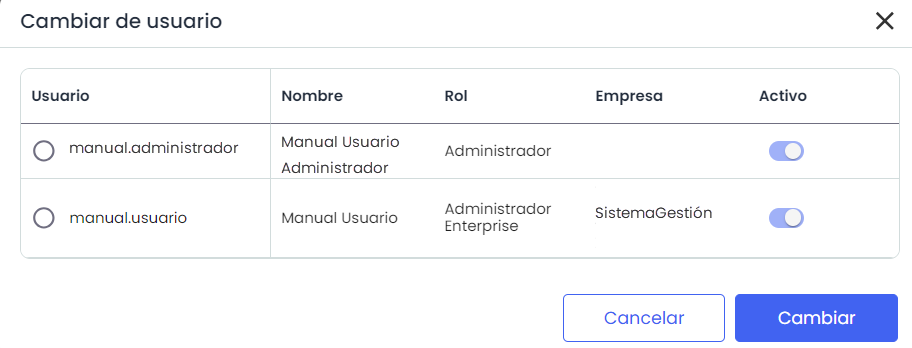
Switch User
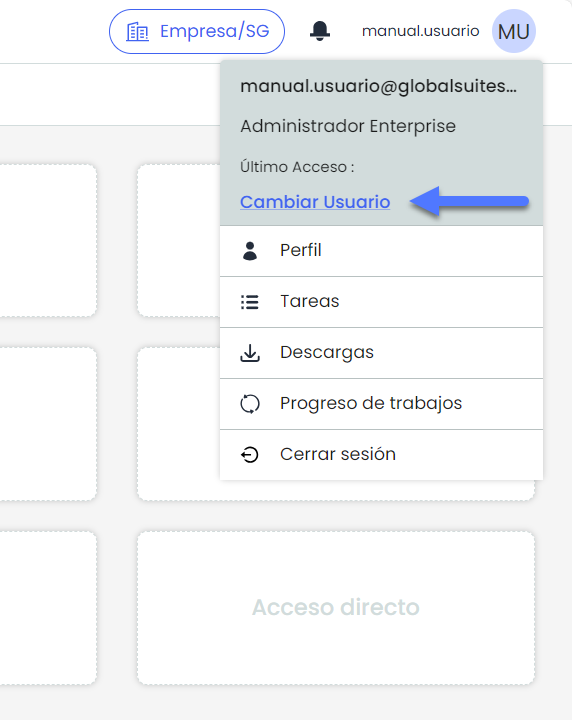
The type of access can be changed by clicking on the user options in the top right corner of the window where it says "Switch User."