
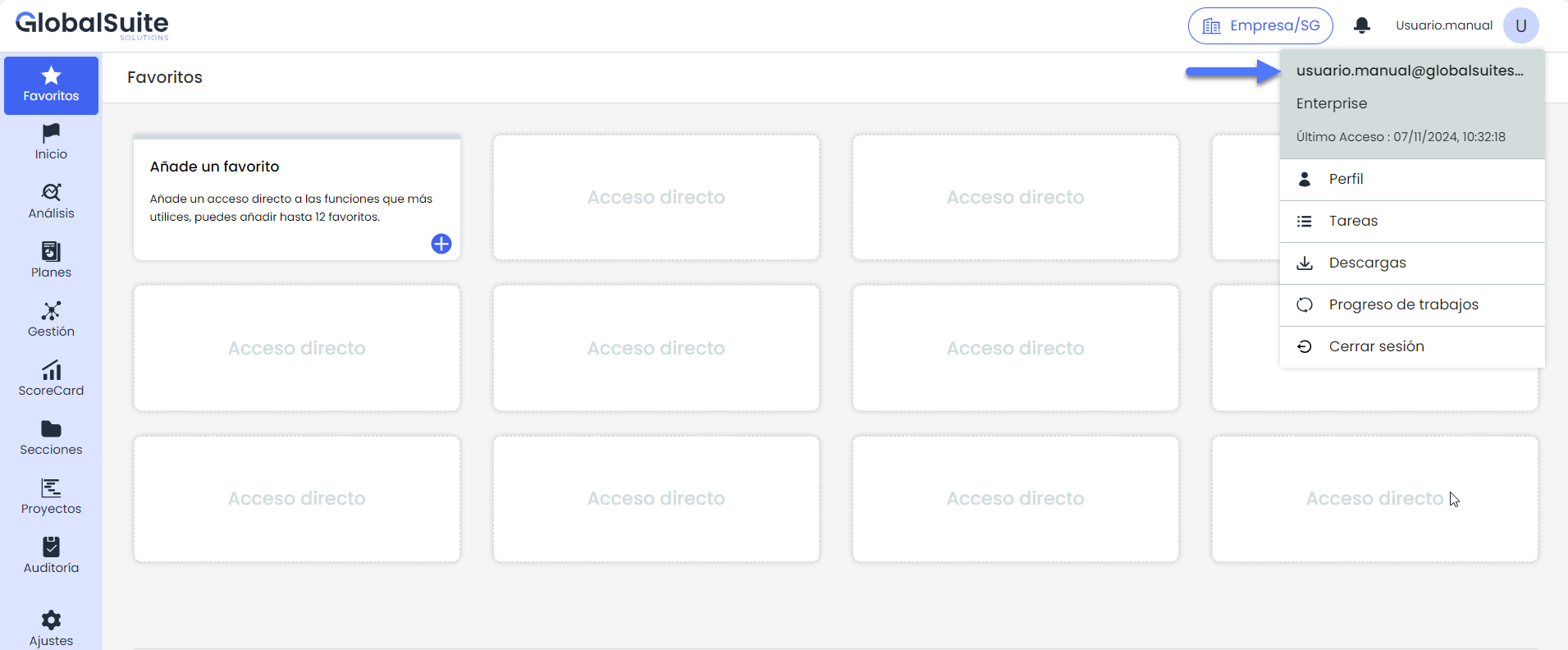
From the top right of the interface, the User Area provides direct access to various options related to user profile management and activities within GlobalSuite. This menu is designed to offer a quick view of personal functions and administrative tools available for each user.
Within the "User Area", the following options can be found:
-
Profile: Access to the user's personal settings and details.
-
Tasks: Access to the list of assigned and pending tasks.
-
Downloads: Section where the downloads available for the user can be found.
-
Job Progress: Information about the progress and status of jobs, including the progress of current calculations.
-
Log Out: Option to securely exit the account.