
When creating a new risk analysis, we access a form that allows defining a series of parameters to configure the risk analysis.
General Data
-
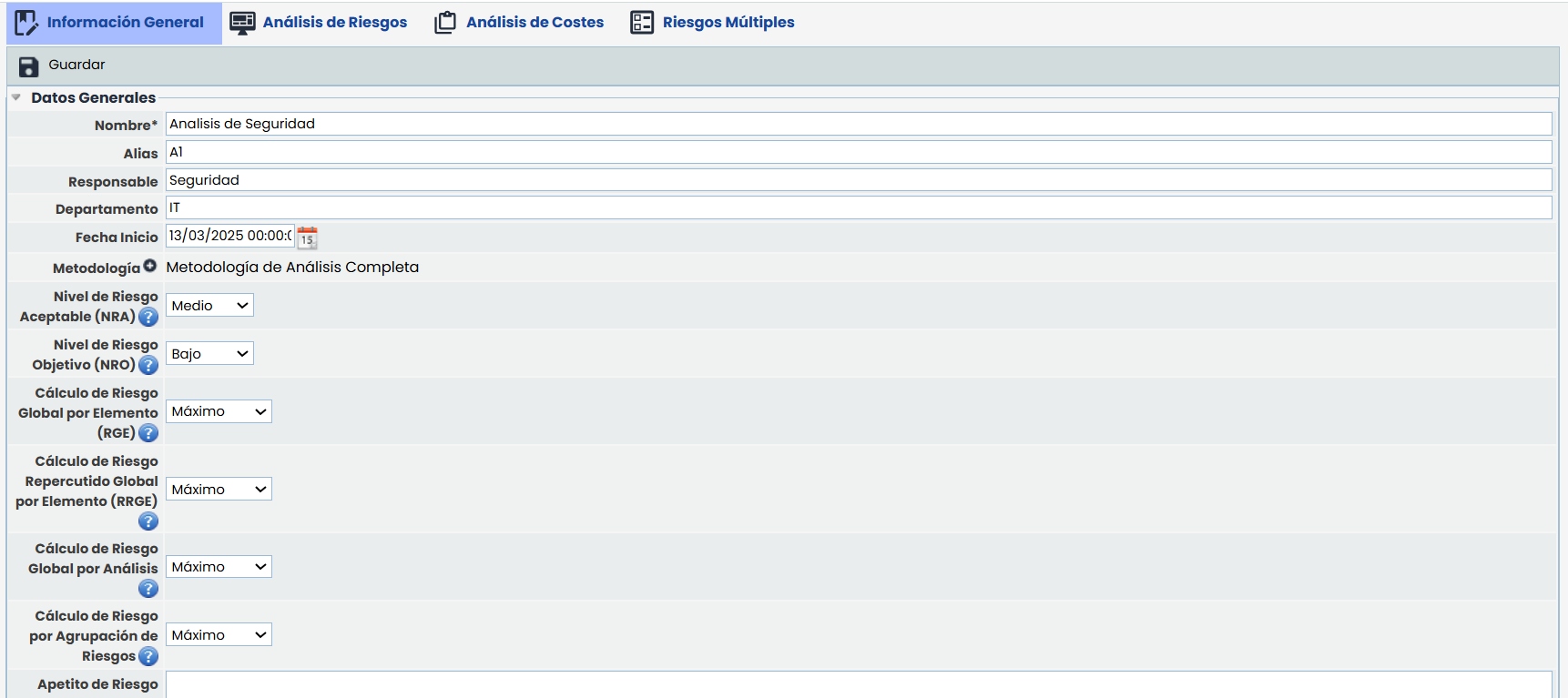
Name: Identifies the name of the risk analysis that will be displayed in the previously seen list.
-
Alias: Allows assigning an identifier to the risk analysis. This value is used in the generation of Reports to correctly identify and display the information of the risk analysis.
This field is visible only if the Reports license is available. -
Responsible: Allows identifying the person responsible for the risk analysis.
-
Department: Identifies the department(s) involved in the management of the risk analysis.
-
Start Date: Allows indicating the start date of the risk analysis.
-
Methodology: Allows associating a defined methodology to the risk analysis from those available in the Settings > Methodologies > Risks section.
-
Acceptable Risk Level (ARL): Allows setting the Acceptable Risk Level (ARL) for the risk analysis. The defined level is used by the tool in different options to highlight those risks that exceed the defined level.
NOTE: Depending on the risk analysis methodology and the dimension selected for risk calculation, the levels can be qualitative or quantitative.
-
Target Risk Level (TRL): Allows setting the Target Risk Level (TRL) for the risk analysis. The defined level is used by the tool in the Risk Assessment - Risk Summary option to display the level alongside the ARL.
-
Global Risk Calculation by Element (GRE): Allows selecting a criterion to calculate the Global Risk Level of each Element (GRE). The GRE value of an element is calculated based on the values obtained for each of the risks associated with the element. The available criteria are 'Minimum', 'Maximum', 'Average', and 'Accumulated'.
-
Global Propagated Risk Calculation by Element (GPRE): Allows selecting a criterion to calculate the Global Propagated Risk Level of each Element (GPRE). The GPRE value of an element is calculated based on the values obtained for each of the risks associated with the element and its dependent elements. The available criteria are 'Minimum', 'Maximum', 'Average', and 'Accumulated'.
-
Global Risk Calculation by Analysis: Allows selecting a criterion to calculate the Global Risk Level for the Risk Analysis. The Global Risk by Analysis value is calculated based on the GRE values of each asset associated with the risk analysis. The available criteria are 'Minimum', 'Maximum', 'Average', and 'Accumulated'.
-
Risk Appetite: Allows determining the amount of risk that is willing to be taken in achieving objectives.
Catalogs

This option allows the user to select those catalogs previously defined in ‘Settings/Analysis Catalogs’ that will support the execution of the risk analysis.
Depending on the type of analysis to be performed, as many catalogs as necessary can be selected by the user responsible for conducting the risk analysis.
Dependency Tree
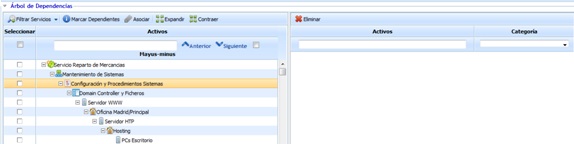
Allows identifying which assets defined in the Asset Inventory will be included in the Risk Analysis. For this, the tool allows performing the following actions:
-
Filter Services: Allows applying different filters to the displayed risk list.
-
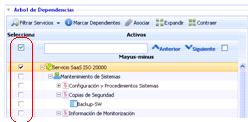
Mark Dependents: If a specific service or asset is selected, it allows automatically associating all assets that are below it.
-
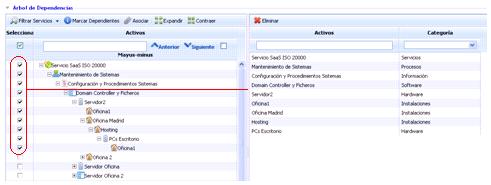
Associate: Enables associating which assets will be part of the risk analysis, moving them from the left column to the right column.
-
Expand Next Level: Expands the list of services, processes, and assets level by level. This button must be pressed as many times as the depth of the dependency tree to be consulted.
-
Collapse: Collapses the dependency list of all services and assets.