
The Disaster Scenarios option allows you to establish all possible emergency situations in which it is necessary to activate the Continuity Plan.
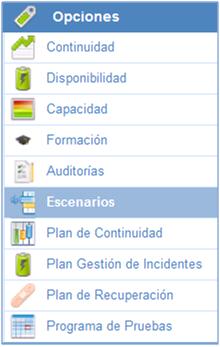
On the main Disaster Scenarios screen, you can identify all situations in which the service offered by the organization may be affected.

Within each of the scenarios, GlobalSUITE will allow you to establish all the necessary information, organized into the following sections:
General Data
-
Name: Allows you to set the name of the emergency scenario.
-
Description: Allows you to provide any additional information necessary to properly define the scenario.
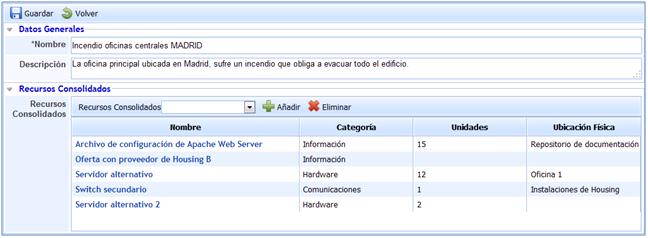
Consolidated Resources
In this section, all resources necessary in the event of the established scenario can be defined.
All these resources are previously defined in the Consolidated Resources option.
Related Assets
Allows you to define all processes affected in the event of the scenario. Additionally, it is possible to determine all assets associated with the processes that are also affected in the event of the scenario.
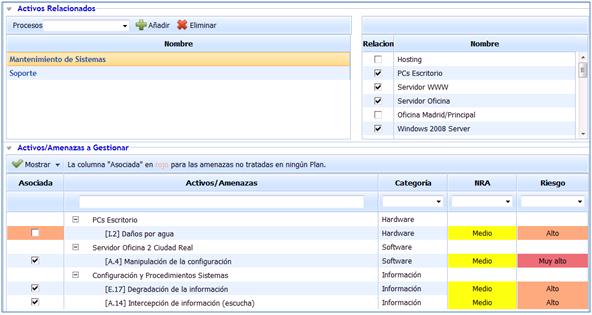
Assets/Threats to Manage
This section displays the assets and threats associated with the scenario that have a risk level above the acceptable risk level. This list also includes the list of threats for the selected processes, as well as the selected assets associated with the processes. Similarly, it is possible to identify both the category to which they belong, the acceptable risk level approved by the organization, and the risk level of the threats associated with each of the assets. the Risk Analysis.
Through this option, you can identify those threats that are not associated with any of the defined scenarios, identified through the associated column that appears in red, as indicated by the legend in the header of this section.
All threats associated with the defined scenario will be marked in the associated column. Those not considered through this scenario will not be marked, with all those not belonging to or considered in any of the defined scenarios identified in red.
By default, GlobalSUITE only displays those threats that exceed the Acceptable Risk Level (ARL), but it is possible to display all of them using the 'Show' dropdown, selecting the 'Show All' option.
NOTE: This option is only available for GlobalSUITE® Business Continuity product licenses.