
This section explains how to configure a connection to an email service/mailbox to use it for synchronizing received emails as Tickets in the GlobalSuite® module.
General Data
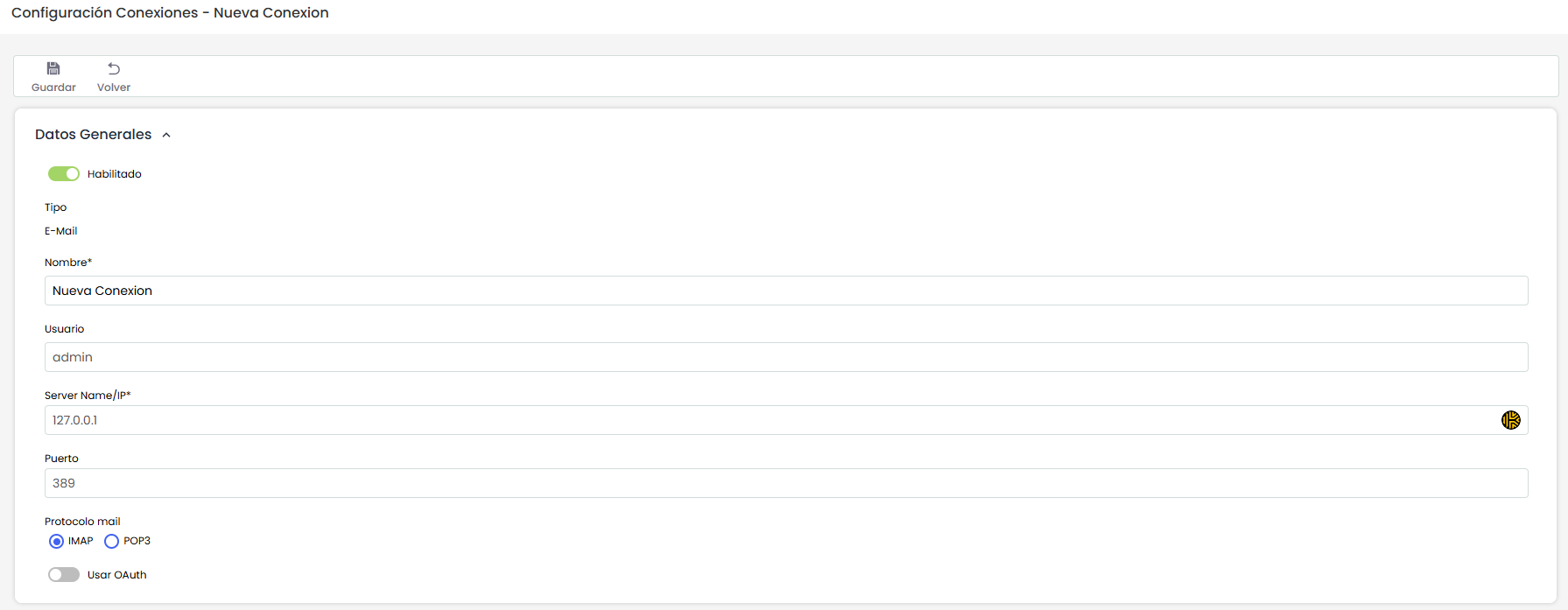
The sections to configure (which require enabling the connection to edit them) are as follows:
-
Name: Name or identifier of the connector
-
User: User or email account used for synchronization
-
Server Name / IP: Address, domain, or path of the mail server to connect to
-
Port: Connection port for the mail server
-
Mail Protocol: Protocol used to retrieve emails (POP3 / IMAP)
NOTE: The user's password must be entered at the time of synchronization; this data is not stored in GlobalSuite®
OAuth
If authentication is performed using the OAuth protocol, there are two possible providers to use, which are:
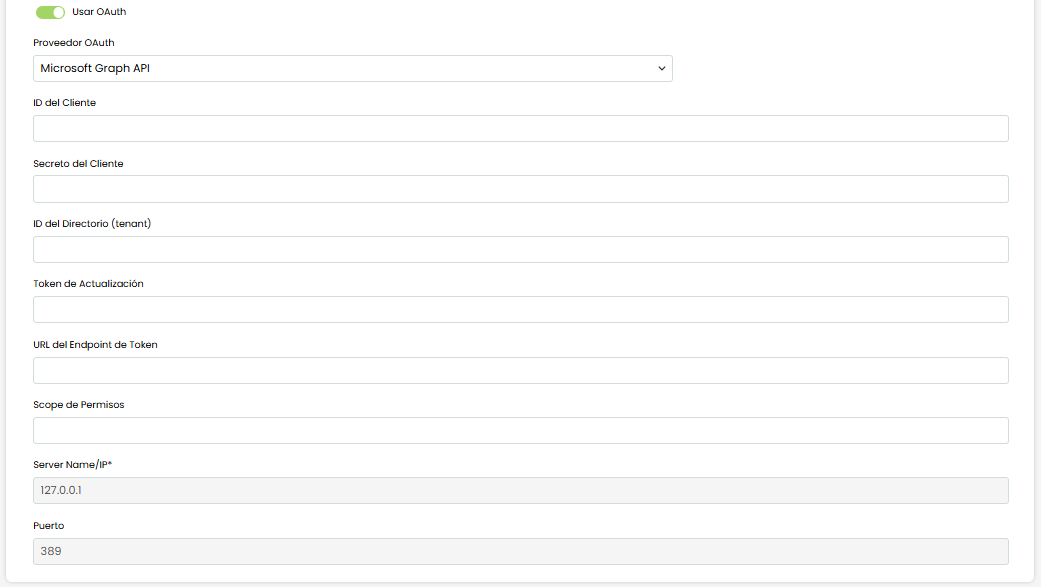
Microsoft Graph API
The fields to complete are as follows:
-
Client ID: Public identifier of the application registered with the OAuth provider, used to request tokens on its behalf.
-
Client Secret: Confidential key of the application (like the app's "password") used along with the Client ID to authenticate when requesting a token.
-
Directory (tenant) ID: Identifier of the tenant/directory (e.g., Azure AD) where the application is registered and against which tokens are issued.
-
Refresh Token: Long-lived token that allows obtaining new access tokens without repeating the user's consent/login (typical in Gmail).
-
Token Endpoint URL: URL of the OAuth service where credentials (and/or refresh token) are exchanged to obtain the access token.
-
Permission Scope: List of requested permissions that define what the token can do (e.g., read emails, modify them/mark them as read, etc.).
Gmail API
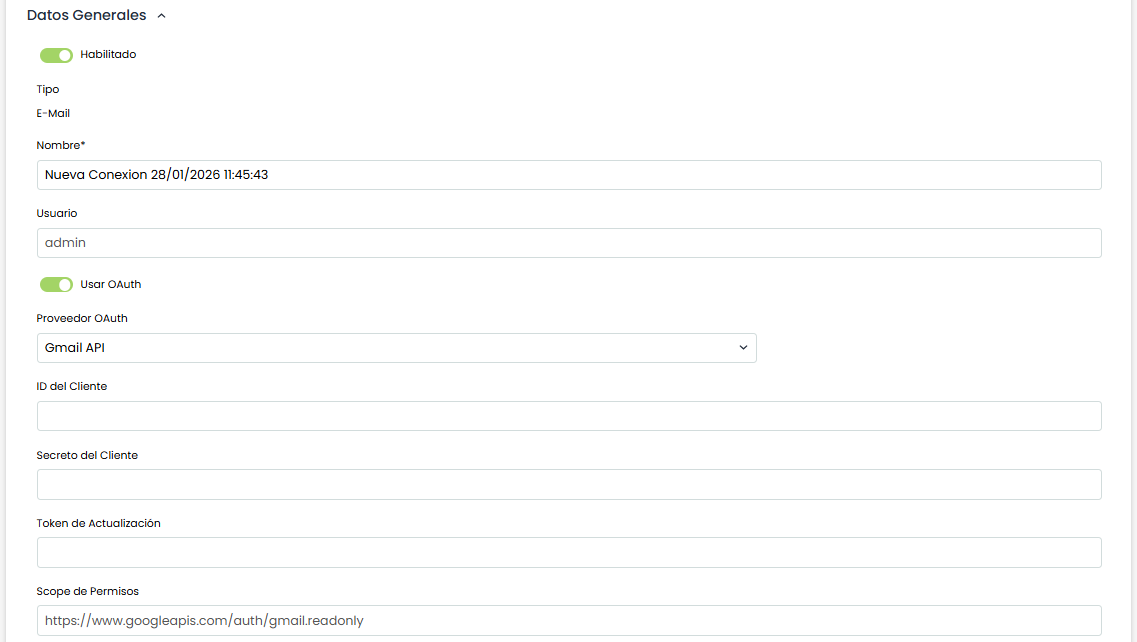
The fields to complete to connect with a Gmail (or GSuite) email account are as follows:
-
Client ID: Public identifier of the application registered with the OAuth provider, used to request tokens on its behalf.
-
Client Secret: Confidential key of the application (like the app's "password") used along with the Client ID to authenticate when requesting a token.
-
Refresh Token: Long-lived token that allows obtaining new access tokens without repeating the user's consent/login (typical in Gmail).
-
Permission Scope: List of requested permissions that define what the token can do (e.g., read emails, modify them/mark them as read, etc.).
Connected with
Allows marking in which Ticketing options (for which ticket types) this connection's synchronization will be available. The mapping of which email fields, such as sender, subject, and email body, are loaded into which fields of the created ticket will be configured in Settings > Configuration > Tickets: Email
