
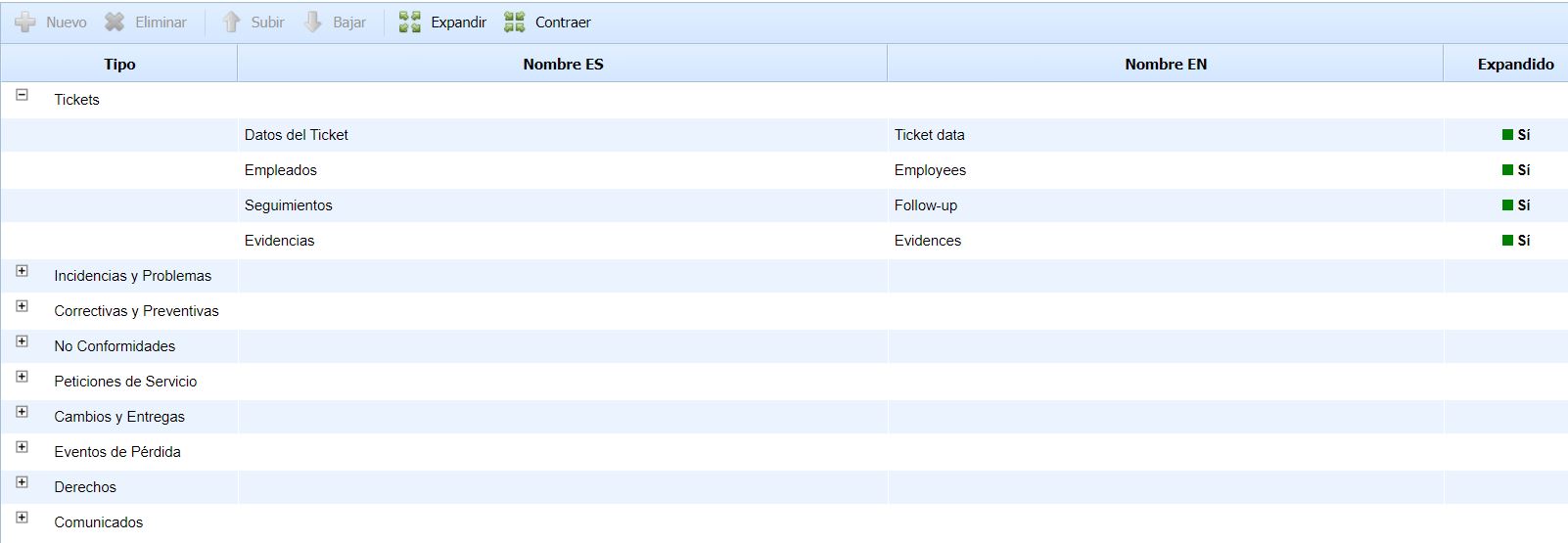
This option allows us to create and edit the sections for each of the Tickets. This provides the possibility to group the different ticket fields into different modules.
-
New: Allows creating a "New Section". We need to have a ticket type selected for the button to be enabled.
-
Delete: Deletes an existing section.
-
Move Up/Down: Allows us to change the order of the selected section within the ticket.
It is possible to change the name of the section in Spanish and English and indicate whether we want this section to appear in the form as expanded or collapsed.
Below, we can see how the ticket form looks with the sections. These maintain an order and appear expanded or not according to how we have configured them:
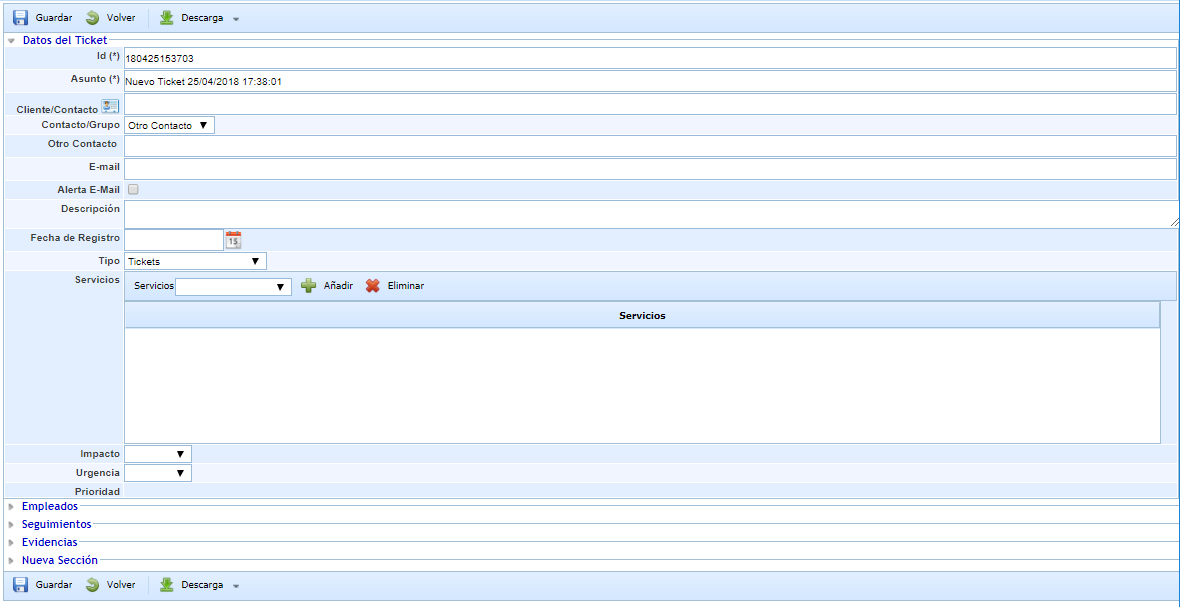
NOTE: For a section to appear in the form, it must have at least one field configured.