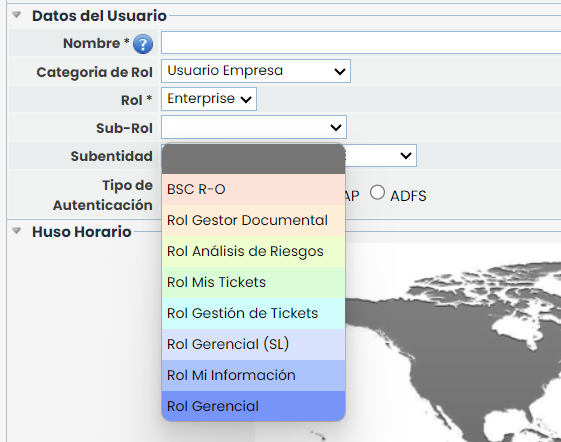
The Roles option allows the user to manage access by profiles to the different modules of the platform.
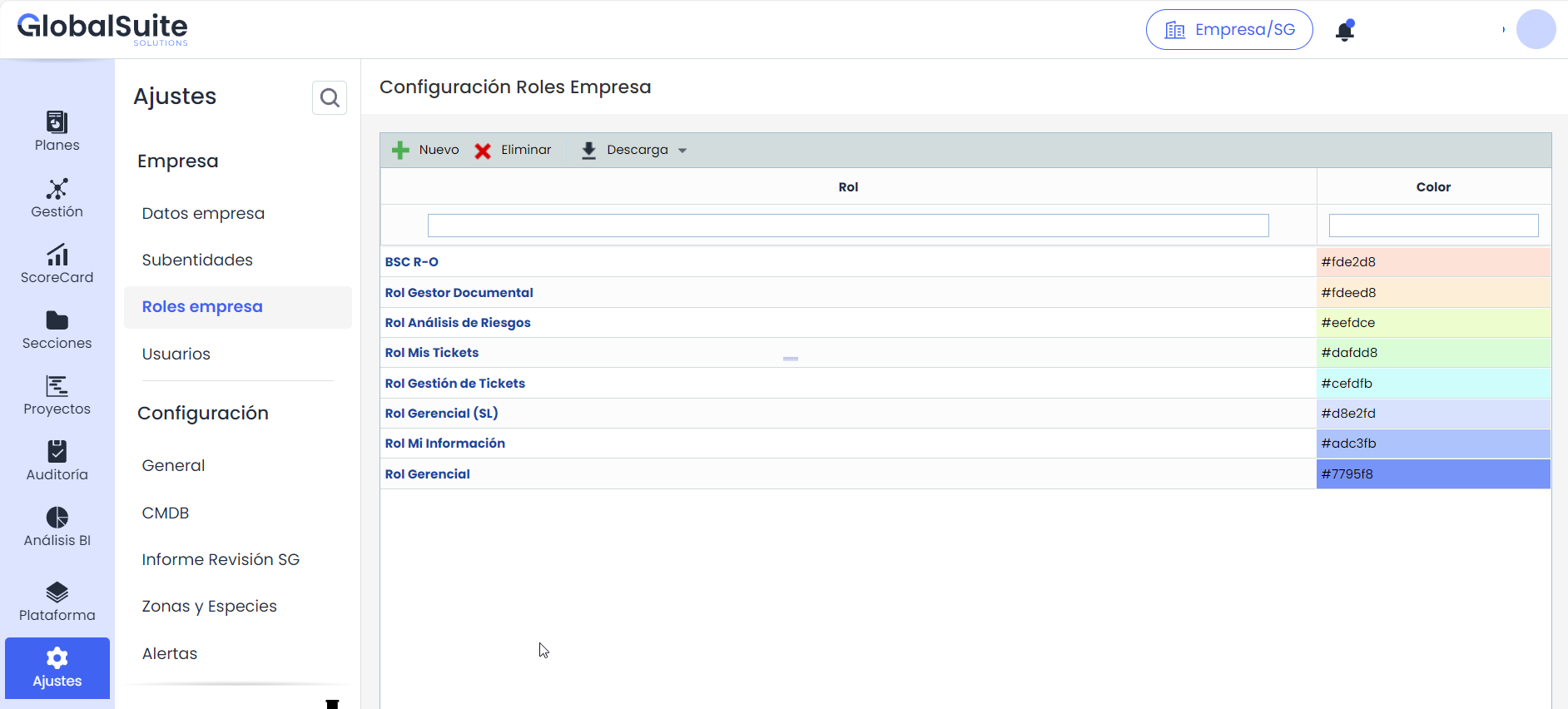
When accessing the option, a table is displayed where the following tasks can be performed:
-
New: Allows inserting a new Role into the table by clicking the button.
-
Delete: Enables the deletion of roles defined in the table. To do this, select the desired row or rows and click the ‘Delete’ button.
-
Download: Offers the possibility to download the list of roles in an editable format (.xlsx) or in .PDF format.
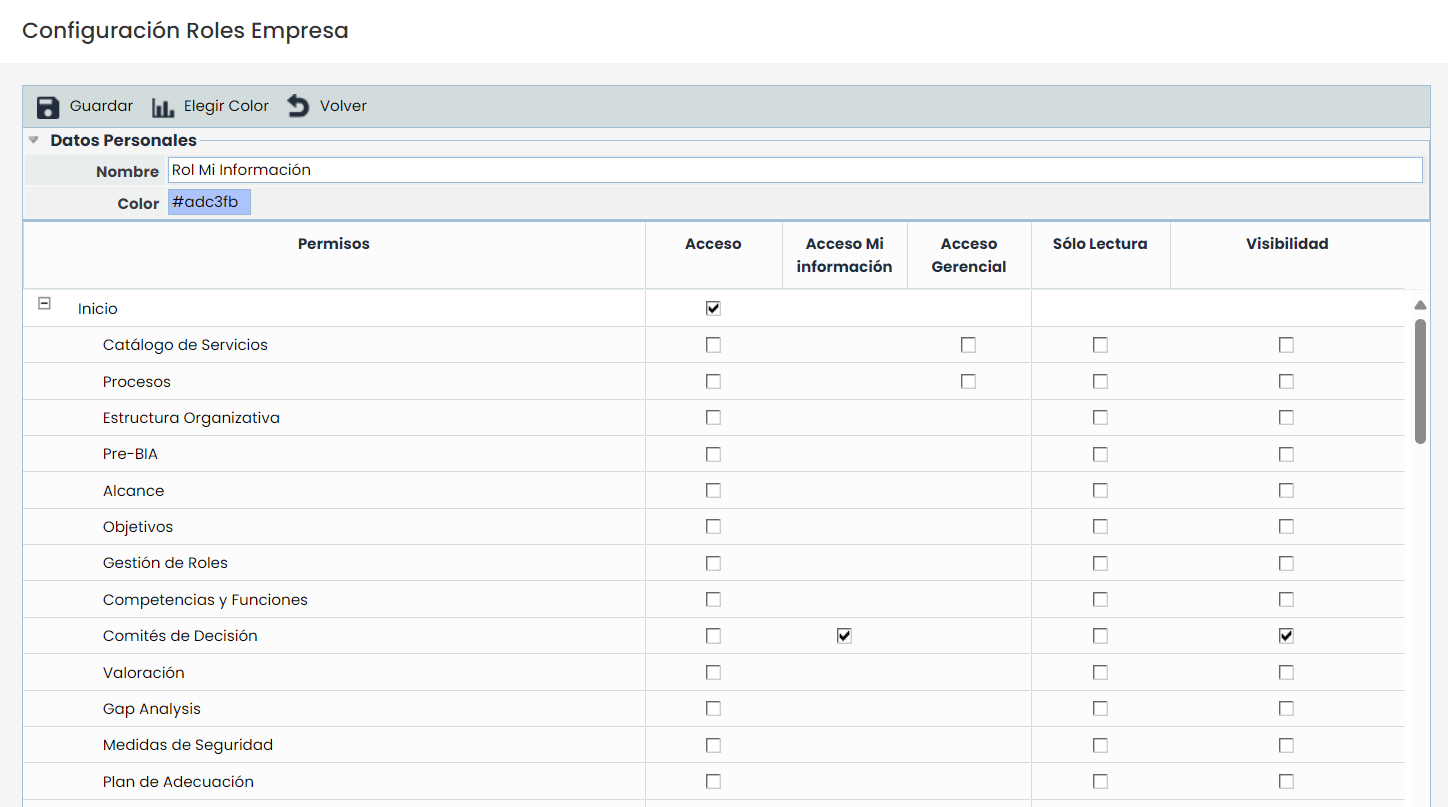
Once you click on the link of roles defined in the table, you access its configuration. The following characteristics can be parameterized:
-
Name: Allows indicating the name assigned to the Role.
-
Color: Allows assigning a specific color to the Role. To do this, click the ‘Choose color’ button and select the desired color.
-
Permissions: The permissions table shows each of the options corresponding to the modules contracted by the company. The user has several permissions to assign to each option. The meaning of each permission is as follows:
-
Full Access: By selecting a checkbox of this type, it grants the Role the privilege to access and modify all the information of the corresponding option.
-
Access My Information: By selecting a checkbox of this type, it grants the Role the privilege to access and modify only the information assigned to it, without being able to access the rest of the information. This privilege is available in some options.
-
Managerial Access: By selecting a checkbox of this type, it grants the Role the privilege to access and modify only the information related to the services to which it belongs. In the "Service Catalog" option, it is possible to select the roles and employees assigned to the service; those employees who have the "Managerial Access" privilege will have access to the information related to the services to which they belong. This privilege is available in the options of Service Catalog, Processes, BIA, Inventory, Risk Analysis, Continuity Plan, Recovery Plan, Test Program, Indicators, and Metrics.
-
Read Only: By selecting a checkbox of this type, it grants the Role the privilege of read-only access to all the information of the corresponding option.
-
Once the Role has been created, the user can use this role when creating users. To do this, in the "Users" option, the created role can be assigned to users of the "Company User" type.