
This option allows you to establish the users who will be associated with a project. Once defined, they can be selected in the 'Projects/Project Management' section.
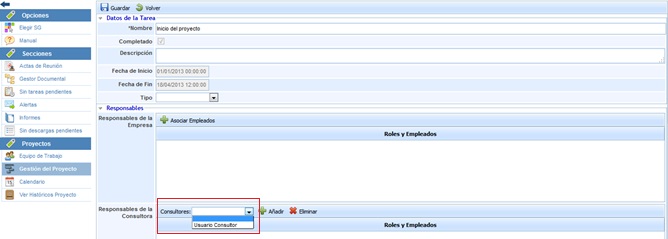
To select the user, you must choose it from the dropdown and click on the 'Add' button. If you want to remove a user, you must select the desired row and click on the 'Delete' button.