This functionality allows generating customizable reports in both Word and Excel formats, using templates that can be adapted to the needs of each organization.
These reports are automatically populated with system data through a set of variables, facilitating the generation of formal documentation, evidence, or tracking reports.
Currently, this functionality is available in tickets, audits, risk analysis, among others.
What types of templates can I use?
GlobalSuite® supports the following types of templates:
-
Word Templates (.docx): ideal for narrative reports, extensive documents, or reports requiring formal formatting with tables, headers, and structured texts.
-
Excel Templates (.xlsx): allow representing structured information such as lists, tables, etc.
📌 Each type of template uses specific variables to insert system information into the reports.
Access specific functionalities:
Upon accessing the option, the following options are displayed:
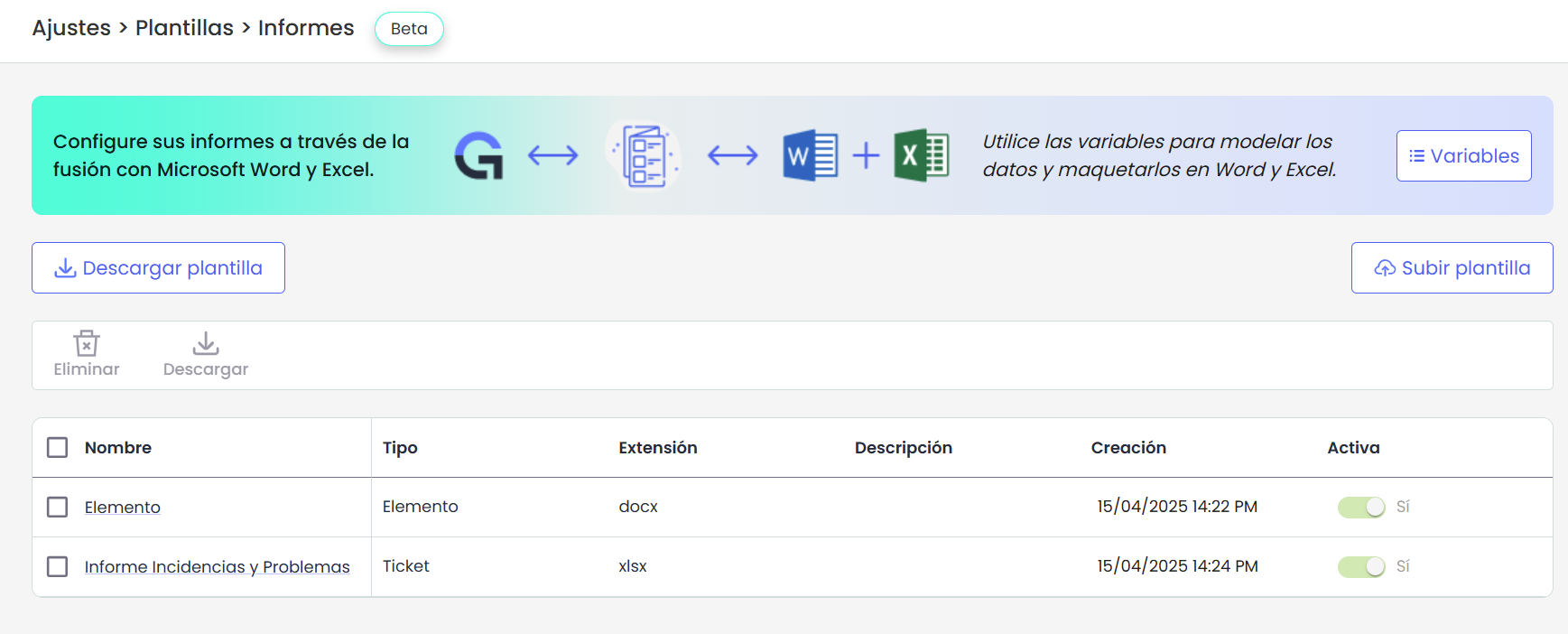
Download and Upload Template
For both formats, it is possible to download predefined templates provided by GlobalSuite®, customize them according to your needs, and upload them to the system for configuration.
In each section, you will find specific details for each type of template and the available predefined templates.
Template List
Upon accessing the option, all existing templates are displayed along with their information: name, type, extension, description, creation date and time, and whether they are active or not.
The actions available in this table are:
-
Delete: selecting the template to delete using the check.
-
Download: allows downloading the selected template.
Template Details
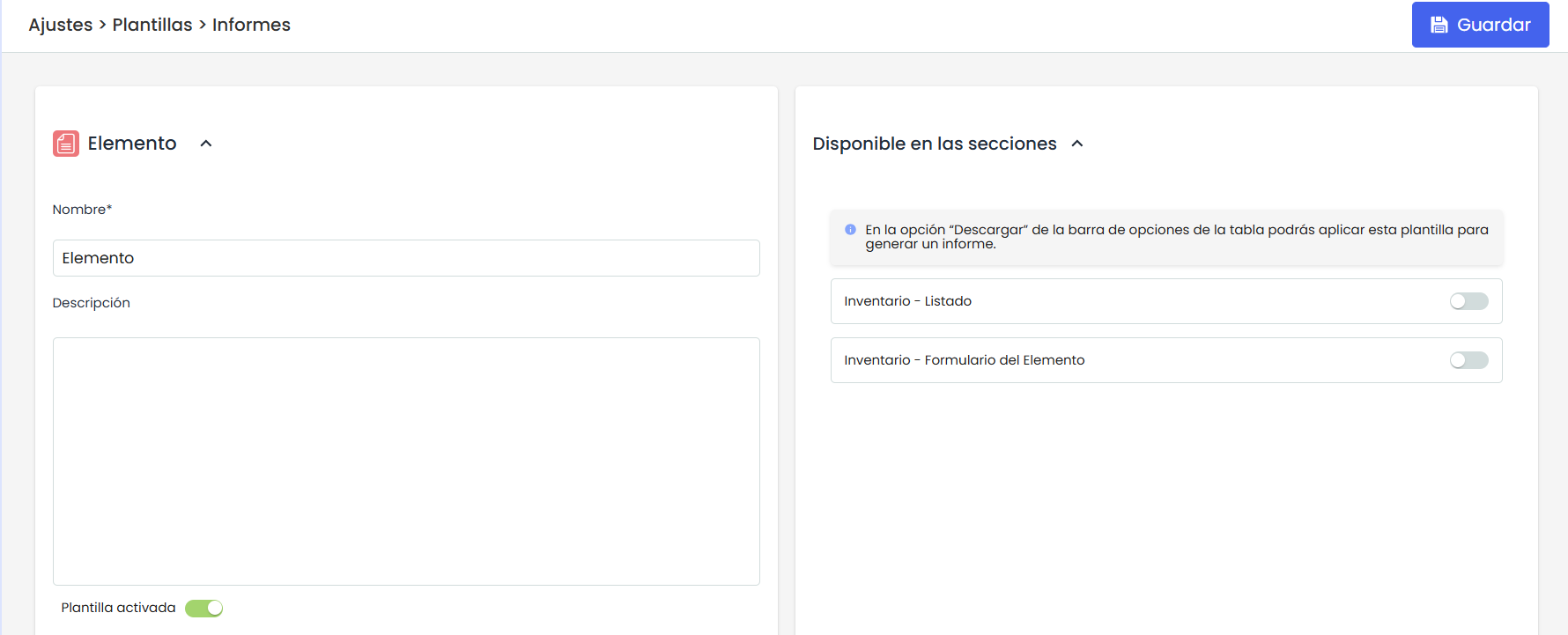
In this section, you can perform the following actions on the template:
-
Edit the template name.
-
Activate or deactivate the template as needed.
-
Configure visibility: Depending on the type of template, the module from which it can be downloaded with the corresponding data will be displayed.