
In this section of GlobalSuite® you will find the options and sections corresponding to the ENS Adaptation Plan
The Adaptation Plan is created based on the Security Measures that have been assessed. Its main objective is to identify the controls that have not been implemented and assist in their monitoring and implementation.
This option will automatically detect the controls that have not been implemented in the previous step and will include them in the Adaptation Plan. This plan will include all applicable security measures that have any control not fully implemented.
The Adaptation Plan identifies which controls we are not complying with and should comply with, allowing us to take measures to correct them. Additionally, you can perform detailed tracking of each control and see its progress in real-time.
List Adaptation Plans
In this view, you can automatically create Adaptation Plans using the assessments of Security Measures from the National Security Framework (ENS) that are not adequate and the controls that have not been implemented, for the supported versions RD 951/2015 and RD 311/2022.
When accessing the option, the tool will display a list of the created ENS Adaptation Plans.
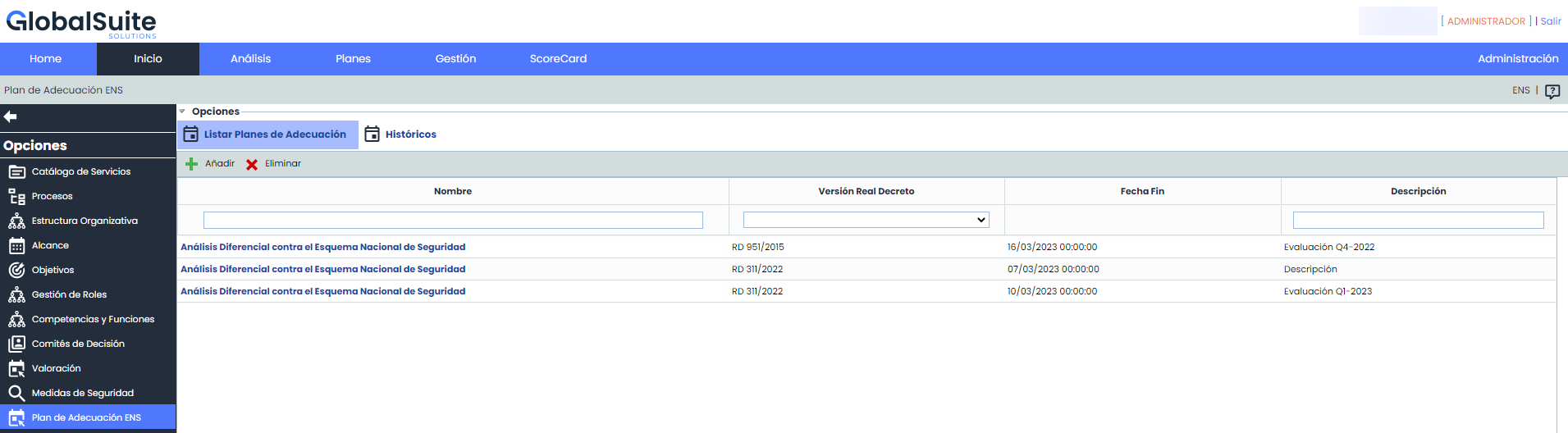
In the table, different actions can be performed, including:
-
Add: New ENS Adaptation Plans can be generated. Clicking the button will open the following window:
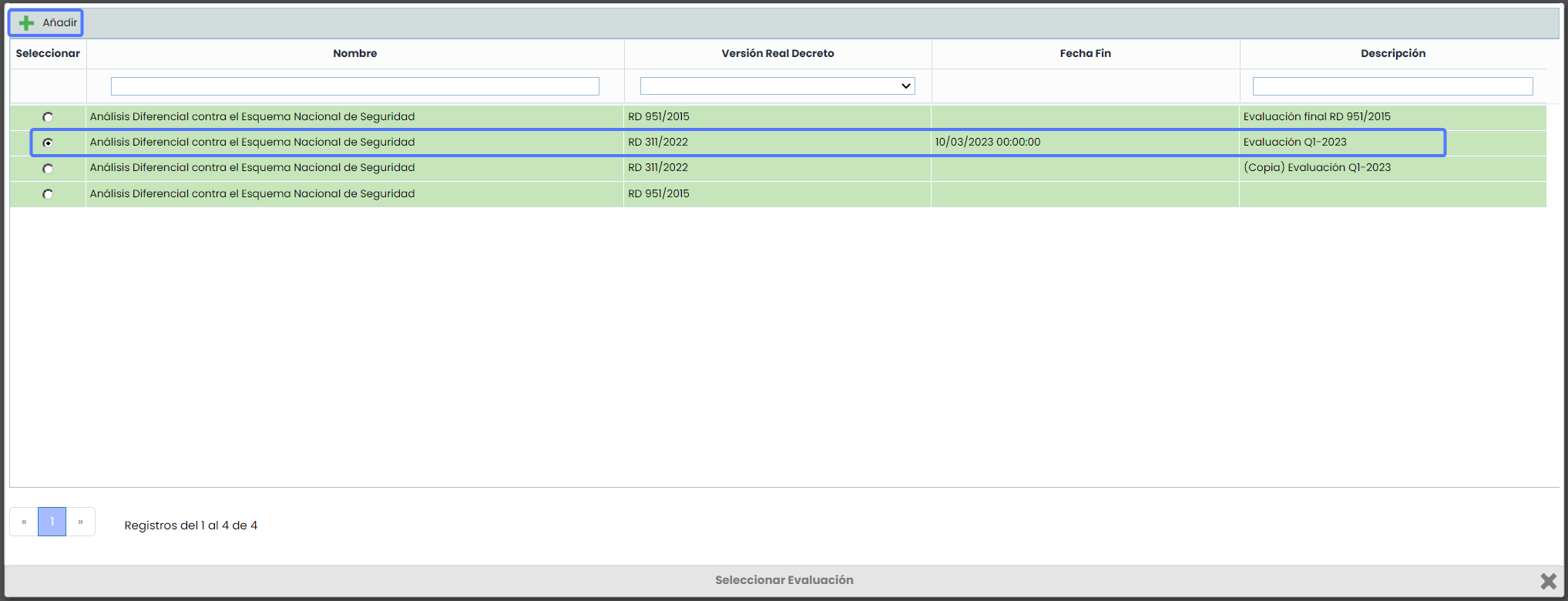
In this window you will find a list of all the assessments of Security Measures that have been assessed. To create an Adaptation Plan for one of the assessments in the list, you must select it and then click "Add".
Once you have clicked "Add", a new Adaptation Plan will be automatically created based on the assessment you selected. The information from the fields Name, Version, Date, and Description will be copied.

-
Delete: This option allows you to delete one or more Adaptation Plans from the list.