
In this section, you can create and store historical records, which will allow you to make comparisons and visualize the evolution of the National Security Framework (ENS) adaptation plans.
Historical Records List

The table allows the following actions:
-
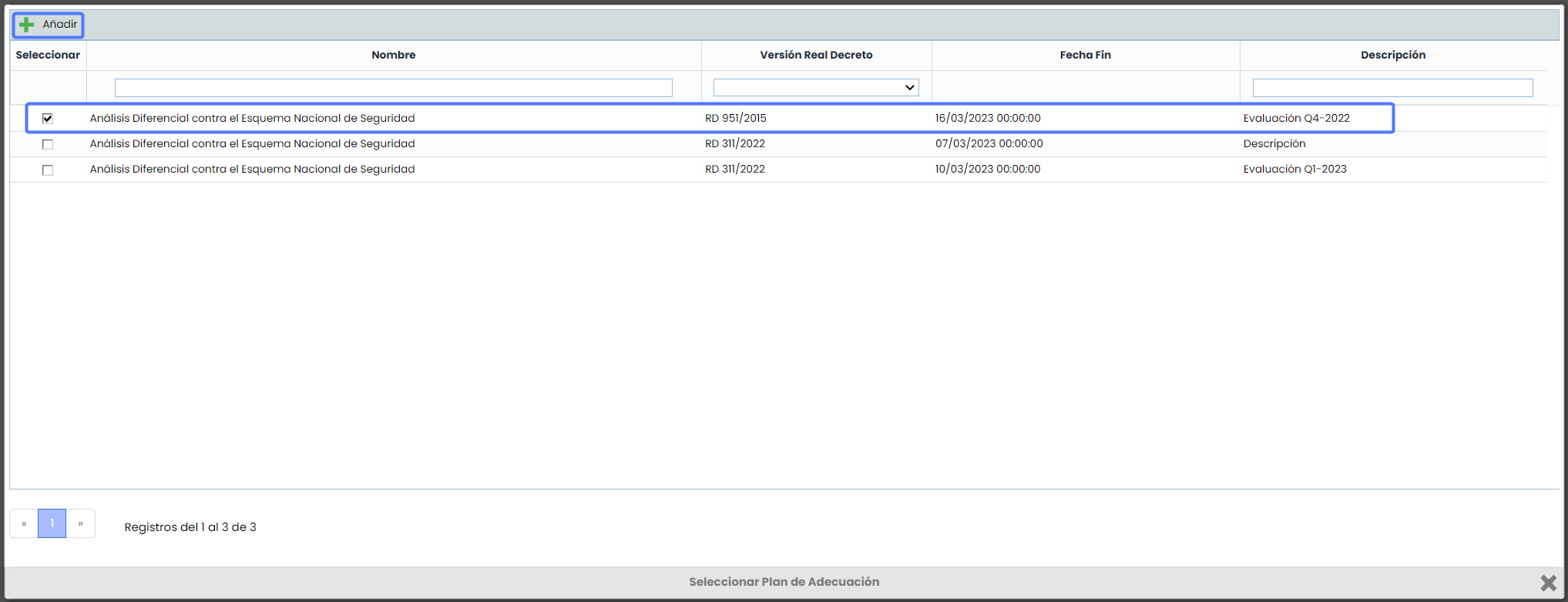
Add: Allows you to create one or more historical records of ENS Adaptation Plans. To do this, click on the "Add" button, and a window will open with the list of available Adaptation Plans, where you can select one or more plans you wish to add to the historical record.
Once you have selected the desired adaptation plan(s), click on the "Add" button to complete the process.
-
Delete: Allows you to delete an established historical record. To do this, select the desired row(s) and click the "Delete" button.
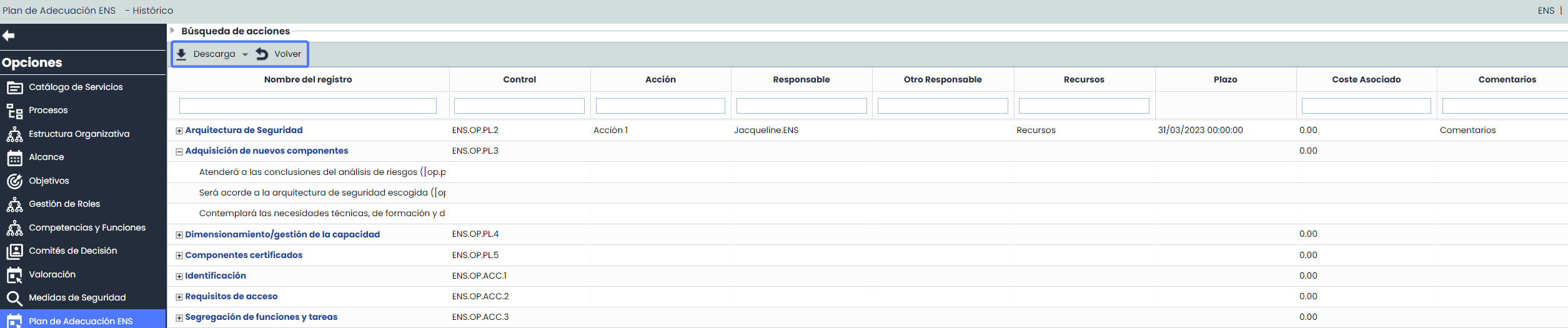
When accessing the created historical record, the view will by default display the same fields as the Adaptation Plan, which will not be editable and will be shown with the names and order configured (Settings > Methodologies > Elements ) at the time the historical record was created.
-
Filters: In addition to filtering by Security Measures, it is possible to apply filters for actions independently in the Actions Search section.

-
Download :
-
CSV Report: This option allows you to generate a Historical CSV Report of the controls and actions to be implemented for better data review and analysis. Additionally, if filters are applied in the view, the records matching those filters will be downloaded in the report.
NOTE : The report will be available in the Pending Downloads option.
-
-
Record Name:
-
This field indicates the name of the control, and by expanding each control, the name corresponding to the actions will be displayed.
-
The control name is a link to its form, where the fields in the view can be edited.
-
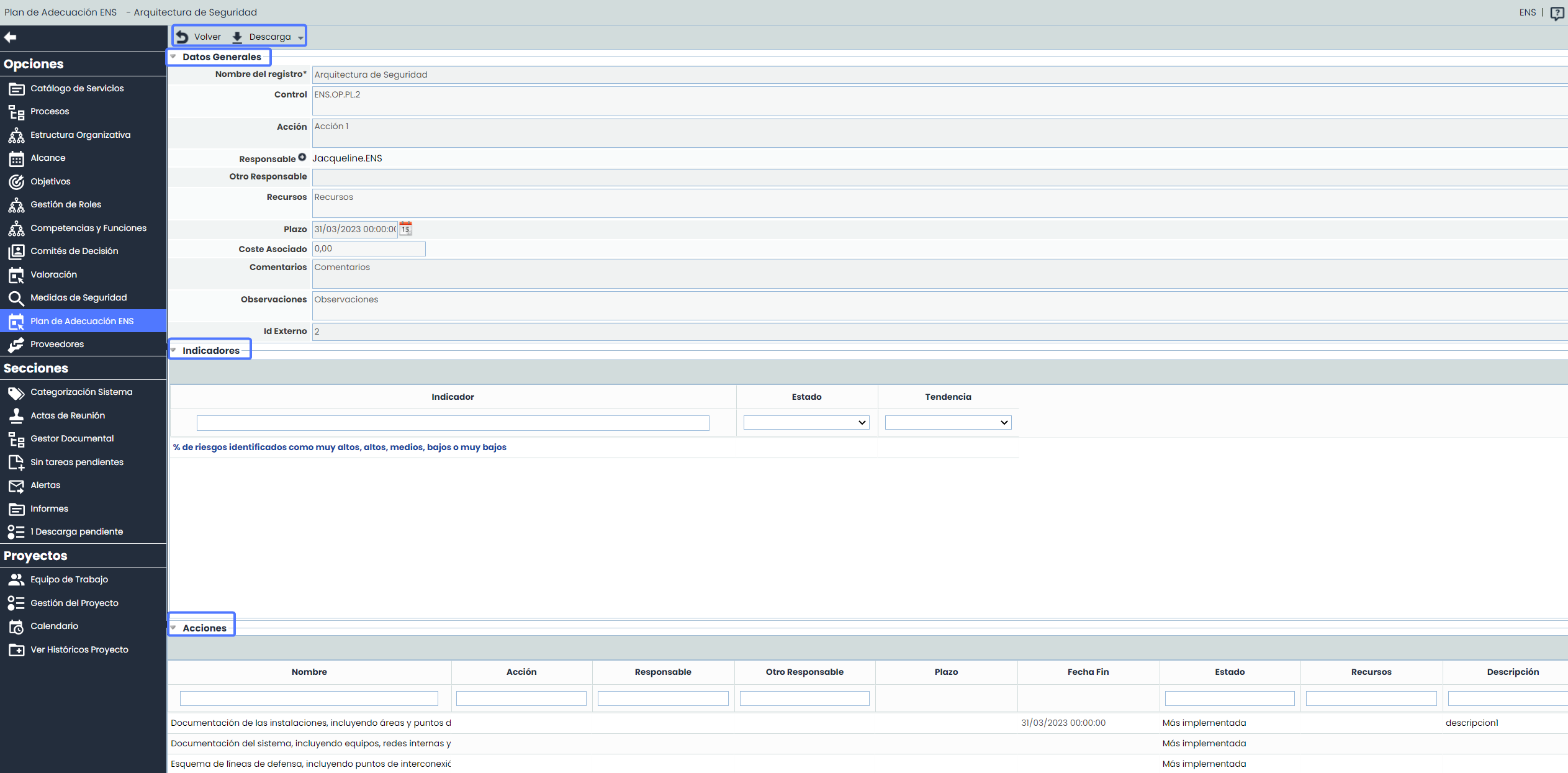
The Control Sheet contains the same sections as the Adaptation Plan tab: General Data, Indicators, and Actions. It is important to note that, as it is a Historical Record, the information contained in these fields cannot be edited and will be stored at the time they are created.
NOTE: The detailed information of the fields in these sections has been developed in the Adaptation Plan section of this Manual.