
This section allows the parameterization of dropdown lists located in the options of the Management menu.
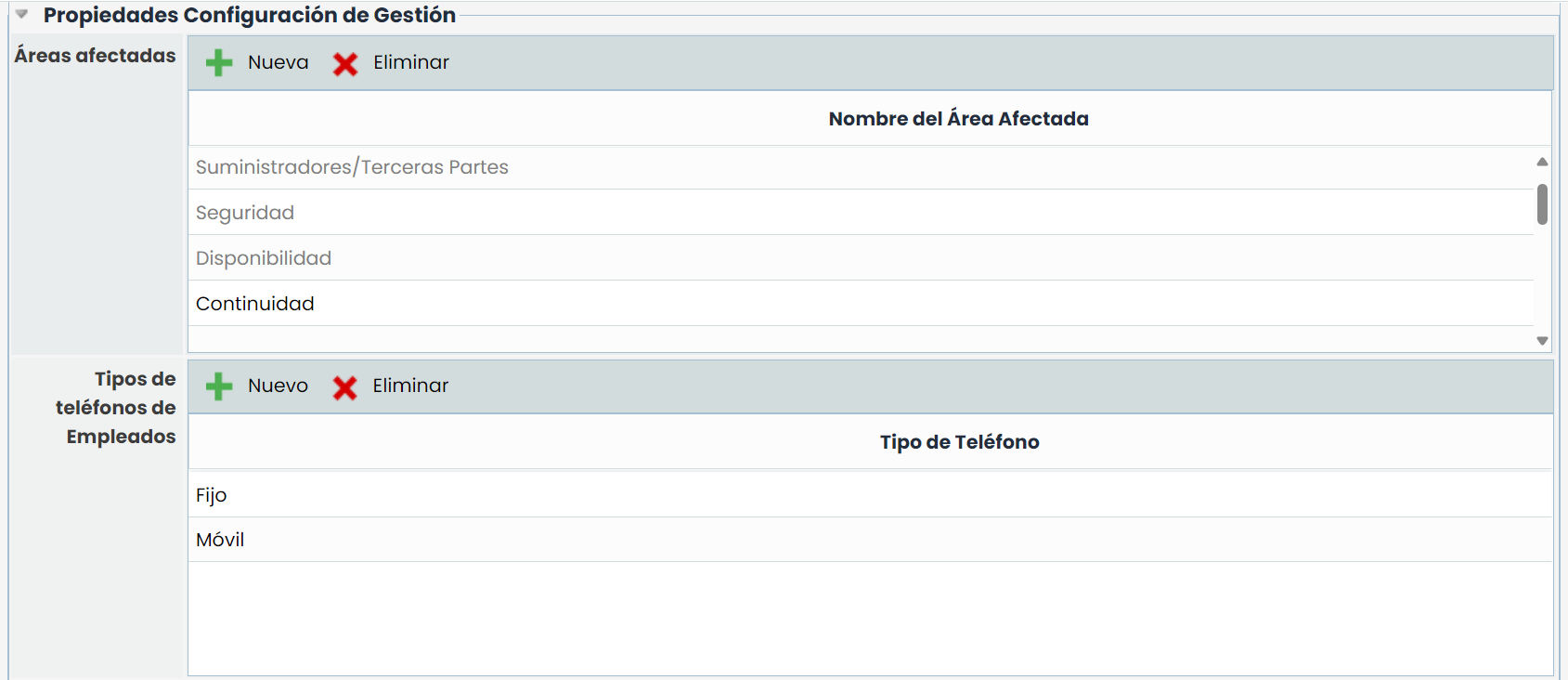
Affected areas:
Allows the user to incorporate different affected areas that can be assigned to tickets. Using the 'New' and 'Delete' buttons, it is possible to create new areas or delete existing ones, as well as edit their name by double-clicking on the row.
The tool proposes by default the areas of Capacity, Suppliers, Security, and Availability, depending on the enabled modules. These areas cannot be modified or deleted as they are related to GlobalSUITE options to provide specific functionality. Specifically:
-
Capacity: Incidents, non-conformities, and indicators assigned to this area can be consulted in the capacity plans developed in the 'Capacity' option of the 'Plans' menu.
-
Suppliers/Third Parties: Incidents, non-conformities, and indicators assigned to this area can be associated with a registered supplier in the 'Suppliers' option of the 'Home' menu. Once a supplier is registered, in the form of each supplier, all incidents and non-conformities assigned during the evaluation can be consulted, as well as the graph of the related indicator can be visualized.
-
Security: All tickets can be assigned to this area to indicate that it is a ticket related to security.
-
Availability: Incidents, non-conformities, and indicators assigned to this area can be consulted in the availability plans developed in the 'Availability' option of the 'Plans' menu.
Employee Phone Types:
Allows creating different phone types to identify each employee's phone (landline, personal, mobile, work, etc.). The types configured in this table appear in the Employee form, where more than one phone can be created for each employee. Using the 'New' and 'Delete' buttons, it is possible to create new types or delete existing ones, as well as edit their name by double-clicking on the row.