
Through this option, recovery tests can be managed and recorded.
Once you access the Test Program option, GlobalSuite displays both the graph and the list of tests performed.
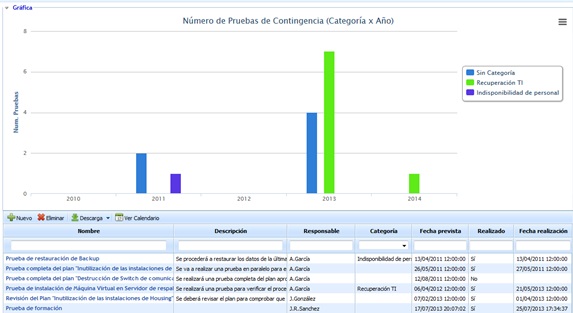
NOTE:The graph allows you to visualize the number of tests performed over the last 5 periods.
The table located at the bottom shows the list of all defined tests. Above the table, the tool allows us to perform the following actions:
-
New Allows you to insert a new entry into the table.
-
Delete Offers the possibility to delete a previously defined test. To do this, select the desired row and click on the 'Delete' button.
-
Download Allows downloading the list of tests in editable format (.xlsx) or PDF.
-
Calendar Enables viewing the list of planned or performed tests in a calendar.
By clicking on the link of a test, the user accesses the following form: