
The Crisis Scenarios option allows you to establish all possible crisis situations that may occur.
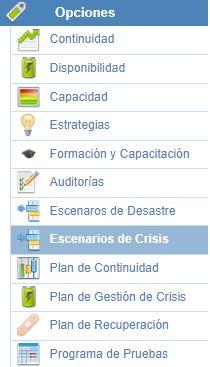
On the main Crisis Scenarios screen, you can identify all situations in which the service offered by the organization may be affected.

Within each of the scenarios, GlobalSUITE will allow you to establish all the necessary information, organized into the following sections:
General Data
-
Name: Allows you to set the name of the crisis scenario.
-
Description: Allows you to provide any additional information necessary to properly define the scenario.
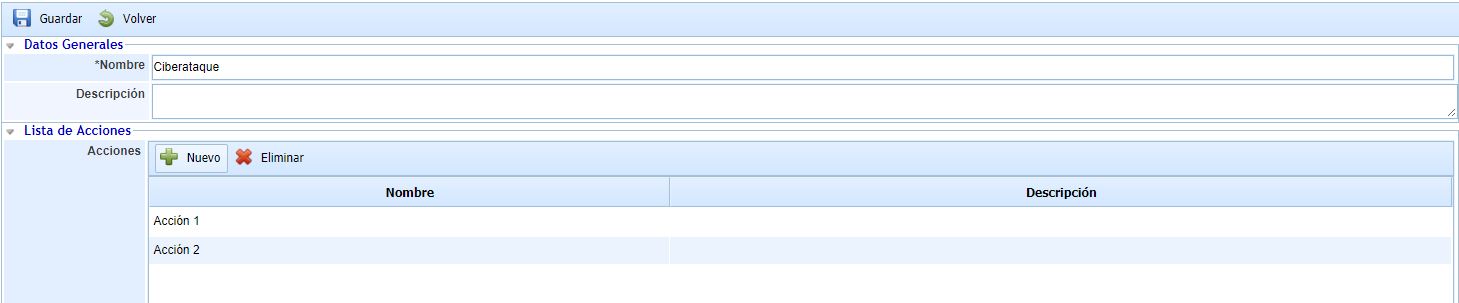
Action List
In this section, all actions that would need to be carried out in the event of a crisis scenario can be defined. Both the name and the description of the action can be filled in.
Propagation of Crisis Scenarios
This option allows the propagation of crisis scenarios defined in the parent company to the sub-entities that depend on it.
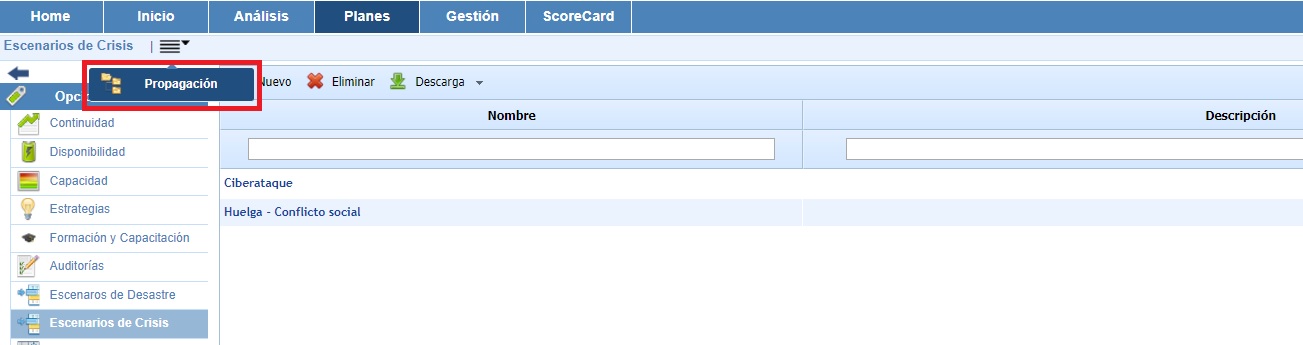
Once the option is accessed, the following tables are displayed:
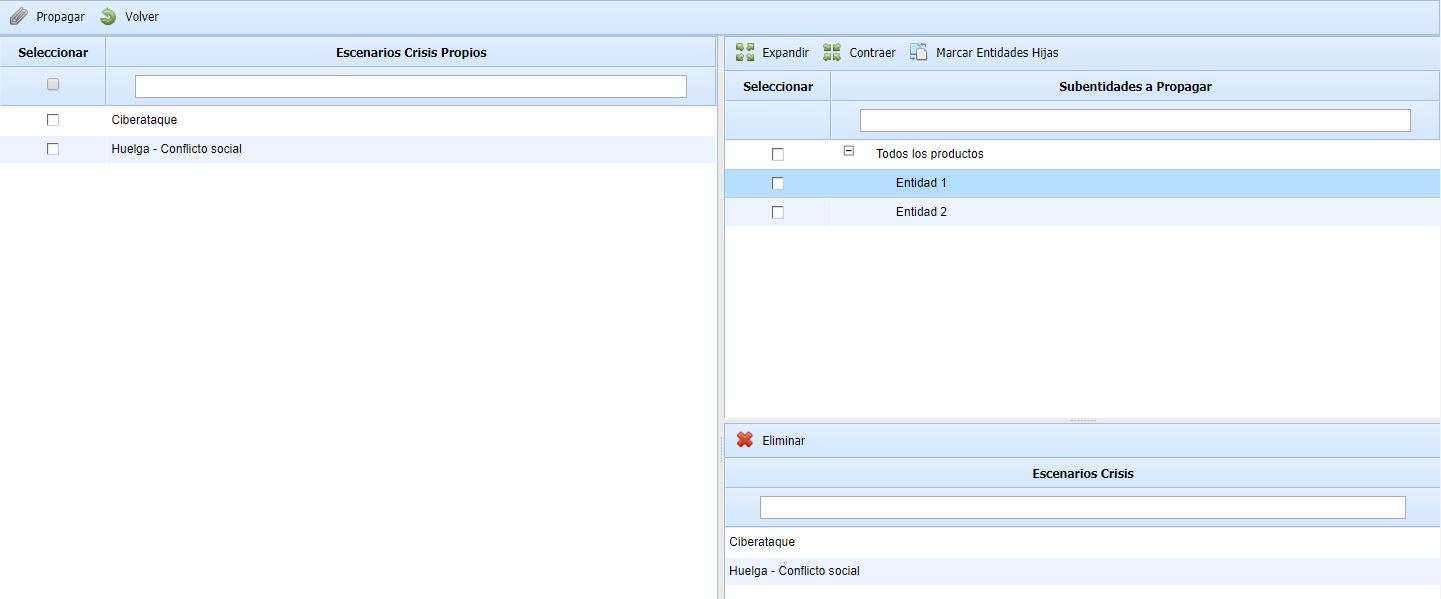
Left table: Displays the list of crisis scenarios that have been defined in the parent company. The options allowed by the table are:
-
Propagate: Once the desired crisis scenarios are selected, it allows propagating them to the selected sub-entities.
-
Back: Offers the possibility to return to the initial crisis scenarios screen.
Top right table: Displays the list of sub-entities to which crisis scenarios from the parent company can be associated. The table allows the options to expand or collapse the list of sub-entities.
Bottom right table: Once the sub-entity is selected in the top table, it shows the crisis scenarios that have been associated with it. The tool offers the possibility to delete associated scenarios; to do so, the desired row must be selected, and the 'Delete' button must be clicked.