
The Cost Analysis option allows the user to associate different economic costs to the threats that have been assessed in the risk analysis tab.
The table below shows the list of costs and economic loss for each of the risk levels, and the table above shows the list of assets and associated threats.
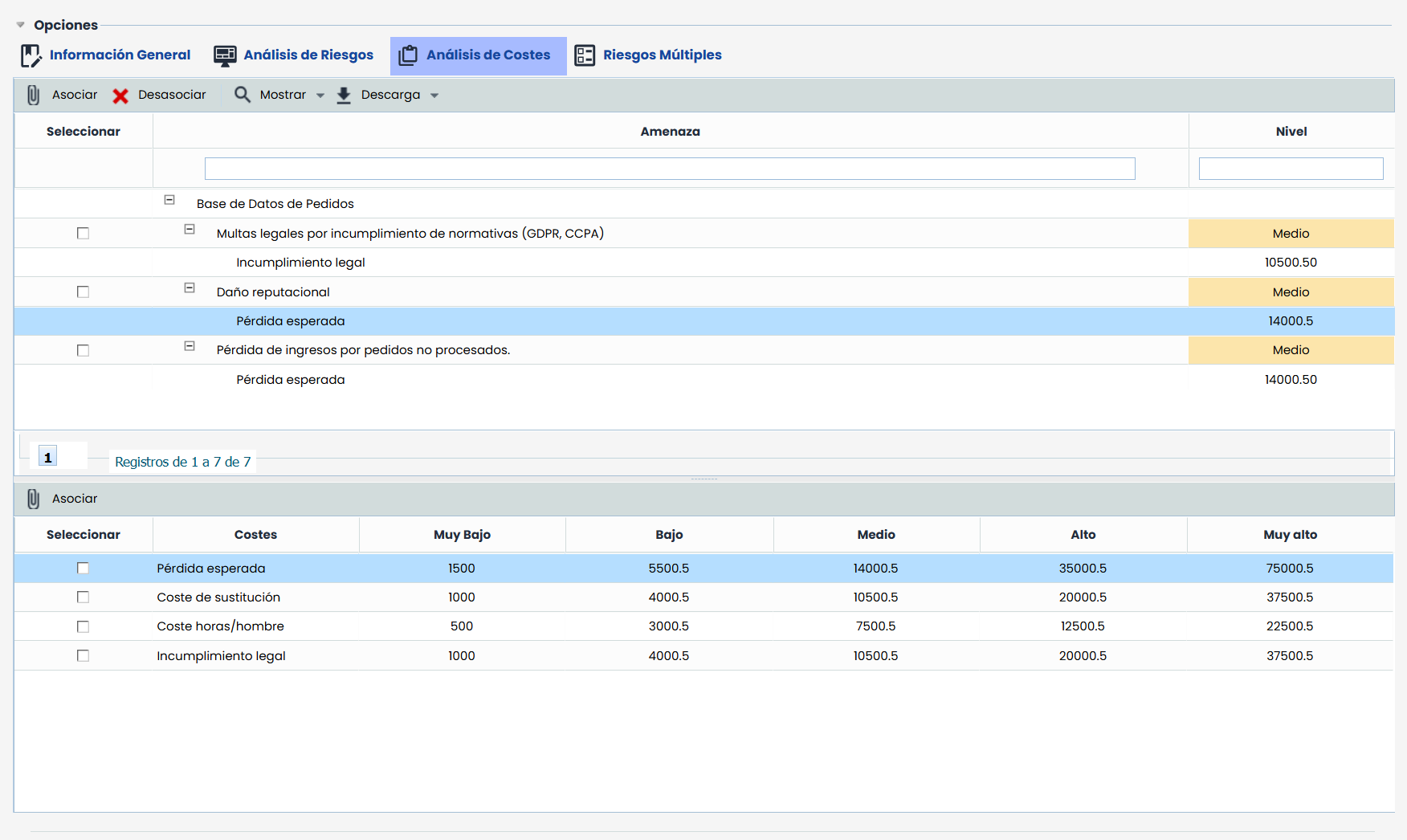
The platform allows managing the cost analysis option in the following way:
-
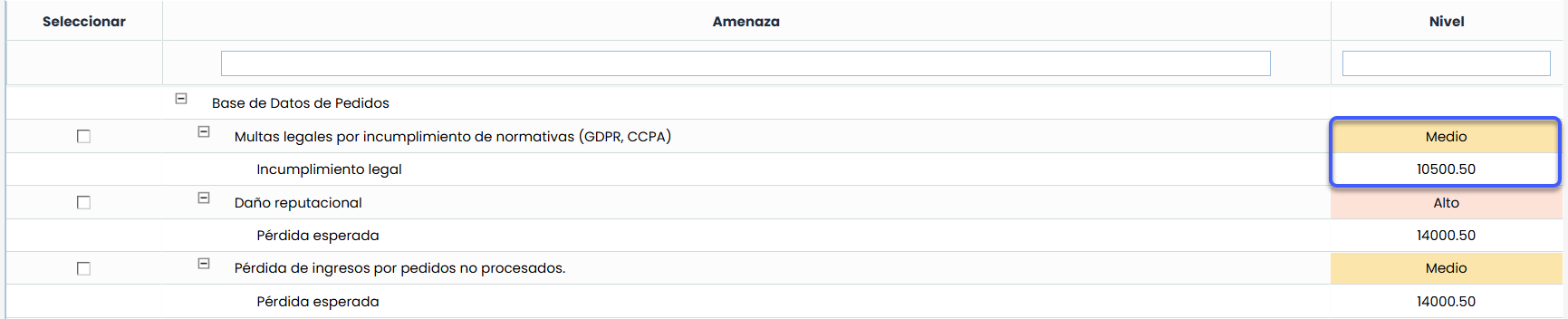
Associate: Allows associating costs to the threats of each asset. To do this, select the desired cost from the table below, select the threat in the table above, and press the ‘Associate’ button. The tool automatically calculates the associated economic cost.
-
Dissociate: Enables the user to remove an already established association between cost/threat. To do this, select the row or rows with the associated costs in the table above and press the ‘Dissociate’ button.
-
Show: Allows filtering the list of assets and threats, either by showing the entire list (Show All) or by showing only those assets whose threats exceed the Acceptable Risk Level (Exceed ARL).
-
Download: Allows downloading the list of threats and costs to an editable file (.docx).
NOTE: The cost list is defined in the section ‘Settings /Risk Methodologies’.