
This option allows displaying the organization's infrastructures associated with each of the business processes, identifying the number of people required to be relocated to an alternative location or perform telework in case of a contingency at the infrastructure where they usually work.
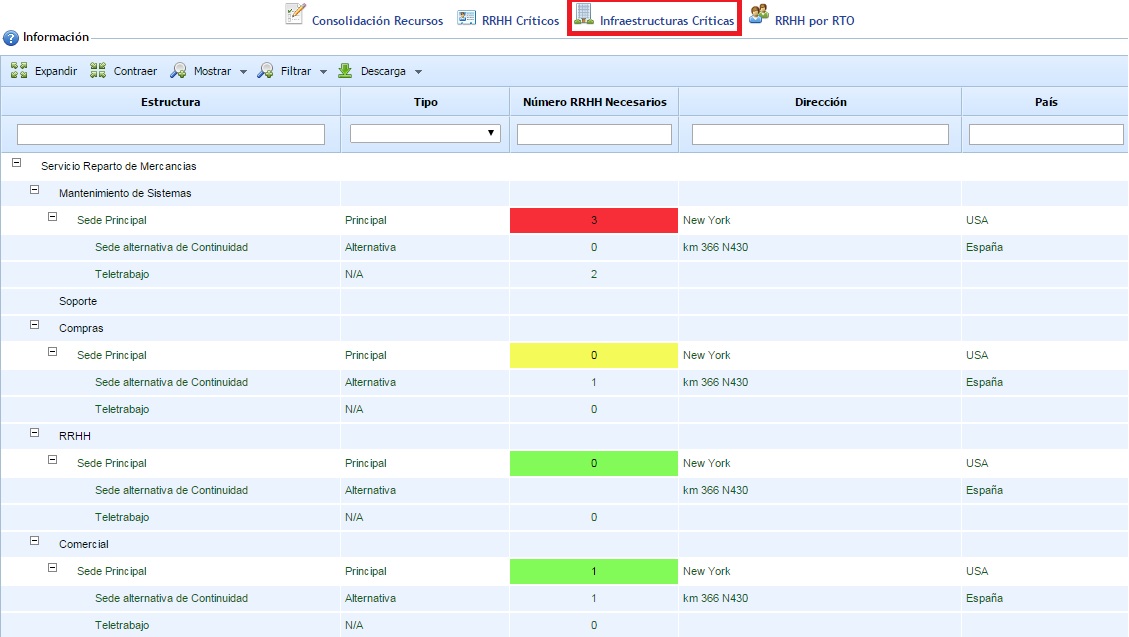
When accessing the option, the organization's service and process tree is displayed. Associated with each process are the infrastructures (headquarters or work centers) related to each process, both primary and alternative, in addition to the Telework option.
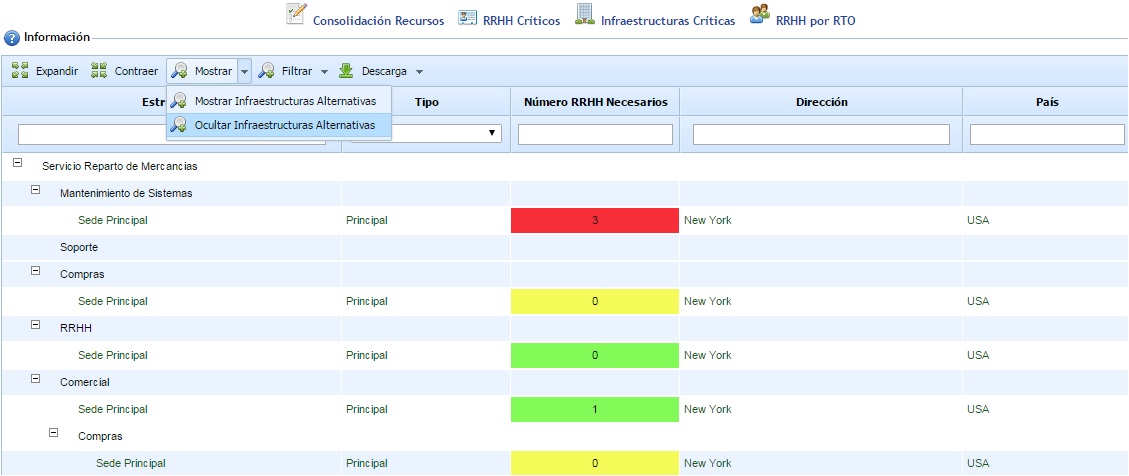
By clicking the "Show - Hide Alternative Infrastructures" button, only the primary infrastructures associated with each process are displayed.
The primary infrastructures have an associated number that represents the number of critical people who must be relocated to an alternative location or perform telework in case of a contingency at the infrastructure. Associated with each primary infrastructure, the alternative infrastructures and the Telework option are displayed, allowing the definition of the number of people who will be relocated to each alternative infrastructure. For the Telework case, the number displayed is automatically calculated based on the people associated with the primary infrastructure who have telework defined as their continuity work option.
The numeric cells of the primary infrastructures can have 3 different colors. Each color has the following meaning:
-
Red: Cells in red indicate that the sum of people assigned to telework and alternative infrastructures is less than the number of people in the primary infrastructure.
-
Green: Cells in green indicate that the sum of people assigned to telework and alternative infrastructures is equal to the number of people in the primary infrastructure.
-
Yellow: Cells in yellow indicate that the sum of people assigned to telework and alternative infrastructures is greater than the number of people in the primary infrastructure.
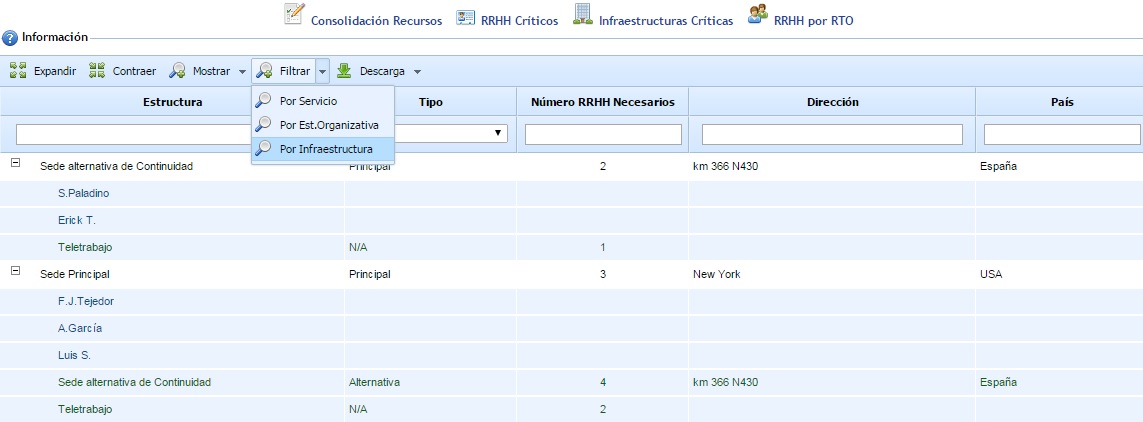
The "Filter" option allows obtaining different views of the same information. Apart from the default view with the service and process tree, it is possible to visualize the information considering the Organizational Structure defined in the Home menu or directly the list of the organization's infrastructures with the employees associated with each one. In the following image, the result can be observed if the "Filter - By Infrastructure" option is selected:
Finally, note that this option includes the 'Expand' and 'Collapse' buttons to manage the complete structure (by default, it is displayed expanded), as well as allowing the result to be downloaded in an editable document format (.xlsx) and .pdf format.