
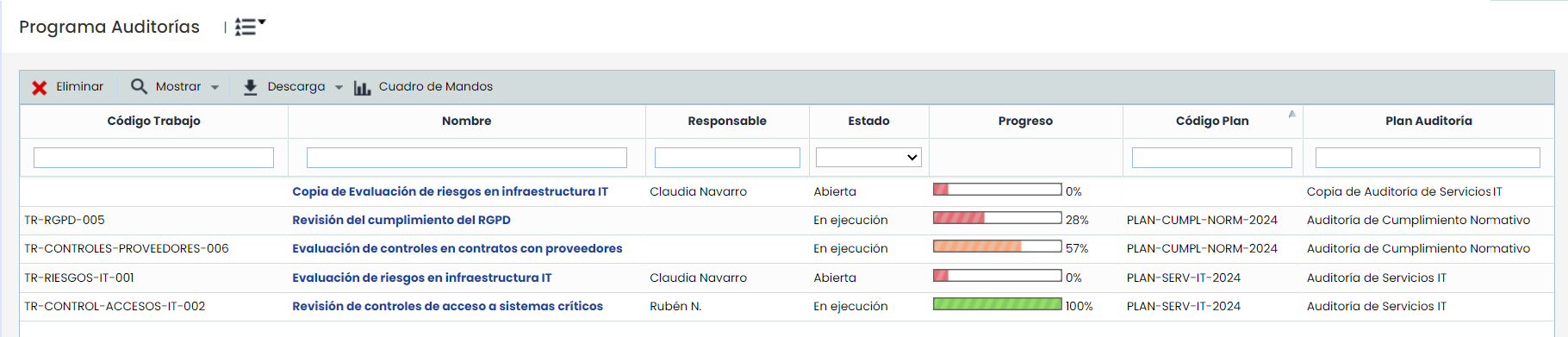
In this section, it is possible to manage the tasks created in the different Audit Plans defined in the previous option.
Note
Customizable fields for this table can be configured in Settings > Methodologies > Audits. These fields will be displayed after the default fields.
-
Delete: Allows deleting a Task from the list. To do this, select the desired row or rows and press the ‘Delete’ button. Audit tasks are created associated with an Audit Plan, from the previous option.
-
Show: Offers the possibility to filter the task list, allowing you to choose between viewing Open or All, depending on the Status of the tasks. By default, only open or ongoing tasks are displayed.
-
Download: Allows generating an Excel report with the information of the existing audit tasks.
-
Dashboard: Allows access to a section to view the Audit Dashboard and generate Excel reports with their results.
By clicking on the link that appears in the task name, you can access its details, which consist of several sections.