
This tutorial shows how to use the “Process with AI” functionality from the GlobalSuite® Document Manager, allowing you to automatically analyze the content of a file and quickly obtain useful and contextualized information.
Thanks to the integrated intelligent assistant, it is possible to interact with the content through questions, generate summaries, extract key data, or compare it with regulatory models, among other capabilities.
Remember that the assistant is available for Enterprise, Plus, and Corporate licenses.
How does the Assistant work?
Access the Document Manager
-
Go to Sections > Document Manager from the main menu.
-
Locate the document you want to analyze using the filters or by navigating through the document table.
-
Select the file from the table by clicking on its row.
Only one file can be processed at a time. The system will not enable the option if no documents are selected or if more than one is selected.
Unknown Attachment
Process the file with AI
-
Once selected, click on the “Process with AI” option available in the document's action menu.
-
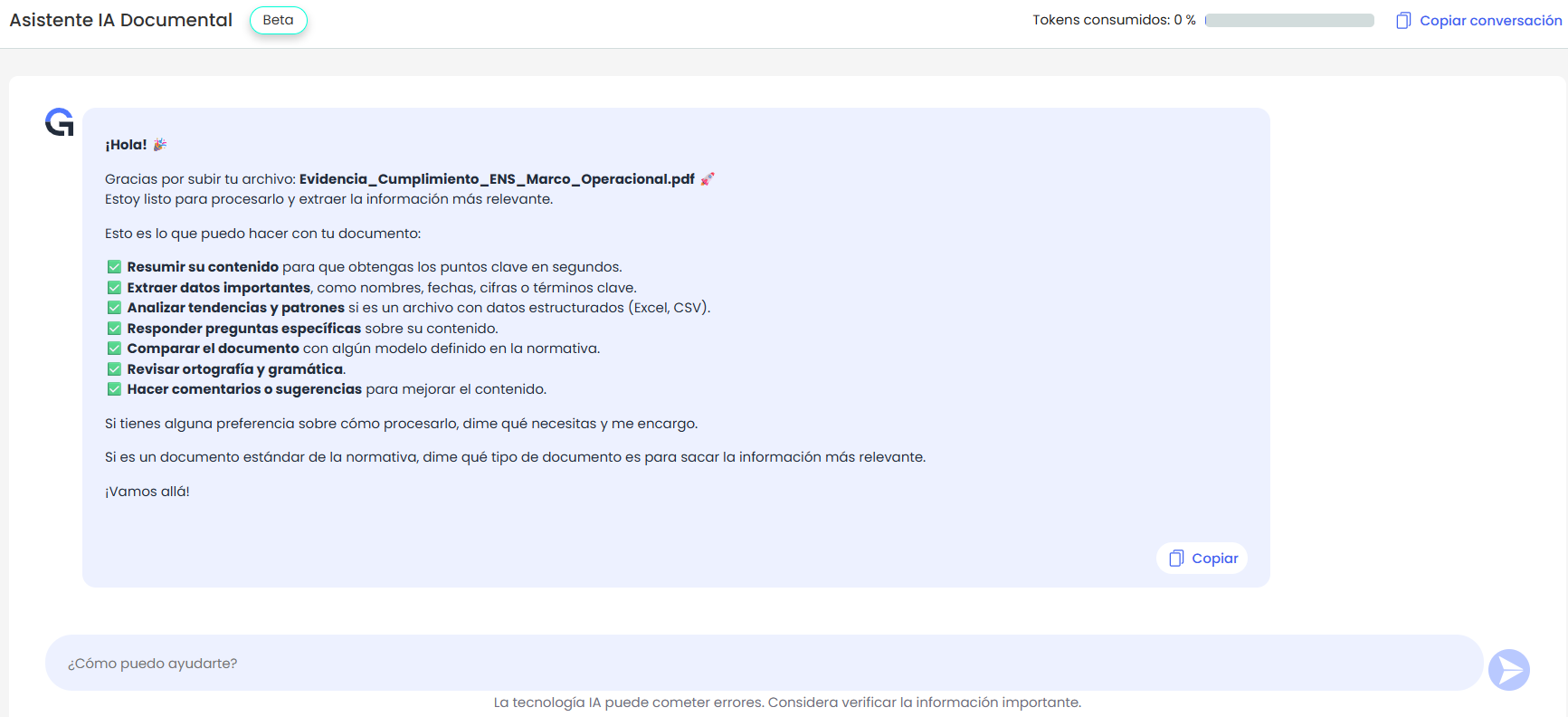
The assistant will automatically open in a new view. You will see a confirmation with the name of the loaded file and a welcome message.
Use the assistant
The assistant will explain what it can do with the document, including:
-
✅ Summarize its content.
-
✅ Extract important data such as names, dates, or figures.
-
✅ Analyze patterns if the file contains structured data (e.g., Excel or CSV).
-
✅ Answer specific questions you ask.
-
✅ Compare the document with regulatory models.
-
✅ Review spelling and grammar.
-
✅ Provide comments or suggestions for improvement.
At the bottom, you will see a dialog box where you can directly write your requests or questions.
Real Examples
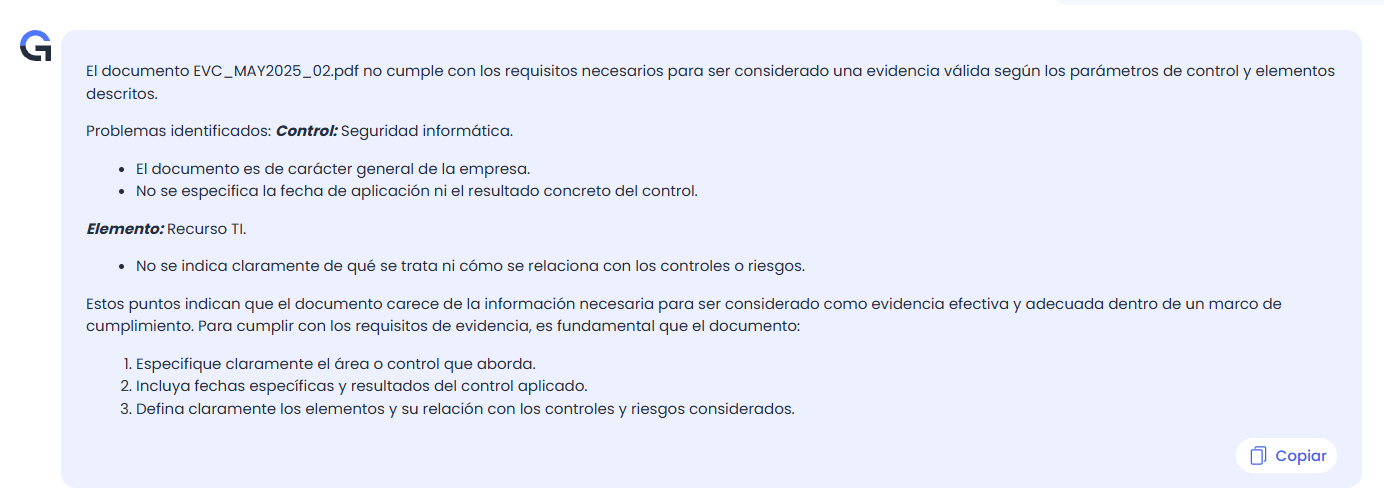
Control evidence.
-
Identify whether the evidence uploaded meets the evidence you have requested regarding the controls or the elements.
Identify improvements in policies or procedures.
-
With your procedures/policies already uploaded, ask if you can improve a specific point, if you are missing any data to ensure you have everything required by the regulations, or request a specific summary.
Reports or dashboards of your management systems.
-
Ask about graphs to find trends or patterns, identify the weakest controls or the most critical risks. Any relevant data from the dashboard will be identified, and action plans can be proposed.
Supplier evaluation.
-
You can analyze your suppliers' documentation directly with AI and obtain any type of information. Whether it meets certain requirements, whether the requirement is evidenced, or where improvements are needed.
Important Considerations
-
The analysis can only be performed on one file at a time.
-
If the file has an unsupported format, the system will display a warning. Currently compatible types are: pdf, doc, docx, txt, pptx, xlsx, png, jpg, jpeg, csv, and zip.
-
If the environment does not have available tokens, access to the assistant will be disabled.
-
The assistant does not allow uploading new files: it only works with the document selected from the Document Manager.
-
It is recommended that the document be properly named or structured for a more precise and contextualized analysis.