This option allows defining the general data of the strategy.
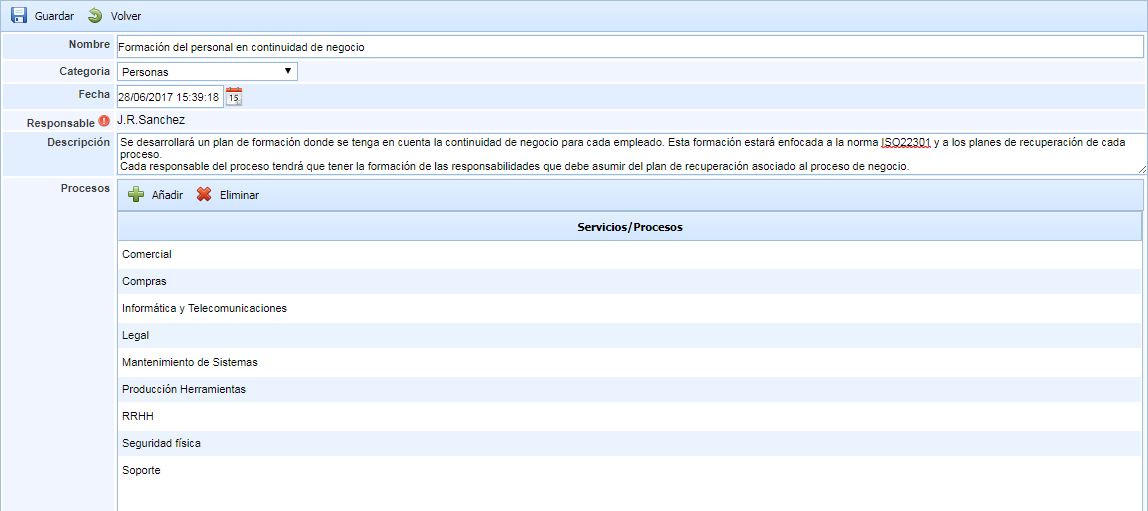
To register the changes in the following fields, the save button must be pressed once the fields are defined.
-
Name: Sets the name of the strategy to be developed.
-
Category: Allows determining the type of strategy to be defined. These types will be configured in the Settings section.
-
Date: Indicates the date of the strategy definition.
-
Responsible: Defines the company representative responsible for monitoring the implementation of this strategy in the different processes. By pressing the red button, a pop-up window will appear with the employees (defined in Management - Employees).
-
Description: Allows providing any additional information that clarifies what the strategy consists of.
-
Processes: Allows defining in which company processes this strategy will be implemented.
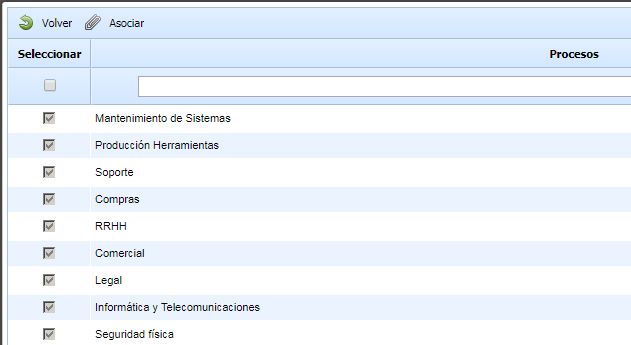
To select the processes, the Add button must be pressed, and a pop-up window will appear with the processes defined in Home - Processes.