
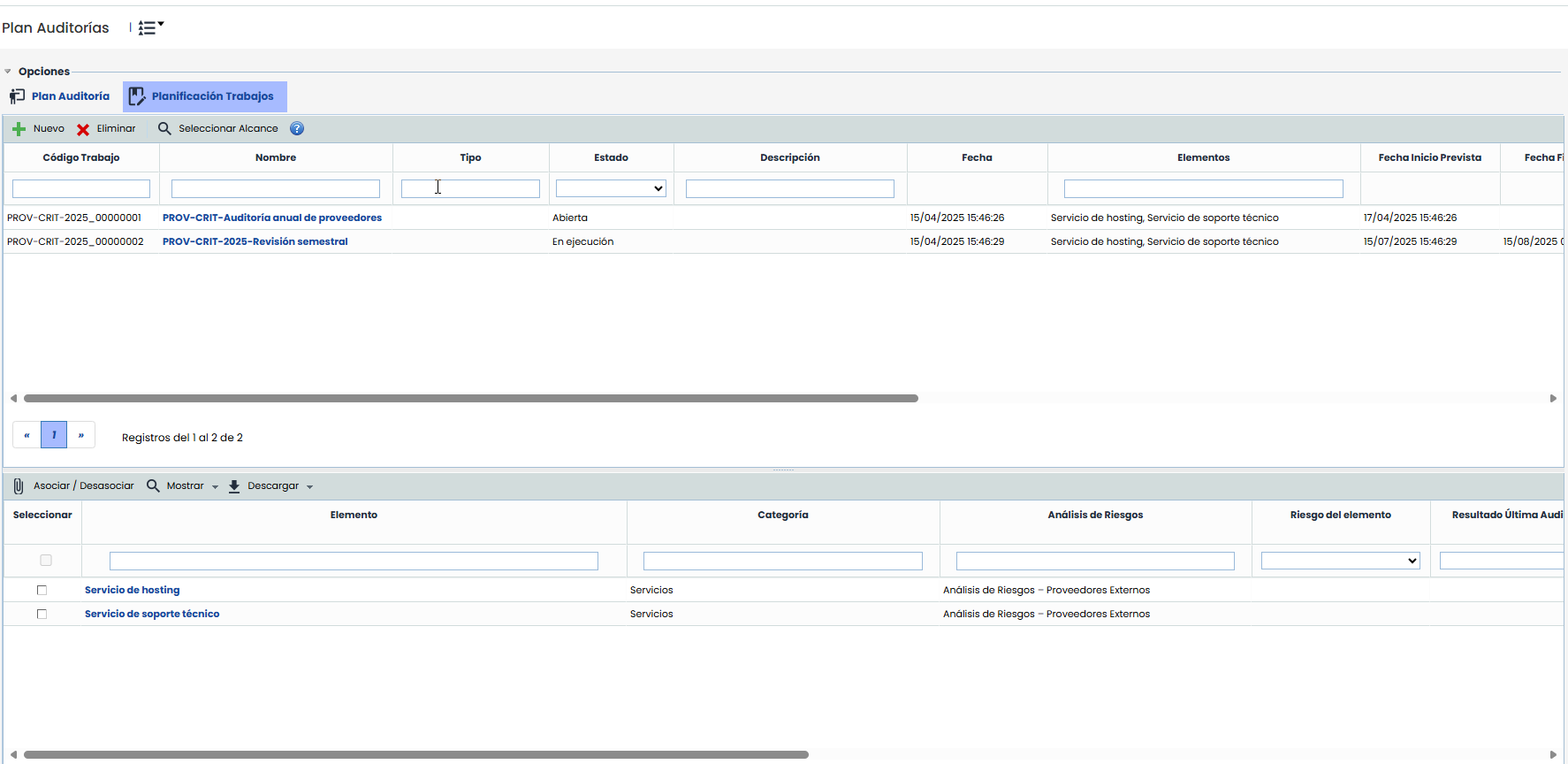
This section allows, once the planning evaluation has been carried out in the previous section, assigning work to the different elements of the scope. It includes two separate tables.
At the top, there is a table with the audit work included in the plan. It contains a column "Elements" where the elements associated with the work are displayed.
Note
Customizable fields for this table can be configured in Settings > Methodologies > Audits. These fields will be displayed after the default fields.
-
New: Allows creating a new Audit Work within the Plan.
-
Delete: Allows deleting a Work from the list. To do this, select the desired row and press the 'Delete' button.
-
Select Scope: Allows associating the elements of the work scope for the selected work using the Element Tree view.
NOTE: By clicking on the link of the work name, the work form opens in a new tab, in the "Audit Program" menu option, which is explained below.
Work that is already in progress or completed is displayed in red, and its scope cannot be modified.
The bottom part of this view shows the elements with the planning results, as well as an additional column "Associated Work" indicating in which work each element is included.
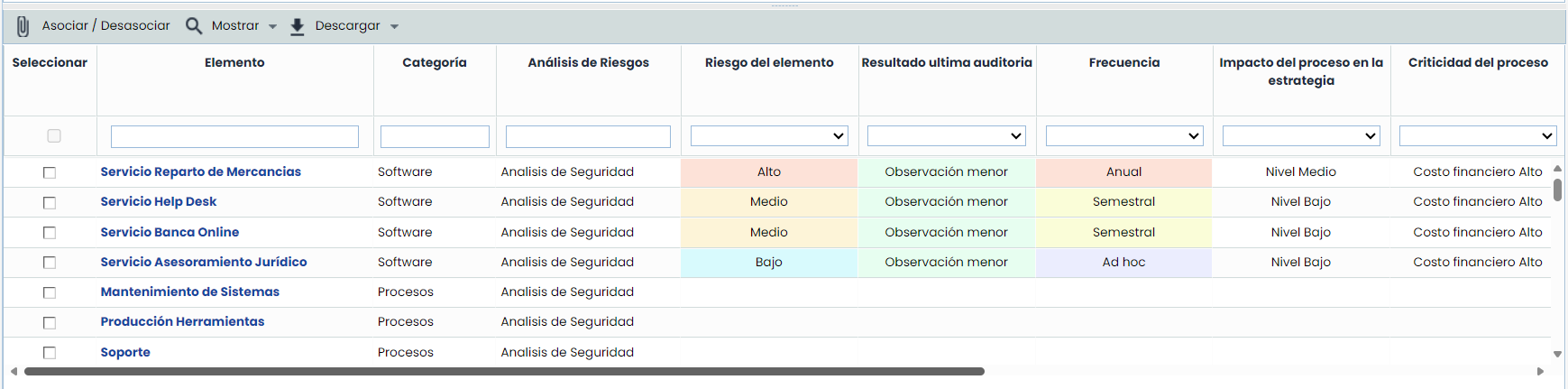
When a work is selected in the top table, the elements of the scope are selected in the bottom table.
The same Elements from the Audit Plan are available, with the fields described earlier. Within each of them, new work can be associated at the bottom. First, those works must be created, and they are then available to associate with any of the processes above. You just need to click on an element to mark it and select the work by checking the Select box to link it.
-
Show: This dropdown allows filtering the categories, to view All elements or Elements without work, which are those not associated with any work.
-
Associate / Disassociate: Once a work is selected in the top table, the elements included in the scope will be displayed at the bottom. It is possible to check or uncheck other elements, which will be saved when this button is pressed.
-
Download: Allows generating an Excel report with the list of elements from the audit plan.