
The Audit Plans option allows managing the different audit planning of the organization, as well as prioritizing the elements to be audited based on the methodology used.
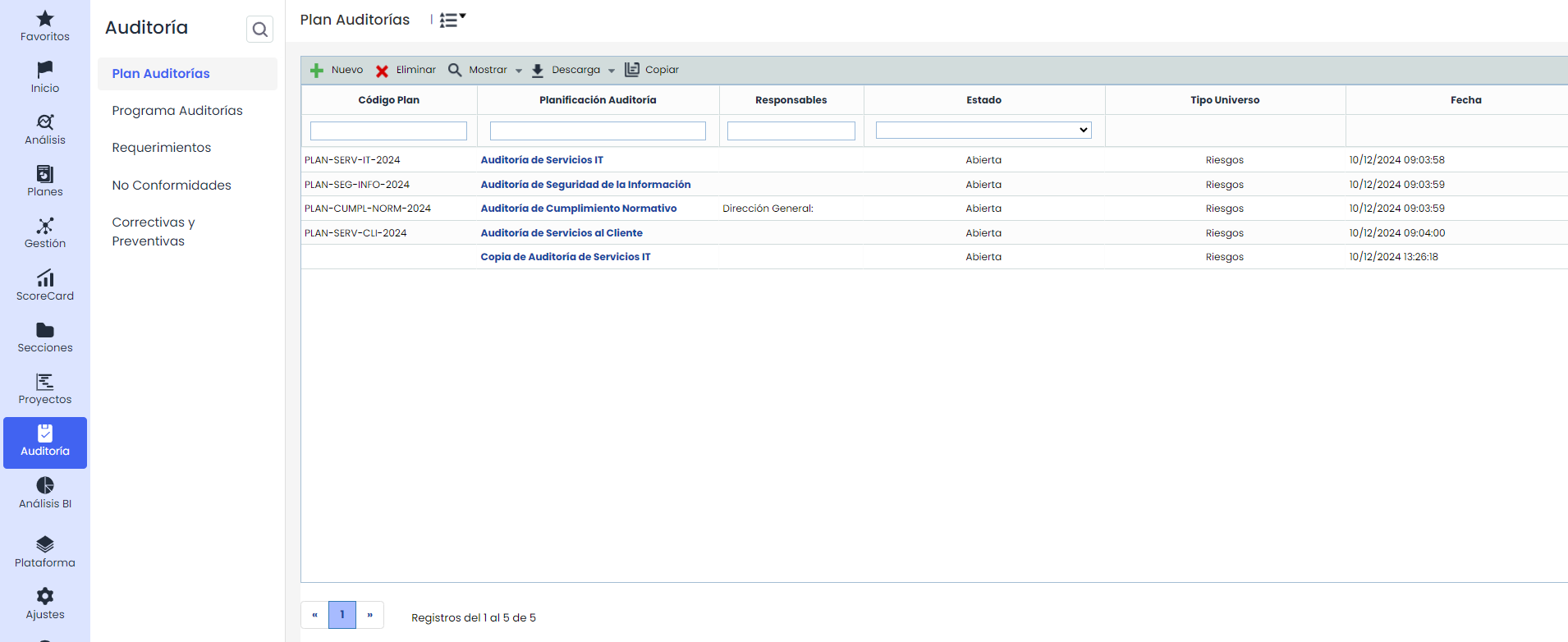
When accessing the option, the tool offers the following options:
-
New: Allows creating a new audit planning. To do this, press the 'New' button, and a new planning will be created.
-
Delete: Allows deleting an audit plan. To do this, select the desired row or rows and press the 'Delete' button.
-
Show: Offers the possibility to view the defined audit plans, including 'All', 'Draft', and 'Open only', the latter being the default option to see those that are open or pending closure.
-
Download: Allows obtaining the list of Audit Plans managed in the section.
-
Copy: Used to make a copy of the Audit Plan with all the included information, including the associated Audit Tasks ( Audit Program).
Propagation of Audit Plans
If a structure of Subentities is available, it will be possible to propagate Audit Plans to other entities. To do this, click on the 'Propagation' section that will appear in the top menu.
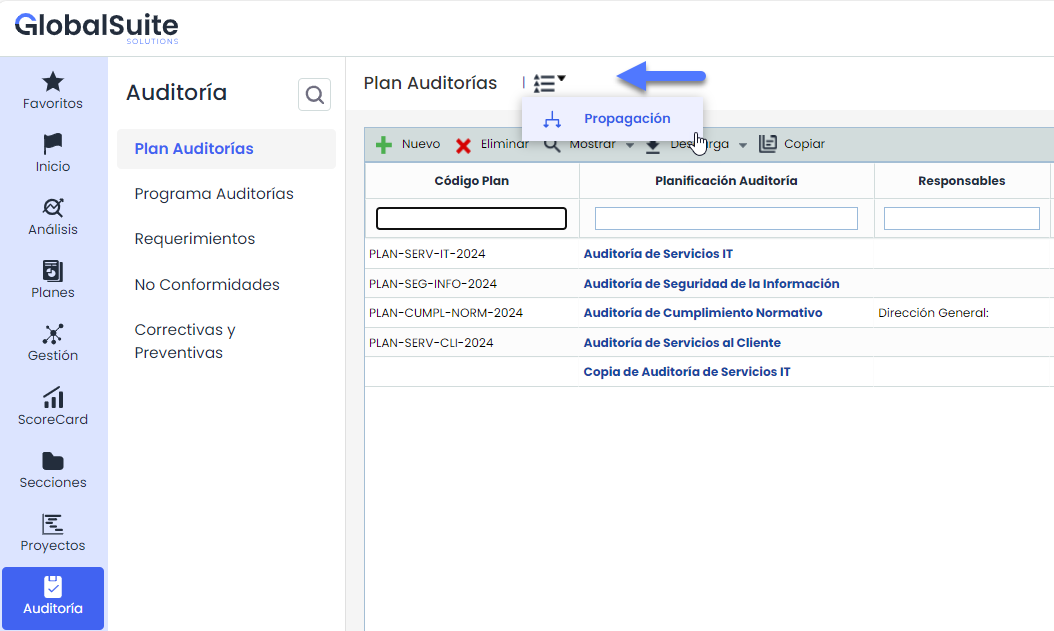
Once the option is accessed, the following tables are displayed:
-
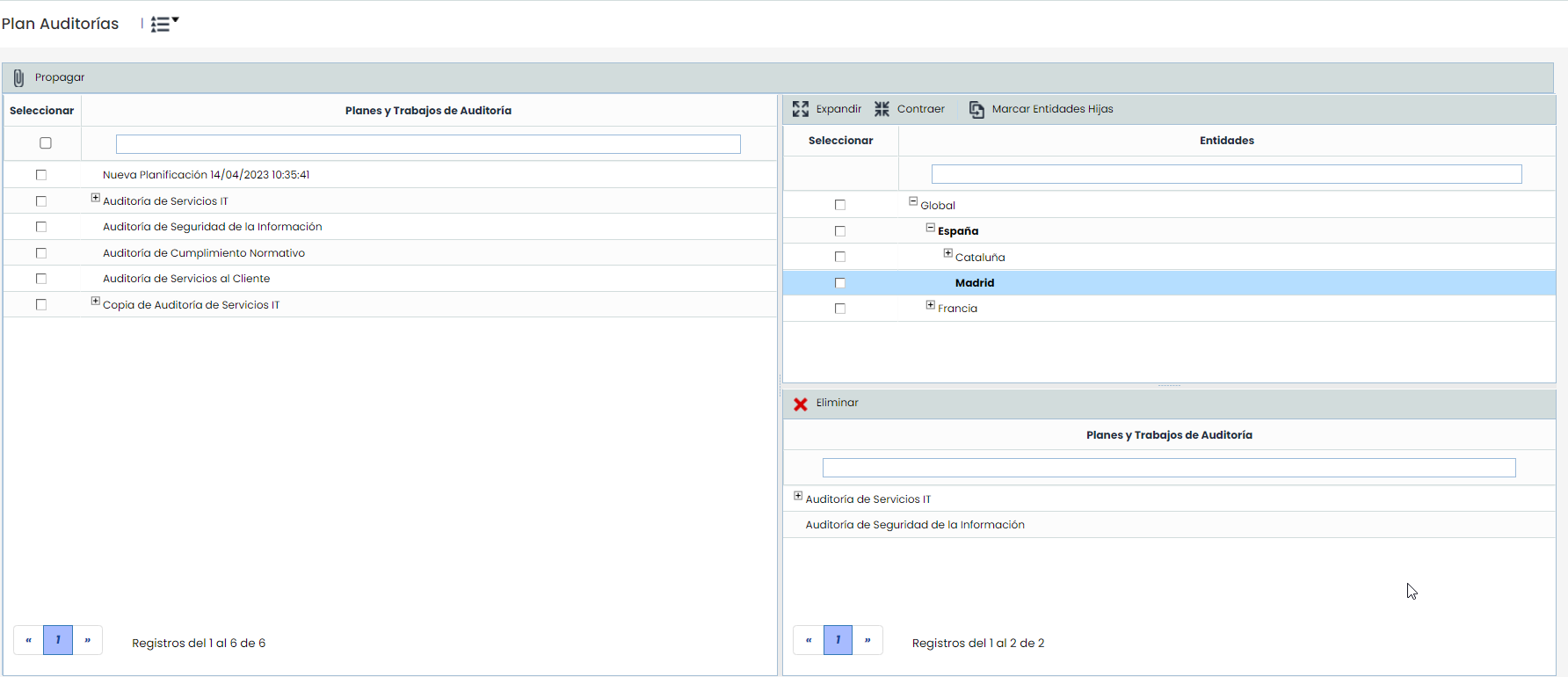
Audit Plans and Tasks: Displays the list of all Plans and their Tasks in Open and Draft status that have been defined in the current entity. The options available in the table are:
-
Propagate: Once the desired plans and tasks are selected, it allows propagating them to the selected subentities.
-
Back: Offers the possibility to return to the initial services screen.
-
-
Subentities Table: Displays the list of subentities to which plans can be associated. The table options include expanding or collapsing the list of subentities, as well as marking all subentities by clicking the 'Mark Child Entities' button.
-
Audit Plans and Tasks Table: Once the subentity is selected in the upper table, it displays the plans that have been associated with it. The tool offers the possibility to delete a plan from the subentity; to do this, select the desired row and press the 'Delete' button.
This propagation will create a copy of all the selected plans and tasks, including their codes (if they are visible/activated), as well as the elements involved in them, except for the members of the audit team, as they are specific to each subentity.