
When a user receives a BIA survey by impact, they access an initial screen that displays a summary of the survey along with a button to start completing it.
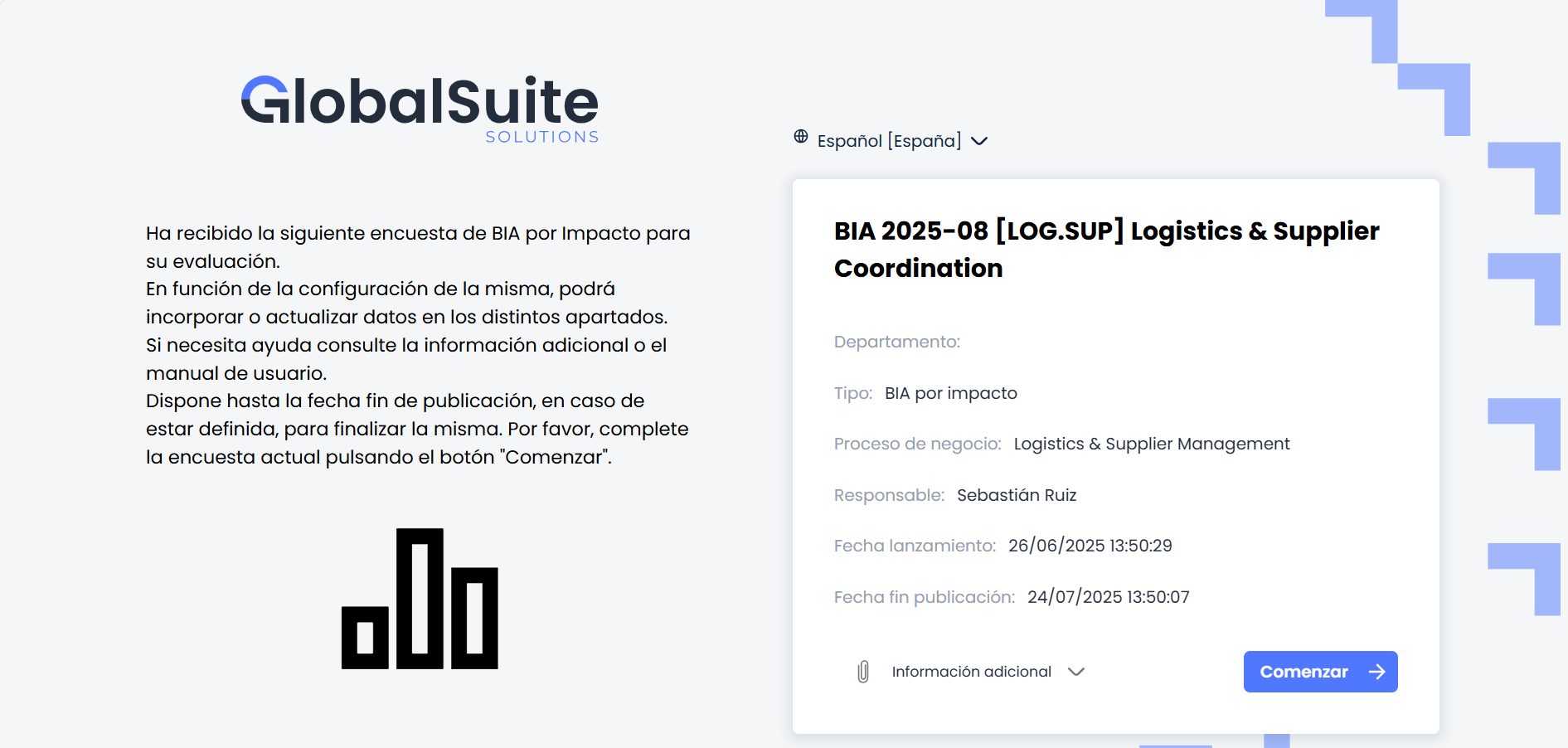
This screen presents two distinct sections:
-
General Information: includes an introduction with basic instructions about the purpose of the survey and how to complete it.
This text is configurable from the option Management > Surveys > Survey Configuration , within the field "Comment" of the corresponding configuration.
-
Survey Details: On the right, a side panel summarizes the key information of the survey. The following are described:
-
Survey Title
-
Department: name of the functional area or organizational unit to which the evaluated process belongs (if defined).
-
Type: indicates the type of survey (in this case, BIA by impact).
-
Business Process: name of the process linked to the evaluation.
-
Responsible: person responsible for completing the survey.
-
Launch Date: moment when the survey was published.
-
End of Publication Date: deadline to complete the survey.
-
Additional Information: Here, the survey attachments are displayed. These can be added both from Settings> Survey Model and from Management > Surveys> Survey Configuration.
-