
The configuration options allow customizing and parameterizing the tool to adjust not only some default values but also to implement the procedures, values, and options specific to each company.
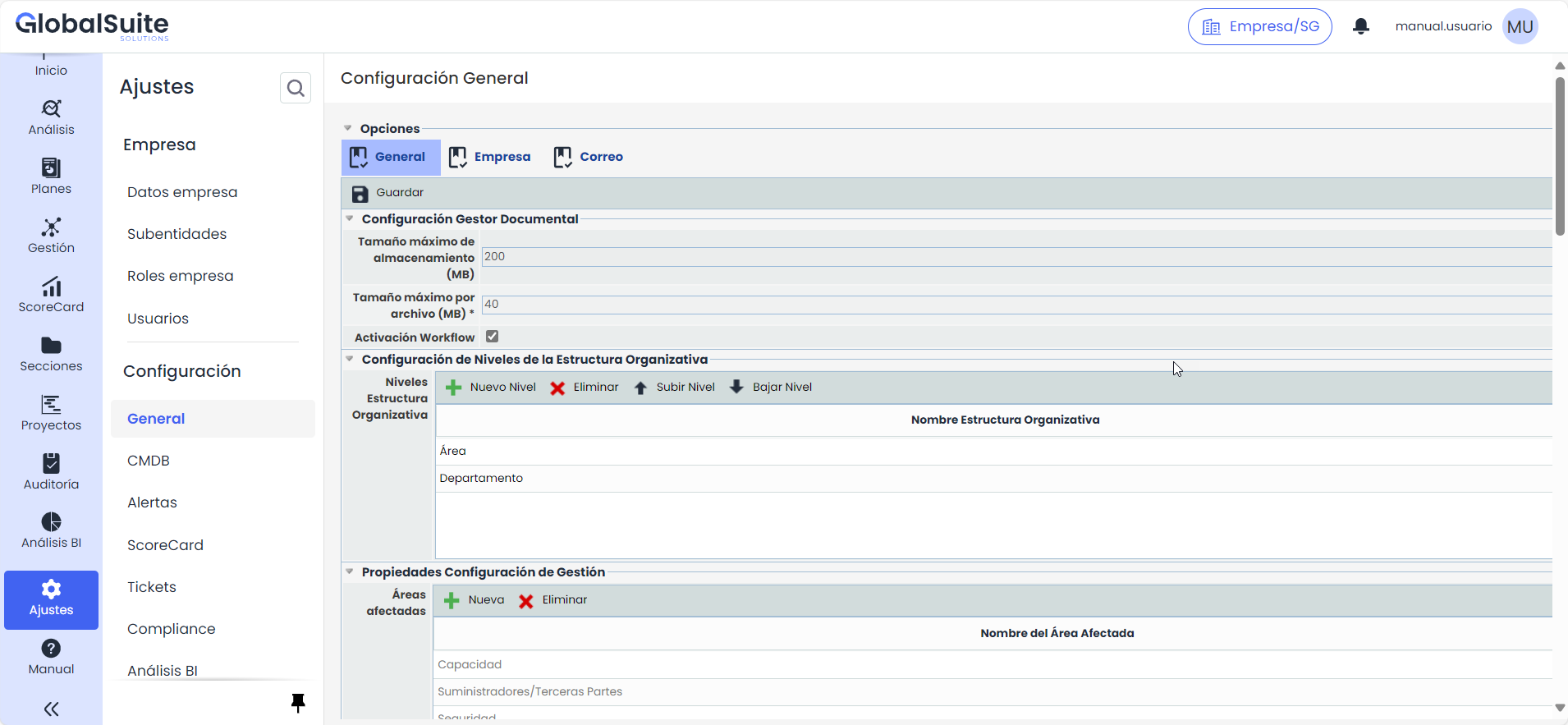
The configuration options allow customizing and parameterizing the tool to adjust not only some default values but also to implement the procedures, values, and options specific to each company.
The "General Settings" section is organized into three tabs:
-
General: Displays the default configuration options of the tool.
-
Company: Allows configuring the specific details of the company, including:
-
SMTP Configuration: Configures the settings for sending emails.
-
Two-Factor Authentication: Activates and configures two-factor authentication (2FA).
-
Logo Configuration: Defines the logo that will be displayed on the platform to customize the company's visual identity for access.
-
-
Email: Allows defining the HTML format for emails sent from the platform, adapting the design and content of the messages to the needs of the management system.
Among the general configuration options available in these tabs are:
-
Standards Configuration -
Scope Configuration -
Evidence Settings -
Company Settings -
Management Configuration Properties -
Document Manager Configuration -
Meeting Minutes Settings Properties -
Stakeholder Configuration -
Tag Configuration -
Roles and Responsibilities Configuration -
Organizational Structure Configuration -
Email Configuration -
Personalización