
In this section, the fields displayed for a supplier are configured, allowing you to set up the supplier form, modify and translate the field names, as well as sort, display, or hide them.
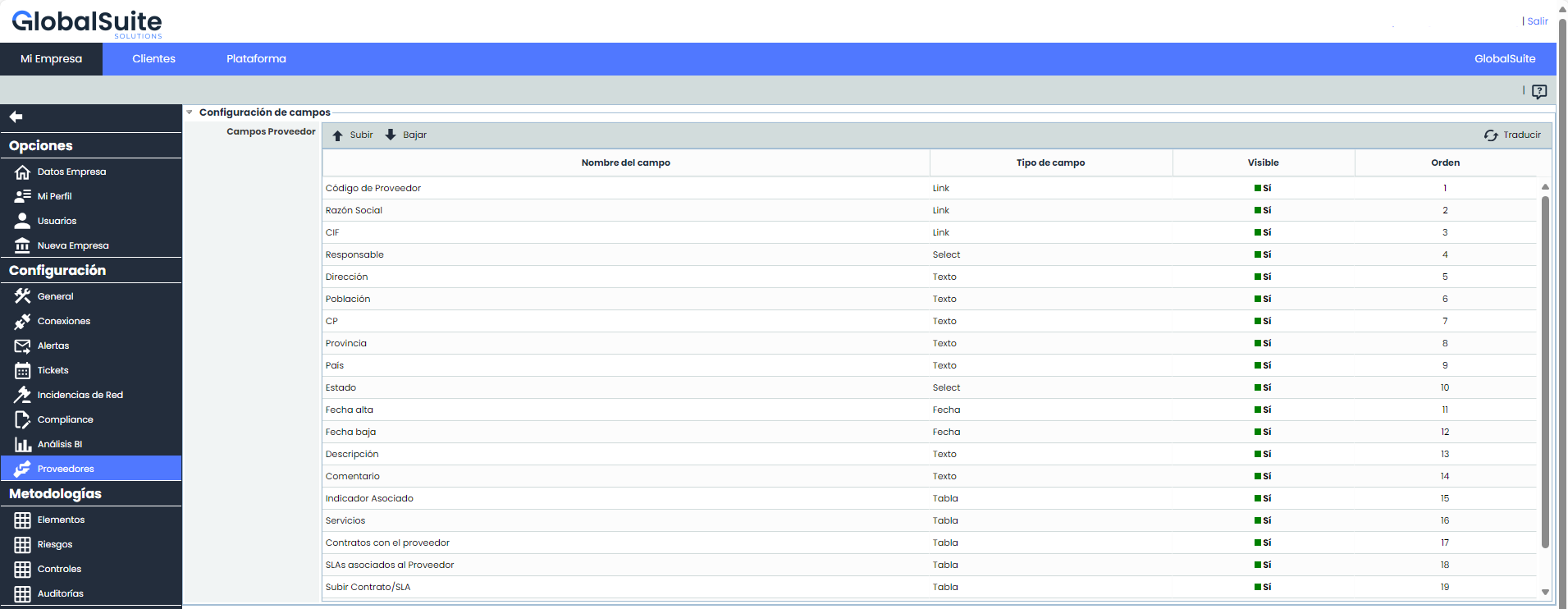
Supplier Fields Table:
-
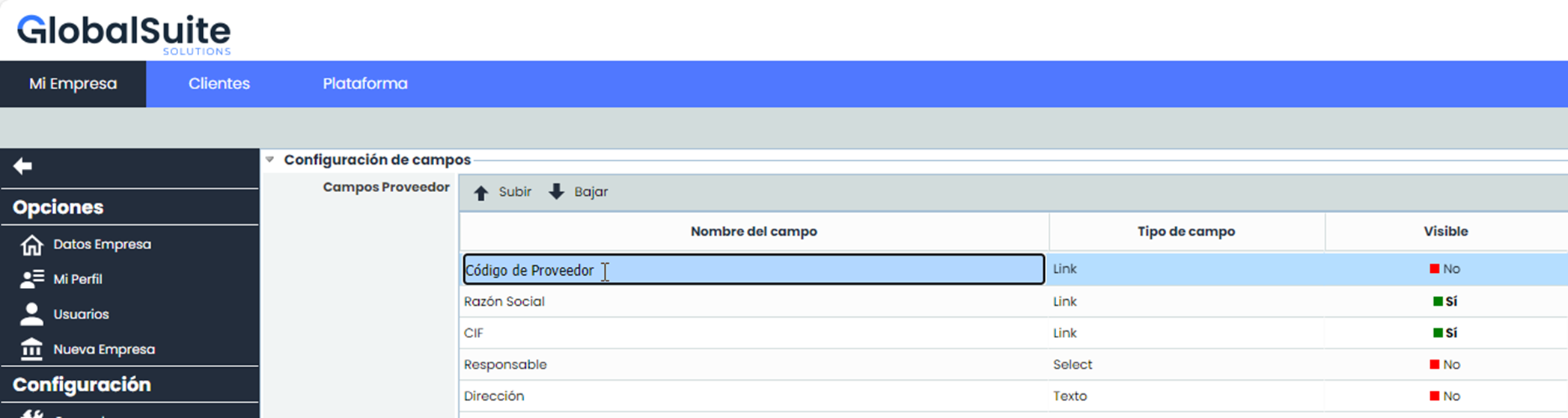
Field Name: This shows the name with which the field will be displayed. By double-clicking, the name can be modified. There is a validation to ensure it cannot be left empty.
-
Field Type: This is an informational, non-editable field to indicate the type of field being modified.
-
Visible: This is an attribute that allows you to configure the visibility of the field within the form. To modify it, click on the corresponding cell. It is worth noting that there is an exception: the "Company Name" field cannot be hidden.
-
Order: Displays the order in which the fields will appear in the form. It is configured using the Move Up and Move Down buttons located at the top of the table.
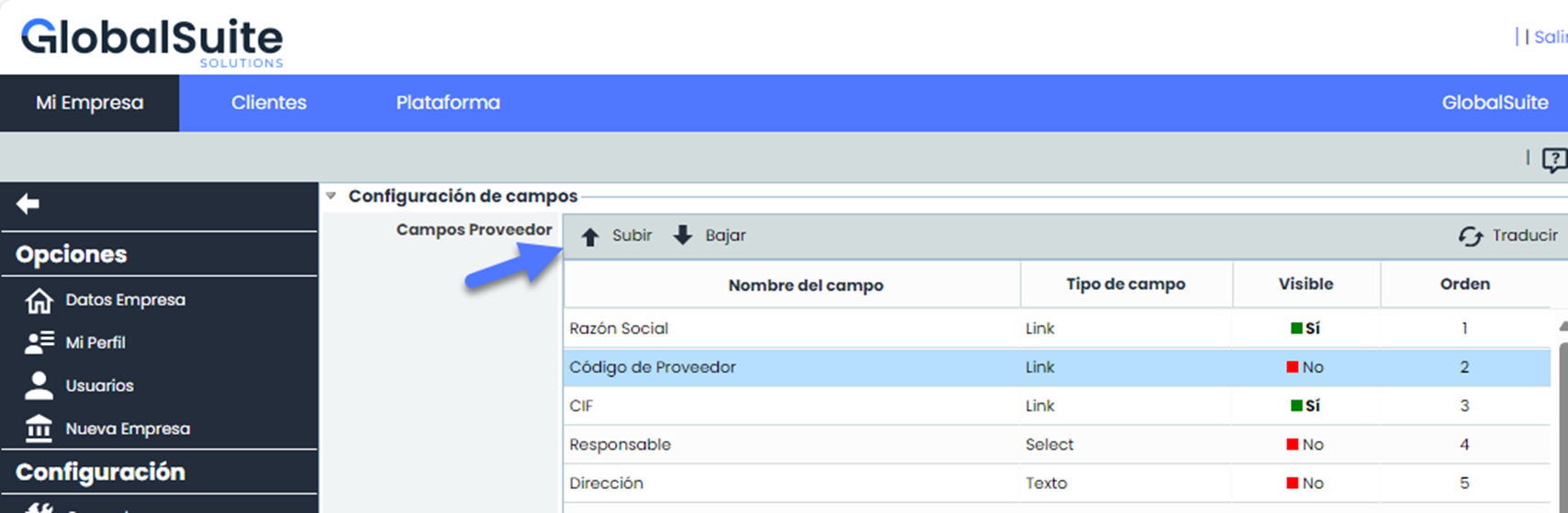
Translate
If the name of a field has been changed or you only want to change the default translation for the name of a field, you can enter the translation for it.
To do this, press “Translate”.

A window will open listing all the languages of the company we are working in:
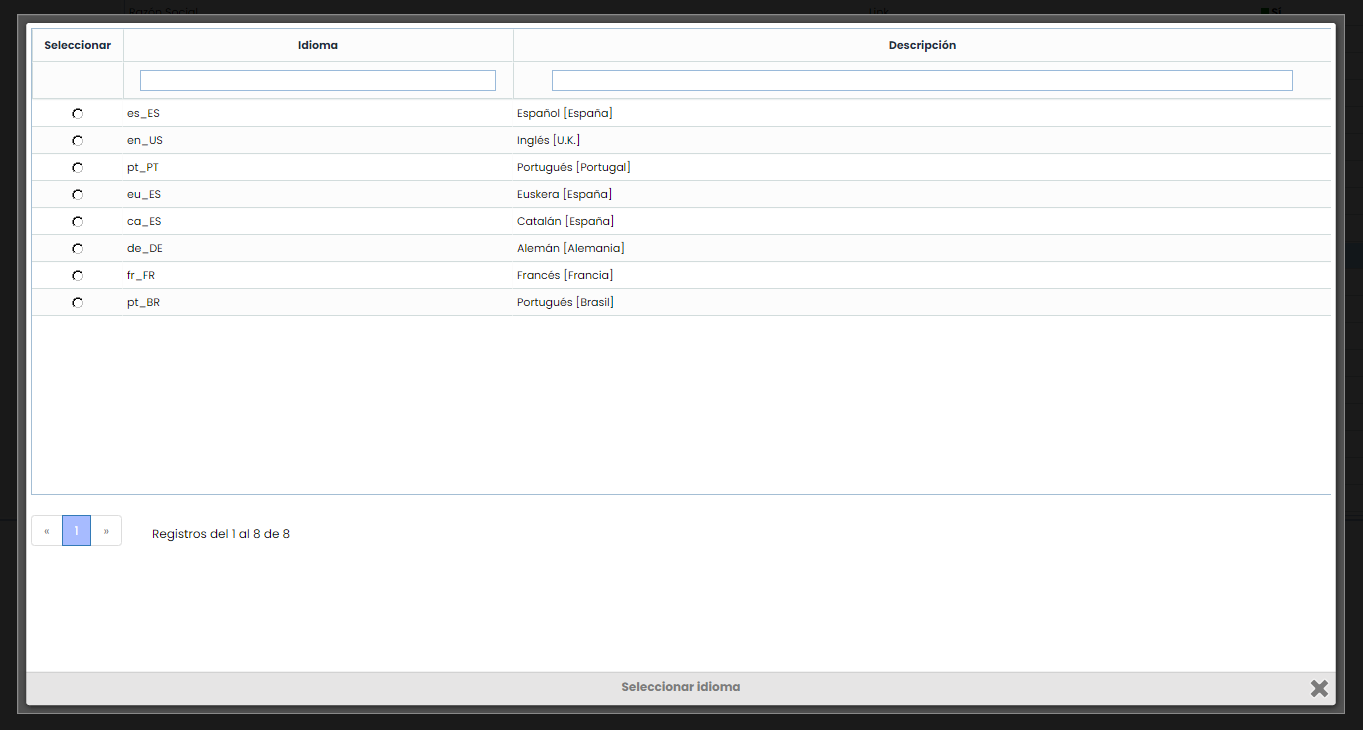
By selecting a language, a window will open where we can enter the translations:
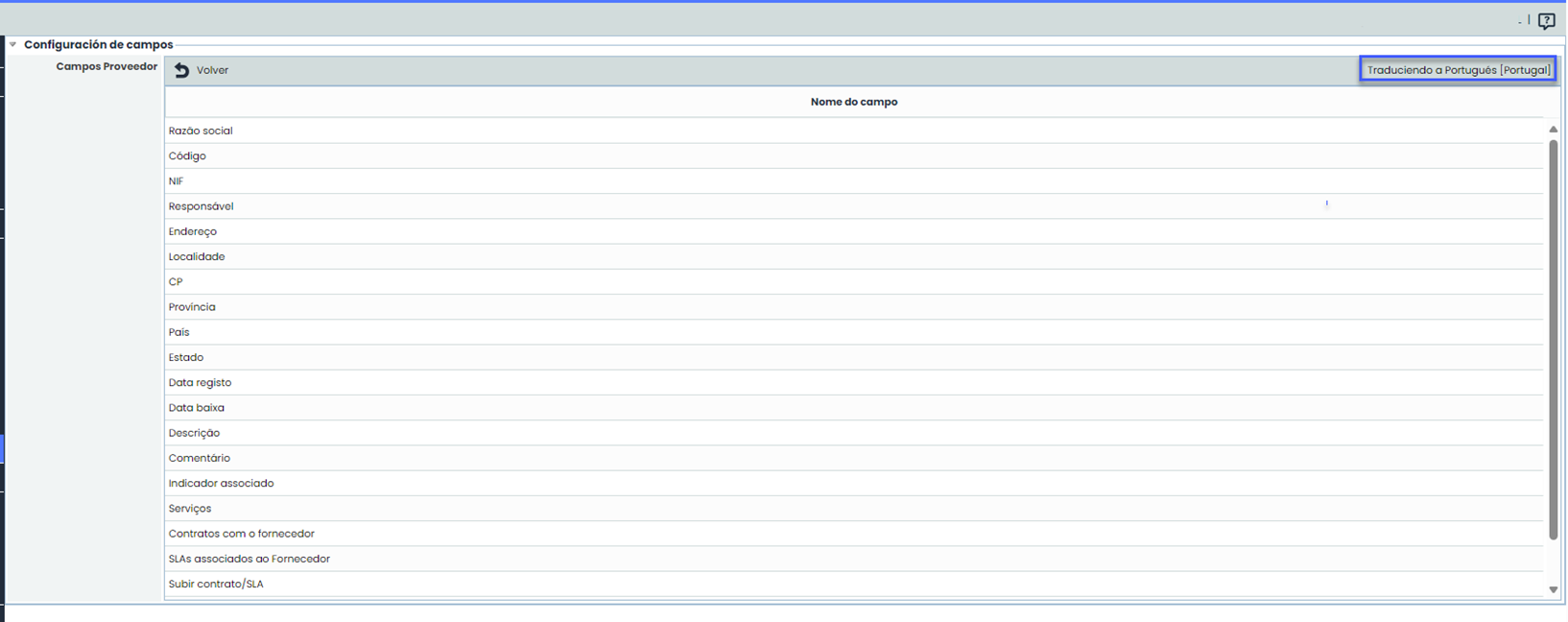
The field names appear in the language to be translated. Each one can be changed by double-clicking on the cell.