
In this tab, the content of the notifications sent during the lifecycle of ERC surveys is configured.
The functionality allows customizing the subject and body of each email, incorporating dynamic variables and translated versions in the languages configured in the company.
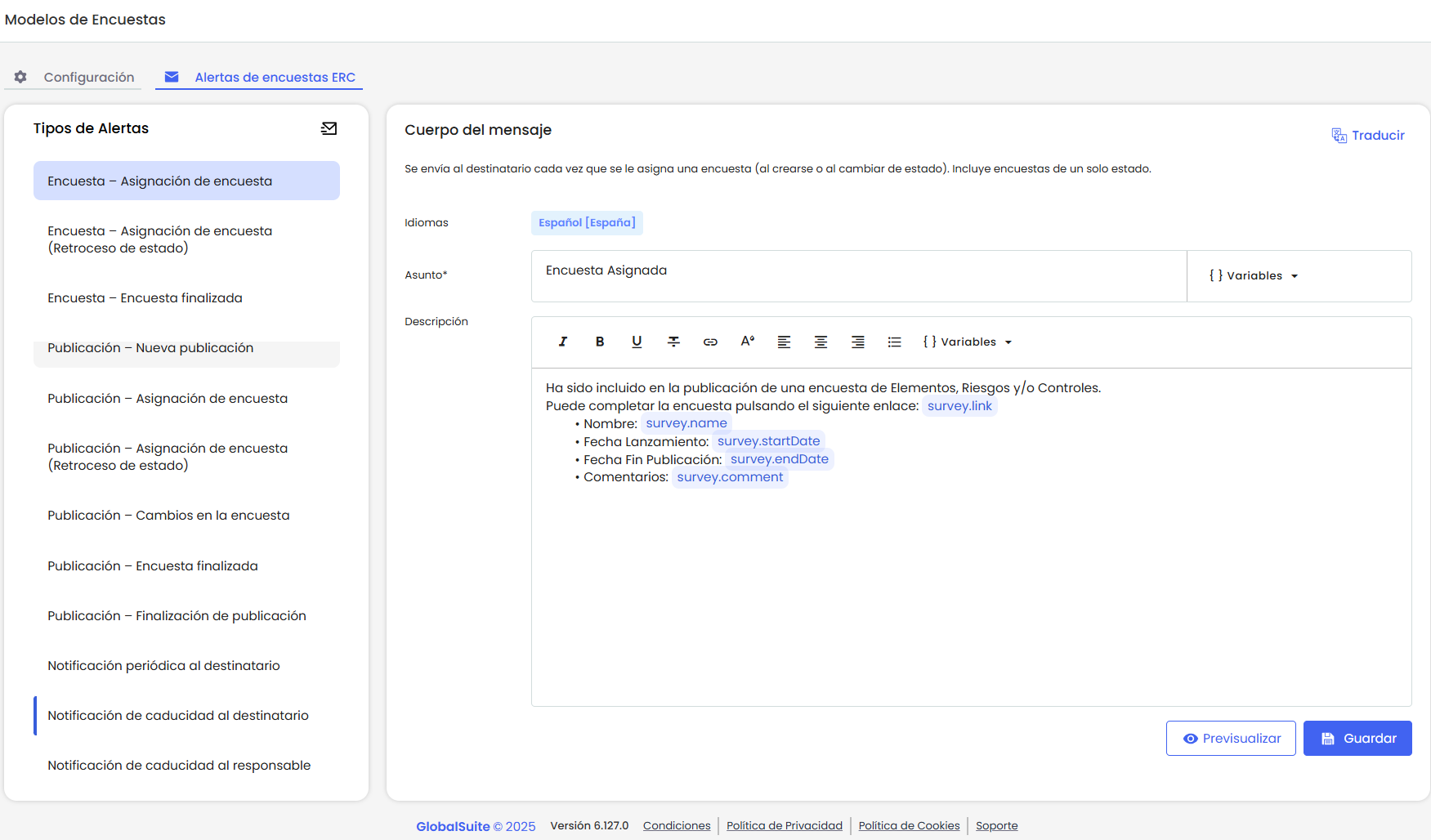
Available Alerts Panel
The left panel displays all the alerts that can be configured.
Those with a defined template appear highlighted with a side border.
If an alert does not have a configured template, it does not mean the email will be sent empty. In that case, the default email from GlobalSUITE® will be used, maintaining the current notification logic.
List of Available Alerts
Survey – Survey Assignment
Sent to the recipient each time a survey is assigned to them.
Survey – Survey Assignment (State Reversion)
Sent to the recipient when a survey reverts to a previous state and they are reassigned as the recipient.
Survey – Survey Completed
Sent to the user who has completed their participation in the survey, either because they completed it, moved forward, or reverted to a state and are no longer assigned to the survey.
Publication – New Publication
Notifies the publication manager when a new publication is created. This alert is new, as previously the Publication Manager was not notified.
Publication – Survey Assignment
Notifies the publication manager when surveys are assigned to recipients, either at the time of publication or when moving to a new state. If there are multiple recipients, the information is grouped into a single email.
Publication – Survey Assignment (State Reversion)
Notifies the manager when a survey, belonging to a publication they are responsible for, reverts to a previous state in the workflow.
Publication – Survey Completed
Notifies the manager when a recipient of the publication completes their survey (either by moving forward or reverting to a state).
Publication – Survey Changes
Notifies the manager when changes are made to the published survey (name, dates, recipients, etc.). This alert is activated in the publication->Activate.
Publication – Publication Completion
Notifies the manager when all surveys linked to a publication have been completed and have reached the final state of the workflow.
This alert is new, as no notification was sent in this case until now.
Periodic Notification to Recipient
Automatically sent to survey recipients who have not yet completed their surveys, according to the interval defined in the configuration.
Expiration Notification to Recipient
Sent to the recipient when the end date of their survey is approaching or has passed.
Expiration Notification to Manager
Notifies the publication manager that there are assigned surveys that have not been completed by the expected date.
Each of them can be customized independently in all the languages configured in the company.
State Alerts:
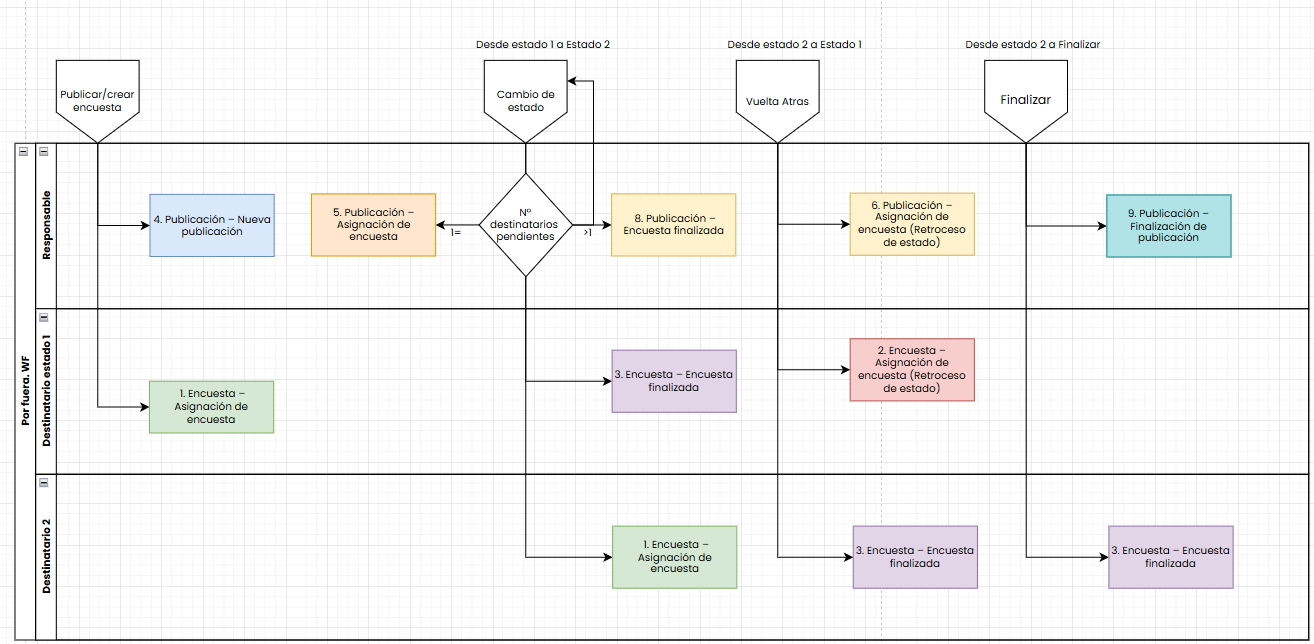
Template Configuration
Notification Subject
-
The subject can be customized using free text and dynamic variables (e.g., survey name, publication date).
-
Variables must be inserted using the “Variable” option in the toolbar and are only the basic ones. They are inserted in full and cannot be partially edited to avoid writing errors or incorrect sends.
-
The subject has a technical character limit defined by email servers, so it is recommended to keep the text brief and clear.
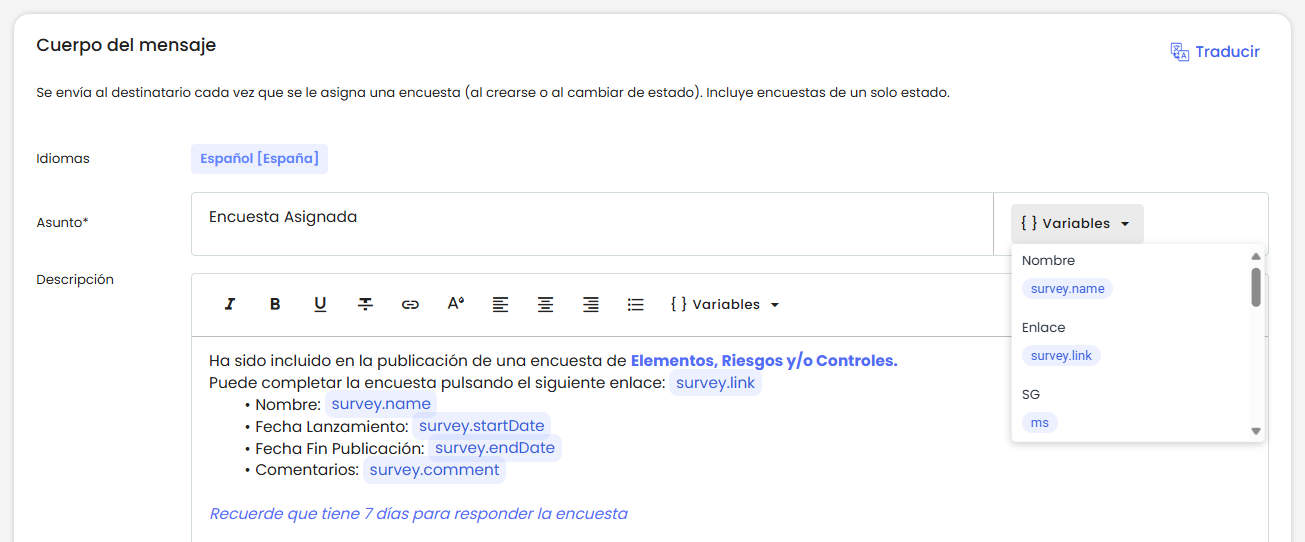
Notification Message
-
The message body supports rich formatting (colors, bold, links, lists, etc.).
-
Variables can be included to personalize the communication.
-
The header and footer are added automatically:
-
The default design of GlobalSUITE® will be used, or the one configured in Settings > General Configuration of the company.
-
-
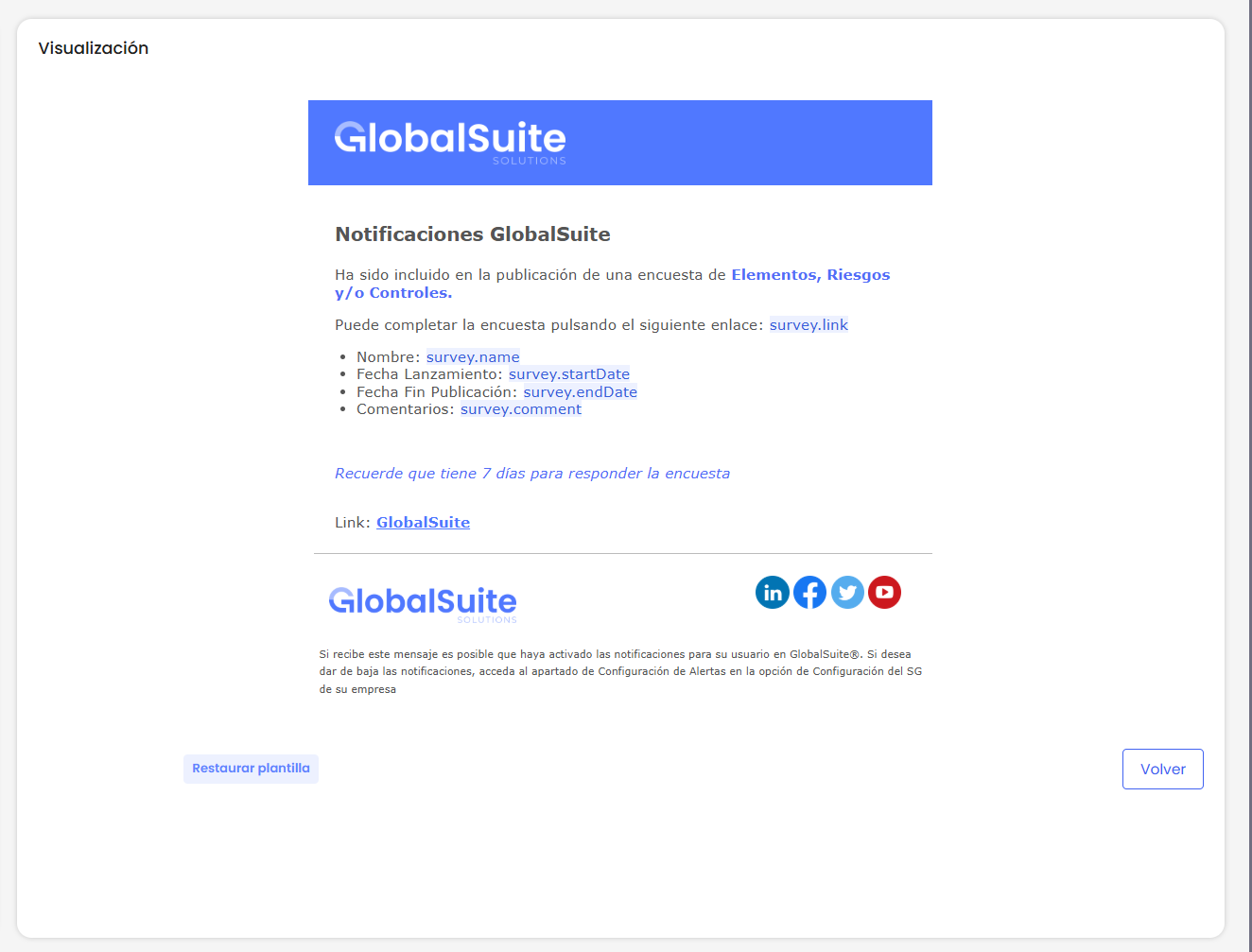
You can preview the message content before saving it.
Variables
Variables must be inserted using the option called “Variable.” These are added in full and with a special format that highlights them from the text and prevents partial editing. This way, incorrect writing or partial deletion errors in the email are avoided.
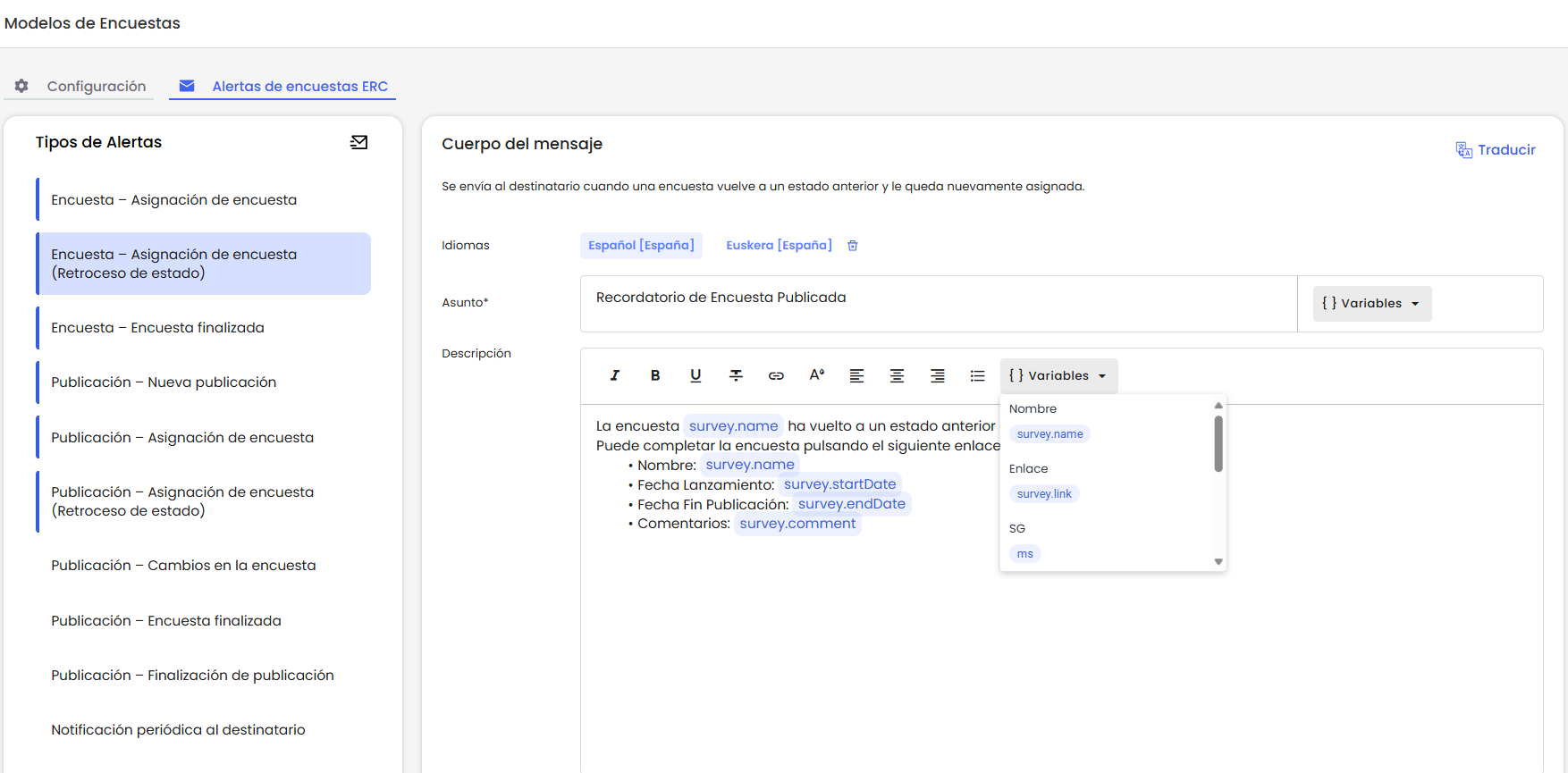
The basic variables, which are in all templates and subjects, are:
|
Variable |
Description |
|---|---|
|
survey.name |
Survey name |
|
survey.link |
Direct link to the survey |
|
sg |
Name of the SG (entity) |
|
sg.environmentLink |
Link to the GlobalSUITE environment |
|
survey.startDate |
Survey start date |
|
survey.endDate |
Survey end date |
|
survey.comment |
Text from the “Comment” field in the survey configuration. |
|
survey.type |
Survey type (Elements, Risks, etc.) |
|
survey.configuration |
Survey configuration |
|
survey.publicationName |
Name of the publication containing the survey |
|
survey.state |
Current state of the survey |
|
survey.department |
Department associated with the survey or recipient |
Special Variables
Below, we list the variables that are only found in some templates:
|
Variable |
Description |
Template |
|---|---|---|
|
survey.changeDate |
Survey state change date |
Survey – Survey Assignment. Survey – Survey Assignment (State Reversion) Publication – Survey Assignment (State Reversion) |
|
surveyPublication.list {} |
Allows iterating through all surveys in a publication that moved forward to change state. When using this variable, its content must be enclosed in braces { }, defining what data will be displayed for each survey. The block content can be edited per template. This configuration is not inherited between different templates, so it must always be initialized with the default structure when inserting the surveyPublication.list variable into a new template. |
Publication – Survey Assignment |
|
survey.daysToExpiration |
Number of days remaining until the end date |
Expiration Notification to Recipient. |
|
survey.pendingRecipientsList |
Allows iterating through all surveys included in a publication that are pending and close to expiring.
The block content can be edited per template. This configuration is not inherited between different templates, so it must always be initialized with the default structure when inserting the survey.pendingRecipientsList variable into a new template. |
Expiration Notification to Manager |
|
survey.token |
Internal token identifying the modified survey |
Publication – Survey Changes |
Restore Templates
The system allows restoring the content of any template to its default version.
-
This option resets both the subject and the message of the notification.
-
When restoring, the customized content is removed, and the original template defined by GlobalSUITE® is recovered.
-
The restoration also removes the entered languages and can be applied independently in each configured language.
-
Once restored, the template can be customized again at any time.
Translations
-
Both the subject and the message can be configured in multiple languages.
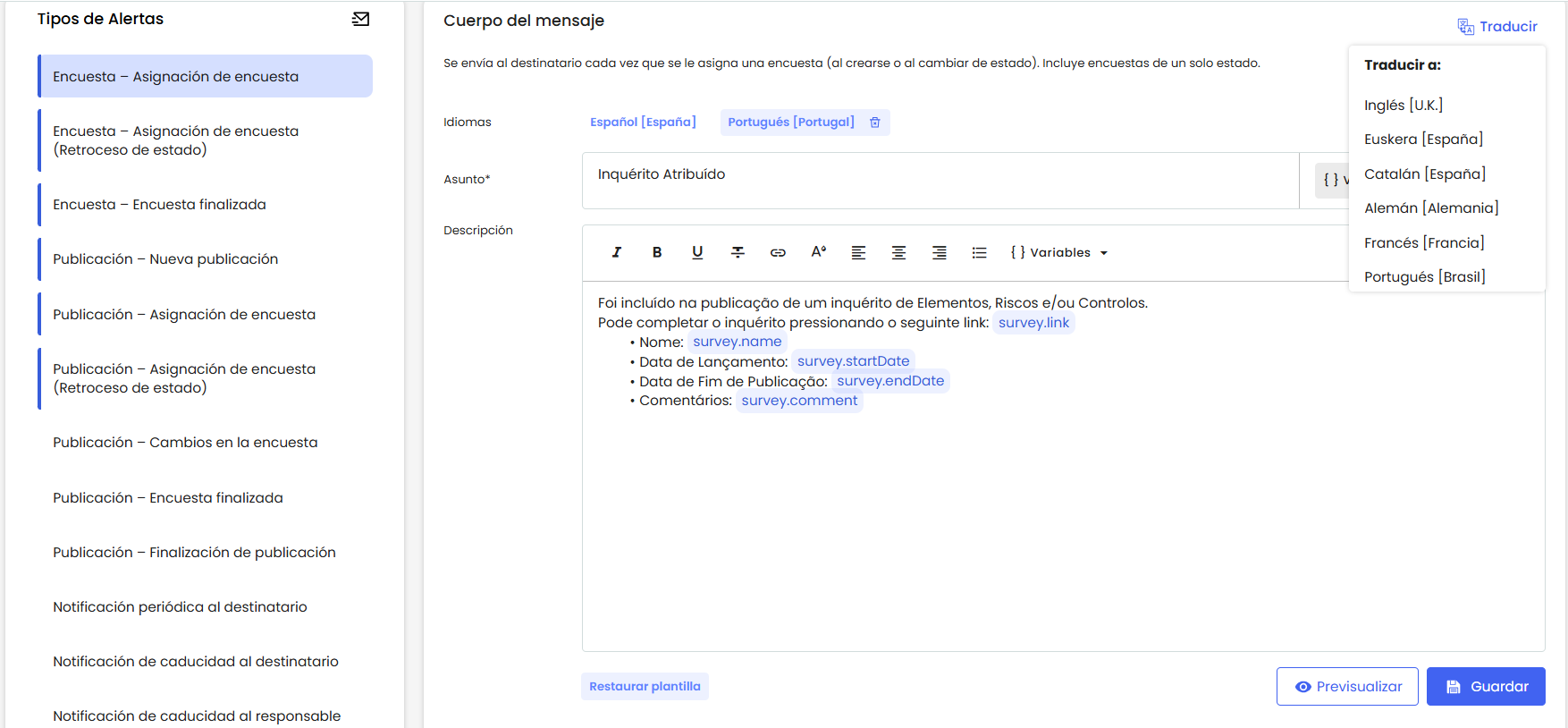
-
When selecting a language, it is added to the list of available template versions, and the default version in that language is automatically loaded (customized templates are not automatically translated).
-
When sending the notification, the system:
-
If the recipient has a user, it uses the language configured in their profile.
-
If they do not have a user, it uses the language configured in the survey.
-
If a template exists for that language, its content is sent.
-
If not, the default content is sent.
-