
This option allows consulting firms and distributor companies to create companies in GlobalSuite® by assigning the services they have contracted.
General Data
First, you need to select the desired service(s) through the dropdown list, adding the selected service with the "Add" button.
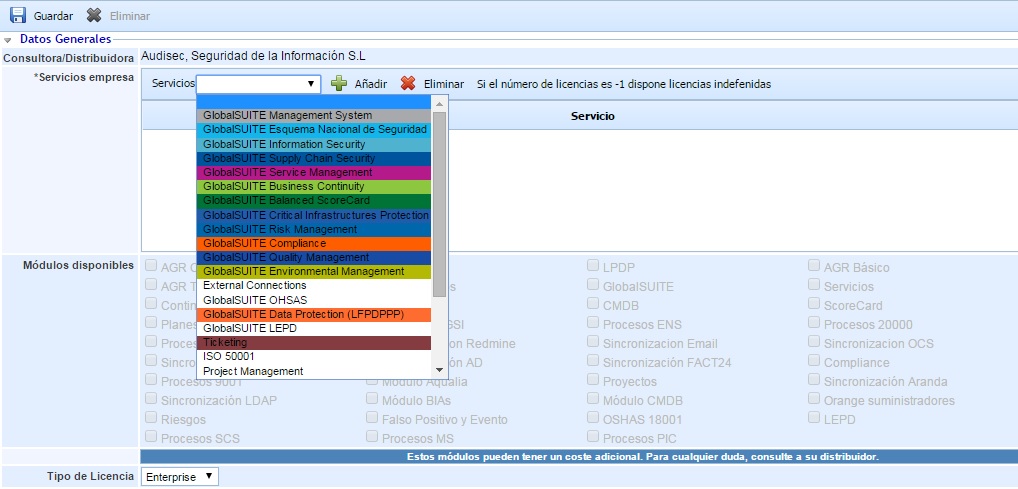
The services available for company creation will depend on the products you have contracted for GlobalSuite®.
The section "Available Modules" indicates the specific modules associated with the selected products. If you need any additional module, you must contact the distributor company.
Finally, the type of license to be associated with the company is identified. For companies that wish to have a management system, you need to select the "Enterprise" license type.
Company Data
At the bottom of this form, you can enter the identified data of the company. Among all the data displayed, the fields "CIF" and "Company Name" are mandatory to create the company in GlobalSuite®.