
The reports option allows generating templates from the information stored in the Management System.
.jpg?cb=544ce8269c8f7b8b57e1311357e3436b)
As soon as you access the option, the tool displays a table on which the following actions can be performed:
-
New: Allows creating a new entry in the table and generating a report template.
-
Delete: Allows deleting an already created report template. To do this, select the desired row or rows and press the 'Delete' button.
By clicking on the report name, you access its specific configuration, offering two options.
General Configuration
%20(1).jpg?cb=790010e32227cc52fc3ea09b7ed0476f)
It allows the manager to define the general format of the report, enabling the modification of the following parameters:
-
Name: Identifies the name of the report.
-
Header: Offers the possibility to display a header for the report.
-
Header Content: Allows defining the information that the report header will contain.
-
Footer: Offers the possibility to display a footer for the report.
-
Footer Content: Allows defining the information that the report footer will contain.
-
Page Number: Allows identifying the page number in the reports by selecting the displayed checkbox.
NOTE: This option is only enabled if the footer option is selected.
-
Cover Page: Allows enabling the option to include a cover page in the report.
-
Cover Page Content: Offers the possibility to define the cover page, allowing customization of font type, justification, image, etc.
-
Index: An index of the content can be generated by selecting the displayed checkbox.
-
Text Format: Offers the possibility to parameterize the font type and size of the report text.
Report
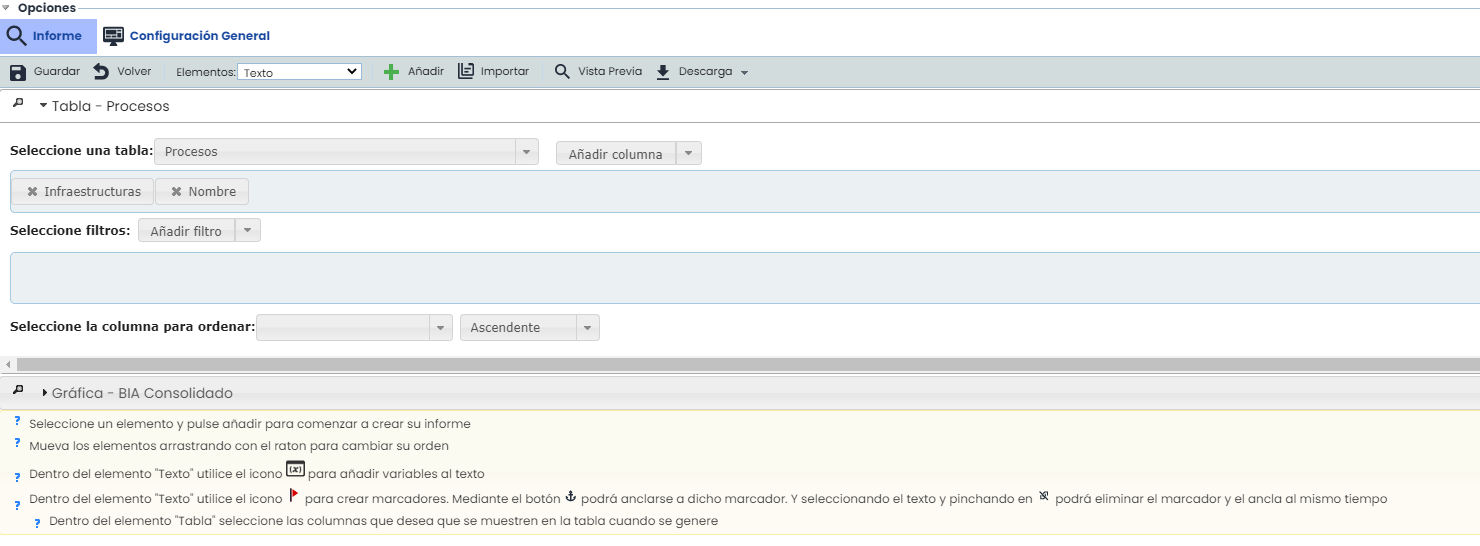
The configuration of elements allows defining the structure and information that the report will contain.
The options provided by the tool are as follows:
-
Save: Allows saving all the modifications made to the report.
-
Back: By clicking the button, the tool returns the user to the list of reports defined in the table.
-
Elements: Allows defining which elements the report will contain, with the possibility to select the following.
-
Text: Free text field where the user can incorporate the desired information.
-
Page Orientation: Allows defining the orientation in which the report will be created, choosing between Vertical or Horizontal.
-
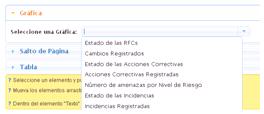
Chart: Allows incorporating different charts generated by the platform as shown in the image.
-
-
-
Page Break: Allows inserting a page break in the report.
-
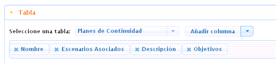
Table: Allows the report to contain a table, with the option to choose between different table models (Continuity, Availability, etc.) and various information columns.
-
-
Add: Once the desired element(s) are selected, allows adding them to the report structure by clicking the 'Add' button.
NOTE: You can incorporate as many elements as desired. The displayed elements are generated in the order they are added. To modify the order of the elements, drag them to the desired position.
-
Import: Allows importing sections from other already constructed reports.
-
Preview: Offers the user the possibility to generate a preview of the report before downloading it.