This tutorial explains how to configure an automatic dimension of type MAXIMUM within GlobalSuite® methodologies (elements, risks, controls).
The objective is to allow a dimension to automatically calculate the maximum value among various quantitative or qualitative dimensions, facilitating the analysis of risks or global impacts without requiring manual calculations.
Introduction
GlobalSuite allows the configuration of QUANTITATIVE, QUALITATIVE, or TEXT dimensions within methodologies for:
-
INVENTORY
-
RISK METHODOLOGIES
-
CONTROL METHODOLOGIES
Additionally, these dimensions can be configured as MANUAL (where the user directly indicates the value) or AUTOMATIC, which are calculated based on other dimensions.
The AUTOMATIC calculation can be configured using a FORMULA, and this document explains how to configure a dimension to be the maximum of other dimensions (up to 9 can be used).
Configuration of MAXIMUM in GlobalSuite methodologies
For the example, the maximum RISK among several dimensions will be calculated:
-
Operational Risk
-
Financial Risk
-
Technological Risk
-
Reputational Risk
-
Final Risk (Maximum)
The first step is to define the levels for each of the dimensions. To do this, each level is modeled as “powers” of 10, that is: “1”, “10”, “100”, “1000”…
Next, the automatic dimension where the maximum is to be obtained must be configured, using the same ranges multiplied by the number of dimensions being processed. For example, for 4 dimensions, we will model “4”, “40”, “400”, “4000”… also adding “0.1” to precisely achieve the desired result.
Additionally, the formula must be configured as the sum of the other dimensions.
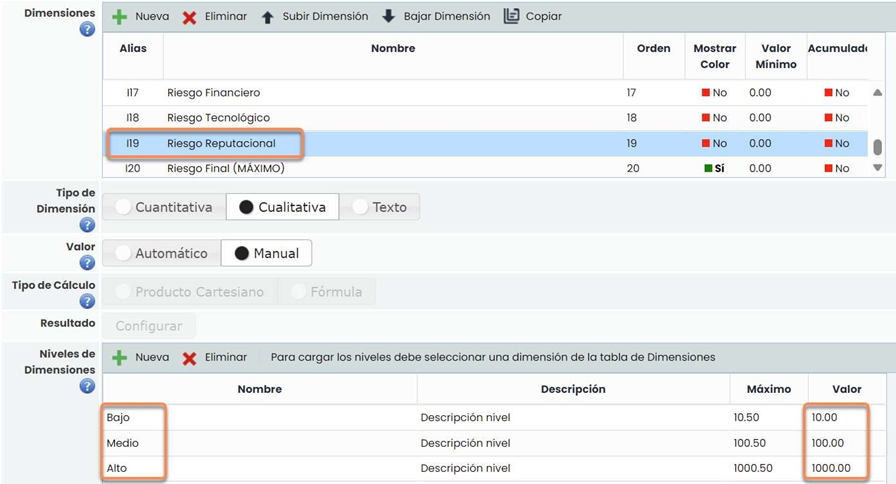
The Final Risk (Maximum) would be configured as follows, emphasizing the “Maximum” column:
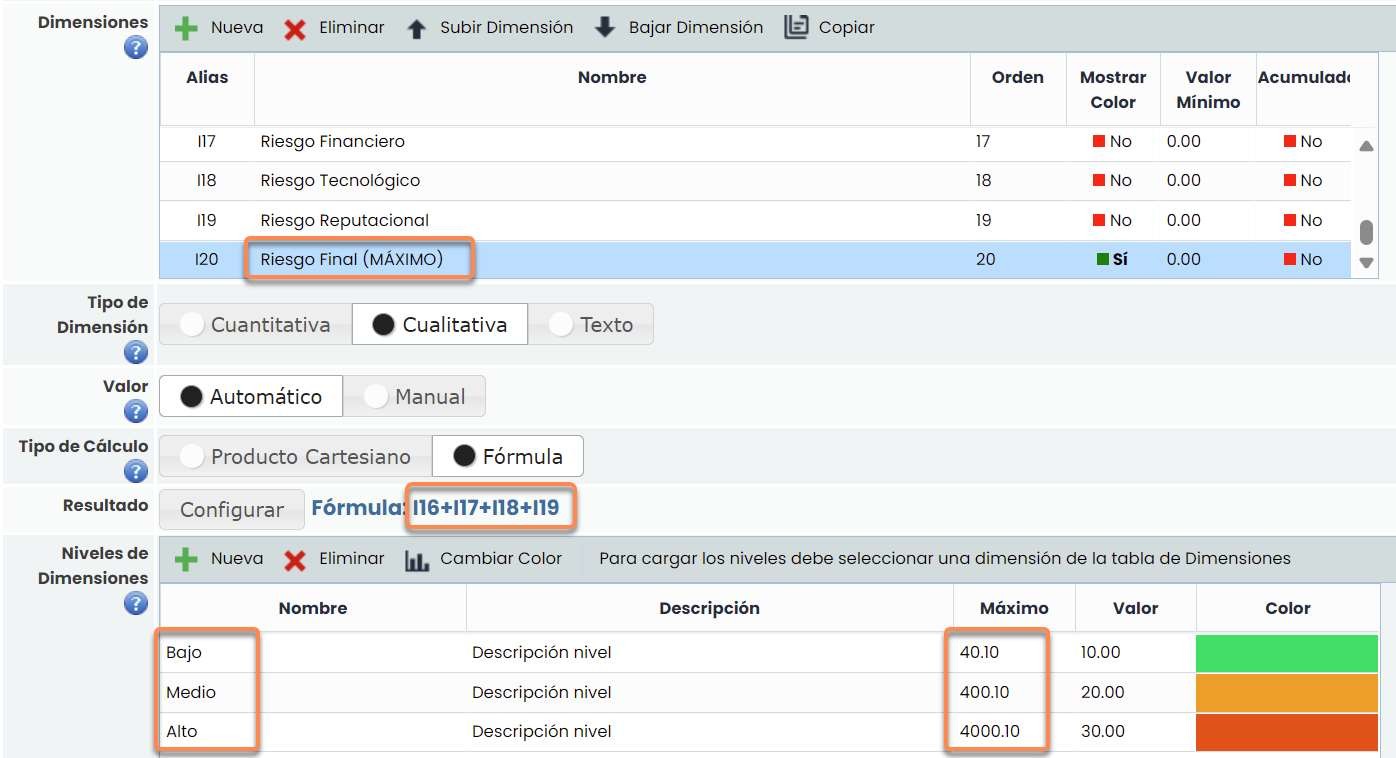
Additionally, the “Value” field could change depending on the risk value to be assigned, and it would allow this dimension (I20) to be used in future dimensions, such as a Residual Risk.
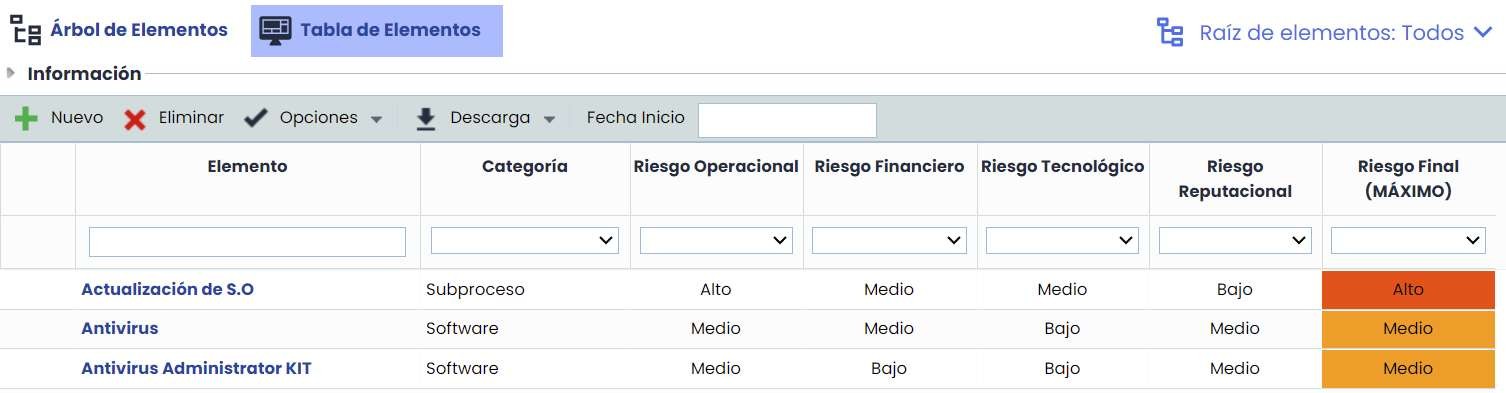
In this way, when evaluating the element, risk, or control, the final risk value can be obtained as the maximum of the other dimensions:
Configuration of MAXIMUM in GlobalSuite methodologies (option 2)
This option corresponds to another way of calculating the maximum. It is more recommended than the previous one since the levels will have values from 1 to 5.
The example will be carried out with the impact values:
-
Legal Impact
-
Reputational Impact
-
Economic Impact
The result will be the Final Impact and will be the maximum of the three.
The first step is to define the levels for each of the dimensions. To do this, each one is modeled with consecutive values starting from 1. Example: 1,2,3,4,5
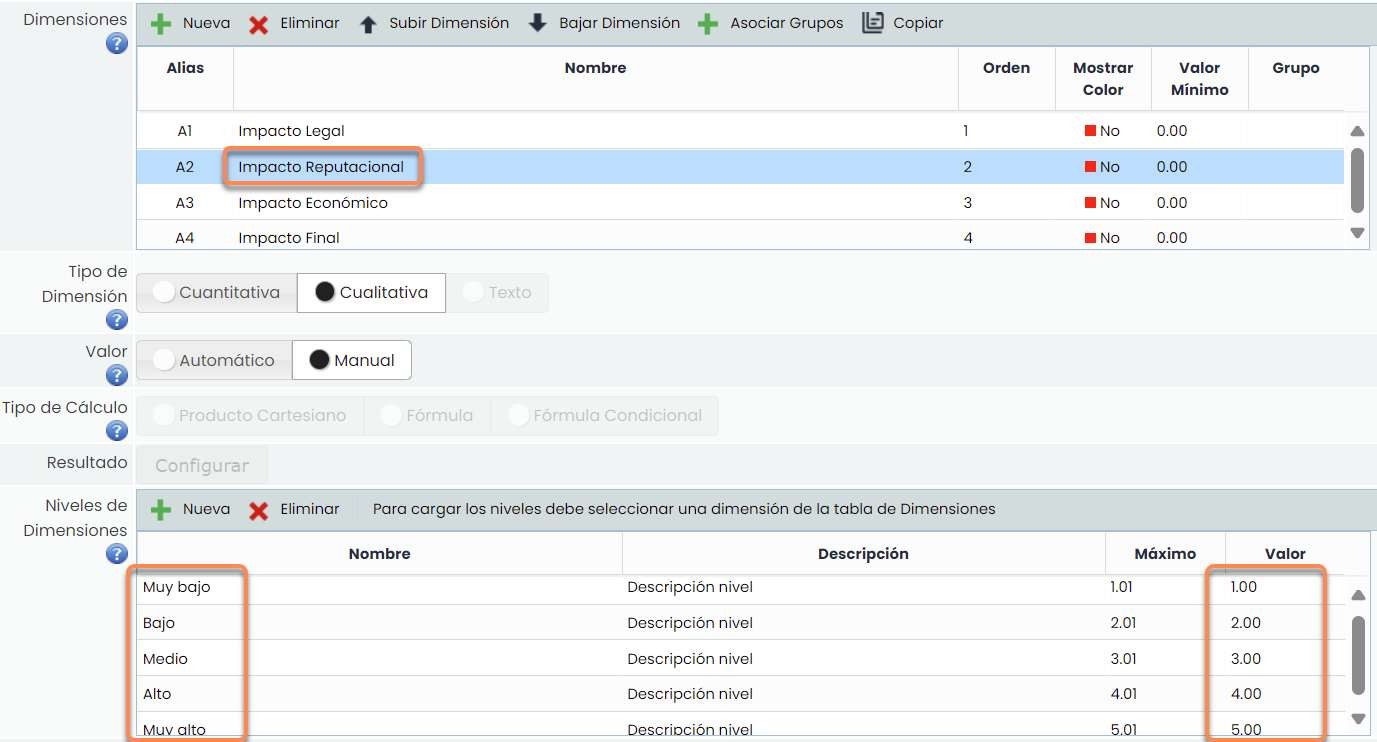
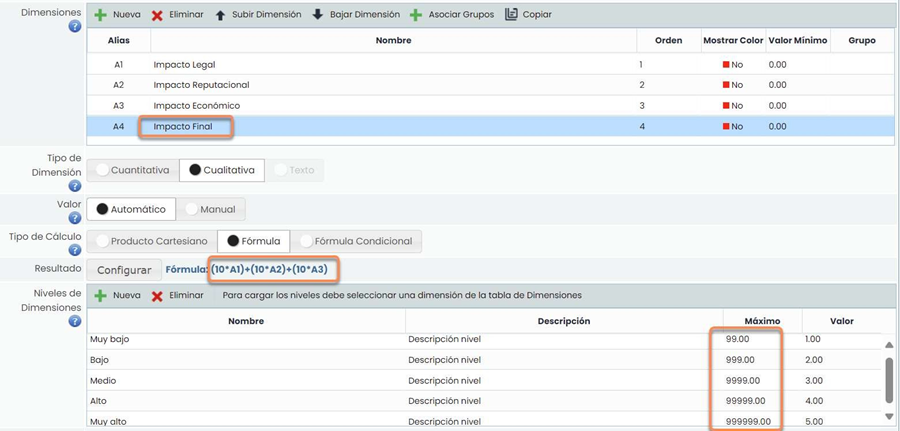
Next, the automatic dimension where the maximum is to be obtained must be configured. In this case, the maximum of the range will start at 99, adding a 9 according to the level. For the five dimensions: 99, 999, 9999, 99999, 999999.
Once the maximums are configured, they must be set by raising 10 to the chosen level. The risk calculation will be: 10^A1+10^A2+10^A3
Example:
-
Legal Impact: High
-
Reputational Impact: Medium
-
Economic Impact: Very Low.
The risk calculation would be: 10^4+10^3+10^1 = 10,000+1,000+10 = 11,010.
The value is in the High range, which goes from [9999 to 99999).