
New interface of the GlobalSuite® GRC solution: Modernization, Usability, and Innovative Future
At GlobalSuite Solutions, we have been at the forefront of GRC management for many years, and now we are proud to announce the upcoming release of the new version of our solution. This version brings a renewed interface, designed to significantly enhance the user experience while laying the foundation for the platform's future.
Discover the updates in the upcoming webinar!
Join us on November 21 to learn more about the new GlobalSuite® in detail.
Objective of the change
Within the strategy we have set as a company, the main objective of this project is twofold: modernize our solution and improve the user experience for our clients.
Additionally, this version is the first step in a roadmap that will expand this strategic project to other sections of GlobalSuite, incorporating improvements and innovative new functionalities by leveraging the tools provided by this technological change.
Key benefits of the new interface
-
Improved Usability: The new interface has been designed with a user-centered approach. We aimed to simplify navigation, optimize visualization, and enhance access to the most critical options. The result is a more intuitive and seamless experience, allowing users to focus on what matters: managing their risks and adapting their compliance.
-
Greater Efficiency and Security: The transversal change has enabled the inclusion of a serverless architecture, eliminating the client web server part, making it much lighter in size and easier to deploy and load, reducing response time. Additionally, log registration has been enhanced to improve traceability and information security.
-
Adaptability and Scalability: This version not only looks better and works more efficiently but is also built on a more modern and scalable technological architecture. This Clean architecture allows the separation of the software's different layers, providing the product with greater resilience to change.
-
Future-Ready: By renewing the technological foundation of our solution, we have worked on establishing a base of reusable components and systems that align the solution's behavior and reduce the development time for new improvements, making them available to our users faster.
Main features
This first update, which as mentioned is a first step in the product's modernization, has the following visual scope:
-
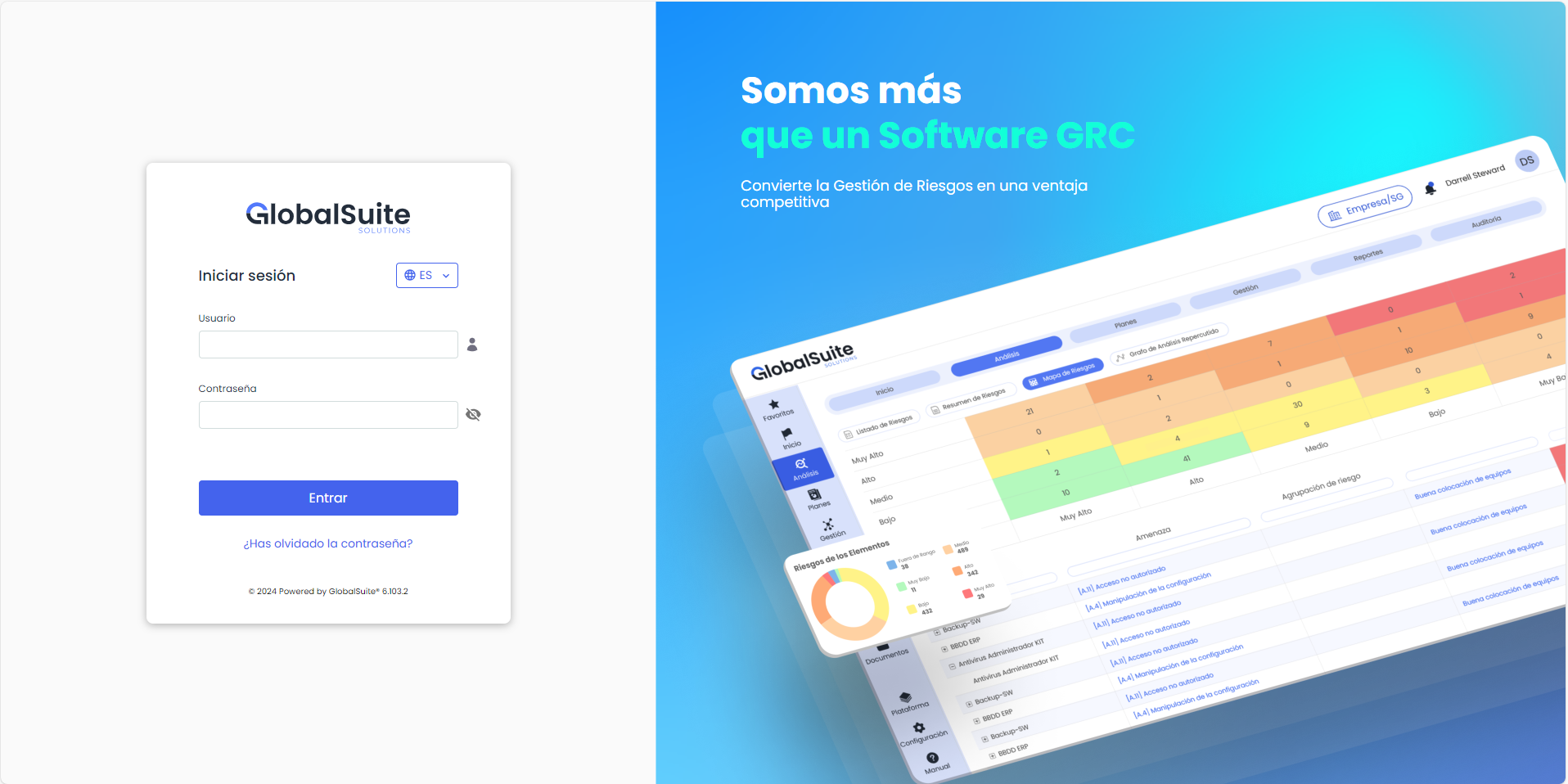
New login page: We have modernized the authentication process in GlobalSuite, simplifying it and adapting it to the corporate image, as well as serving as an entry point for incorporating notices. Additionally, we have improved response speed, regardless of the authentication mechanism used (local users, Active Directory, LDAP, ADFS, Azure AD, SAML, etc.), and covered Two-Factor Authentication in the same login step.
-
New centralized menu structure on the left side: As part of the interface simplification, we aimed to unify the structure of sections, blocks, and options that make up the different GlobalSuite modules, arranging this hierarchical structure entirely on one side, eliminating the tab grouping we had before.
Even the Administration section, now renamed Settings, has been incorporated into this menu.
-
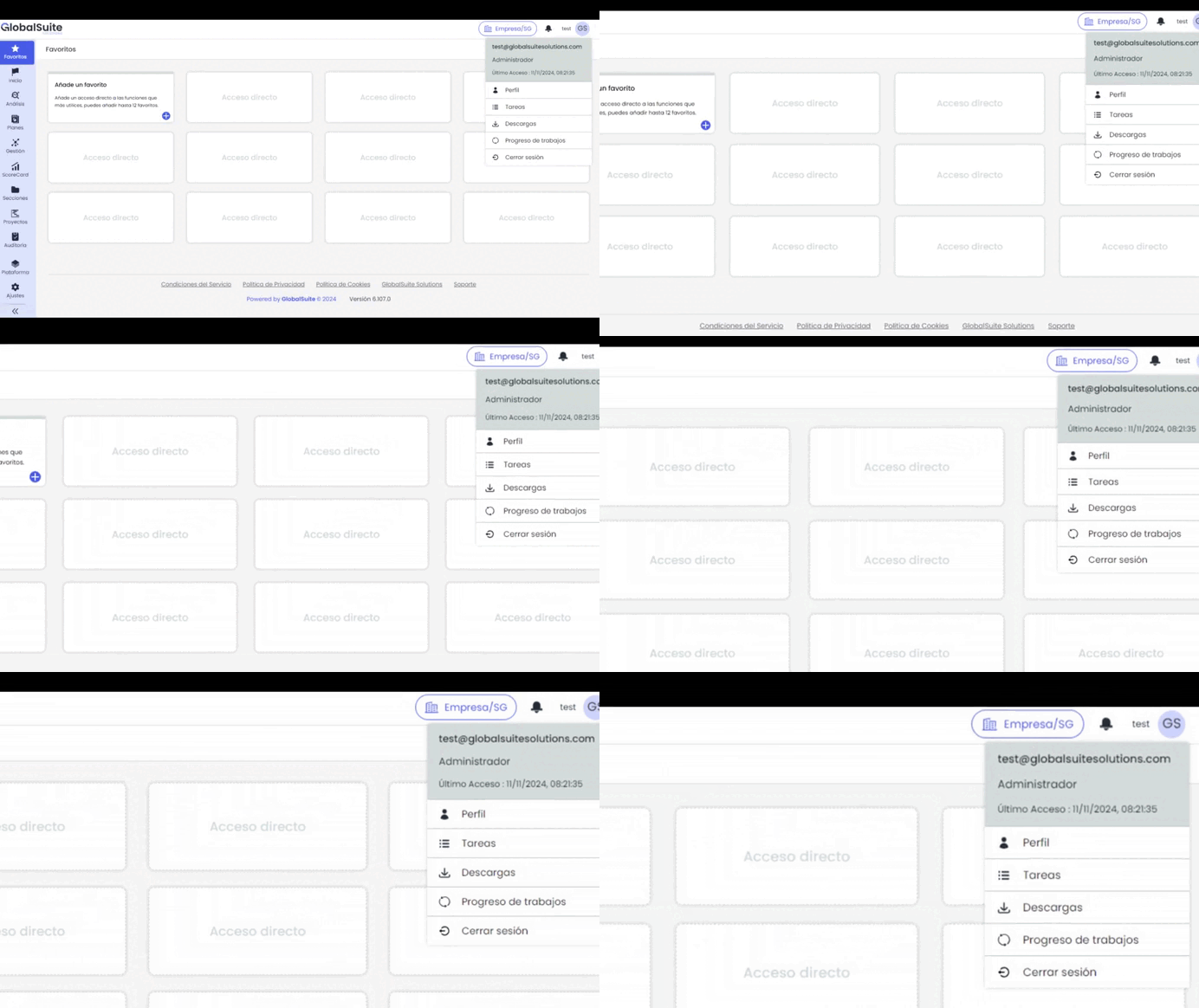
New User section: Another change that streamlines the structure with user-specific options. Sections like My Profile, Last Connection Date, Pending Downloads, Tasks… will be accessible in the upper area.
-
Navigation improvements, screen utilization, and space reduction: The two-level side menu of Sections and Options can be compact, expanded, or fully pinned to always keep it visible. Additionally, you can now locate and navigate to any menu option through the built-in search bar.
-
New Favorites option: To quickly access the main work options, we have incorporated a Favorites view. Here, each user can add the functionalities they want to have at hand, as shortcuts, regardless of the menu structure or their location in different sections.
Additionally, for organizational users and consultants working with different clients, these Favorites can vary for each environment they access.
-
New centralized screen for Choosing Company and Management System: We have merged the classic menus of “Choose MS” and “Choose Client” that existed to access different companies, partner areas, or even different Entities within the same license. It will always be available in the interface header, allowing quick changes and leveraging the new filtering mechanisms we have incorporated.
Next steps
This first version is just the beginning of a broader transformation that will encompass the different options and functional modules of GlobalSuite GRC.
The goal is to continue applying this renewed interface to the different sections, offering a common appearance and an improved user experience throughout the application.
In parallel, we will continue introducing performance improvements and new functionalities that will further enhance the use of our solution, enabling our clients to manage their GRC with greater agility and efficiency.
To conclude
We hope this new version of GlobalSuite GRC improves user interaction and client adoption, meeting the expectations of a solution aimed at facilitating Governance, Risk, and Compliance for their organizations.
We will be closely monitoring the feedback we receive, which we will use to continue improving the product and maintaining our constant commitment to our clients' needs, allowing us to remain a technological benchmark in the GRC field.