
In this section, you can configure dynamic reports of Items, risks, and controls in both Word and Excel formats using customized templates. This functionality allows you to define a base document in Microsoft Word or Microsoft Excel with variables that will be automatically replaced when generating the final document.
The created templates can be reused in different processes without needing to modify their structure, facilitating the standardization and automation of documents.
More information about this module is available in these articles:
Customize and download reports with our dynamic Word templates
Customize and download reports with our dynamic Excel templates
Upon accessing the option, the following options are displayed:
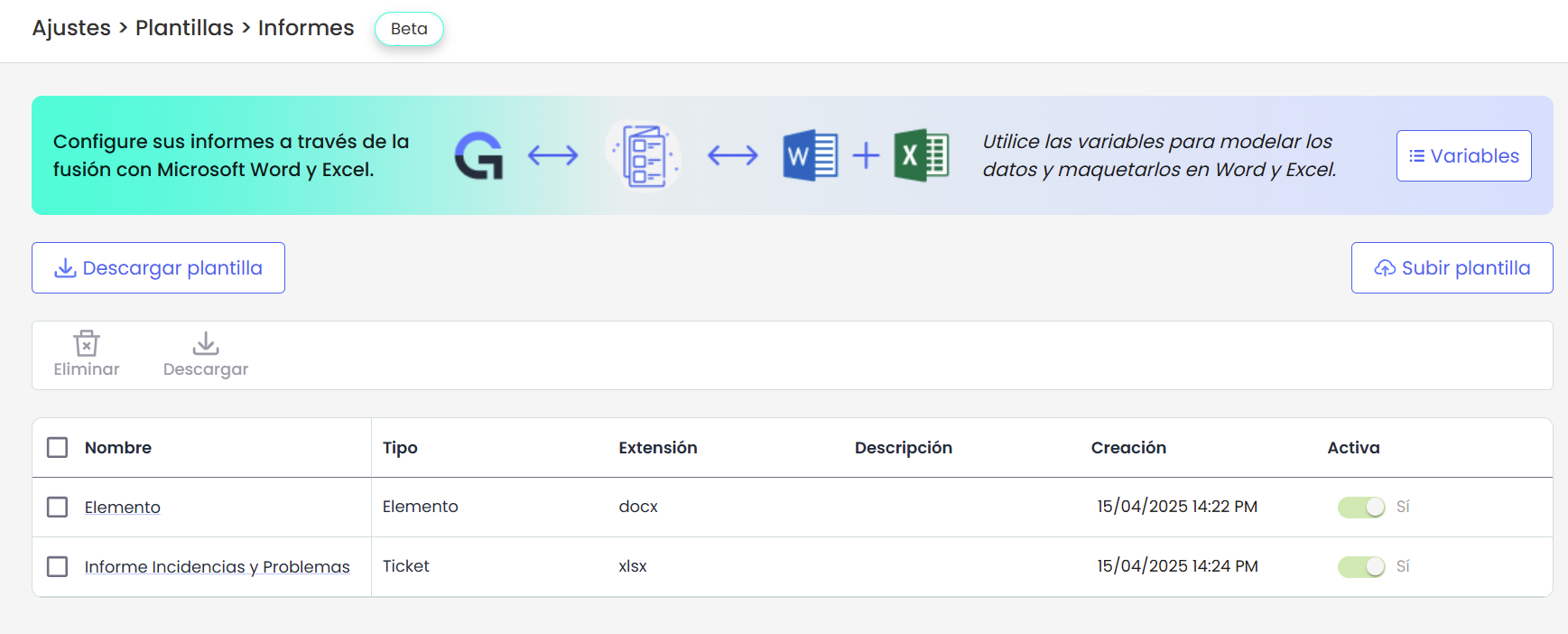
Download template
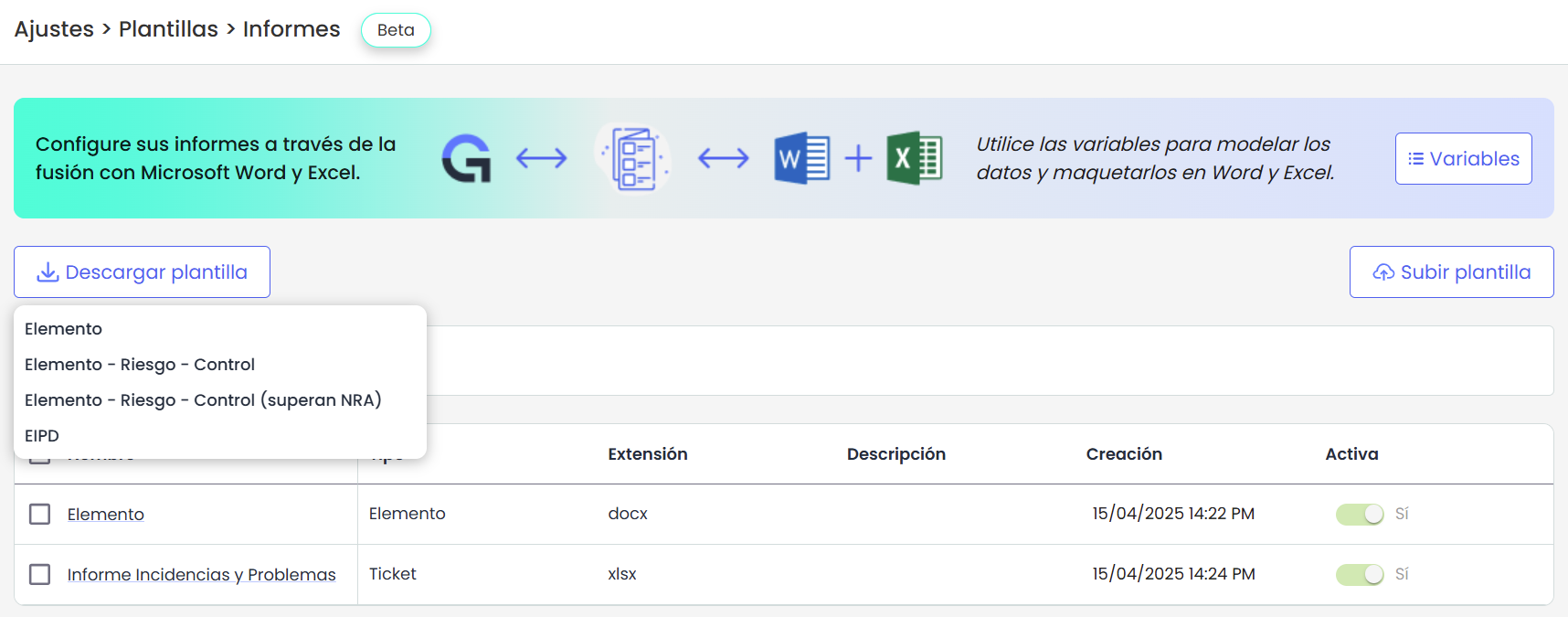
GlobalSuite provides a series of base templates to start the configuration. Currently, the following can be downloaded:
-
Item: Template that allows downloading the details of a specific evaluated item, including its physical or digital dimensions, its importance within the organization, and its role in business processes.
-
Item - Risk - Control: Similar to the previous template, but adding the identified and assessed risks, as well as the controls implemented to mitigate those risks.
-
Item - Risk - Control (exceed NRA): Template that shows the risks of an item that exceed the Acceptable Risk Level (NRA) and the controls applied to mitigate them.
-
DPIA: Template to generate the Data Protection Impact Assessment report, detailing the data processing activities, related assets, and applied controls.
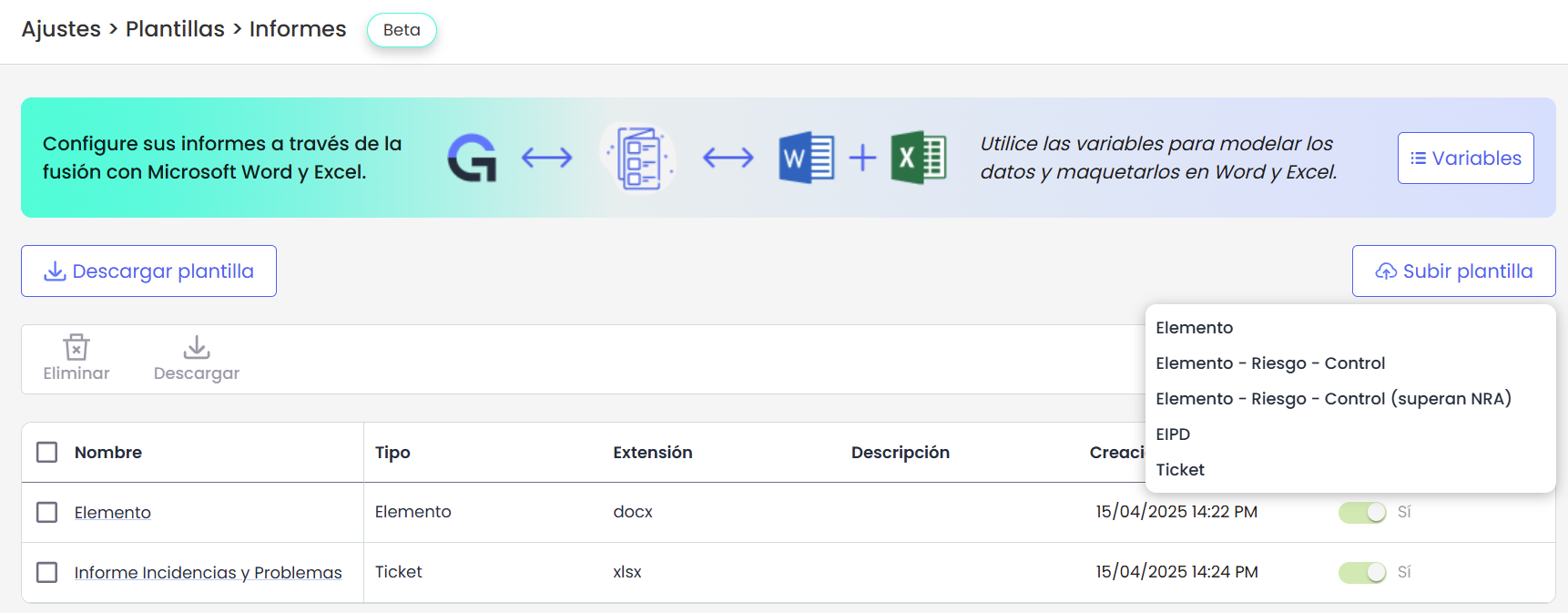
Upload Template
Custom templates in .docx format can be uploaded by users. Before doing so, it is necessary to assign them a type. The possible types are:
-
Item
-
Item - Risk - Control
-
Item - Risk - Control (exceed NRA)
-
DPIA
The template type is crucial for configuring the location where it will be available for download.
Template List
Upon accessing the option, all existing templates are displayed along with their information: name, type, extension, description, creation date and time, and whether they are active or not.
The actions available in this table are:
-
Delete: selecting the template to delete using the checkbox.
-
Download: allows downloading the selected template.
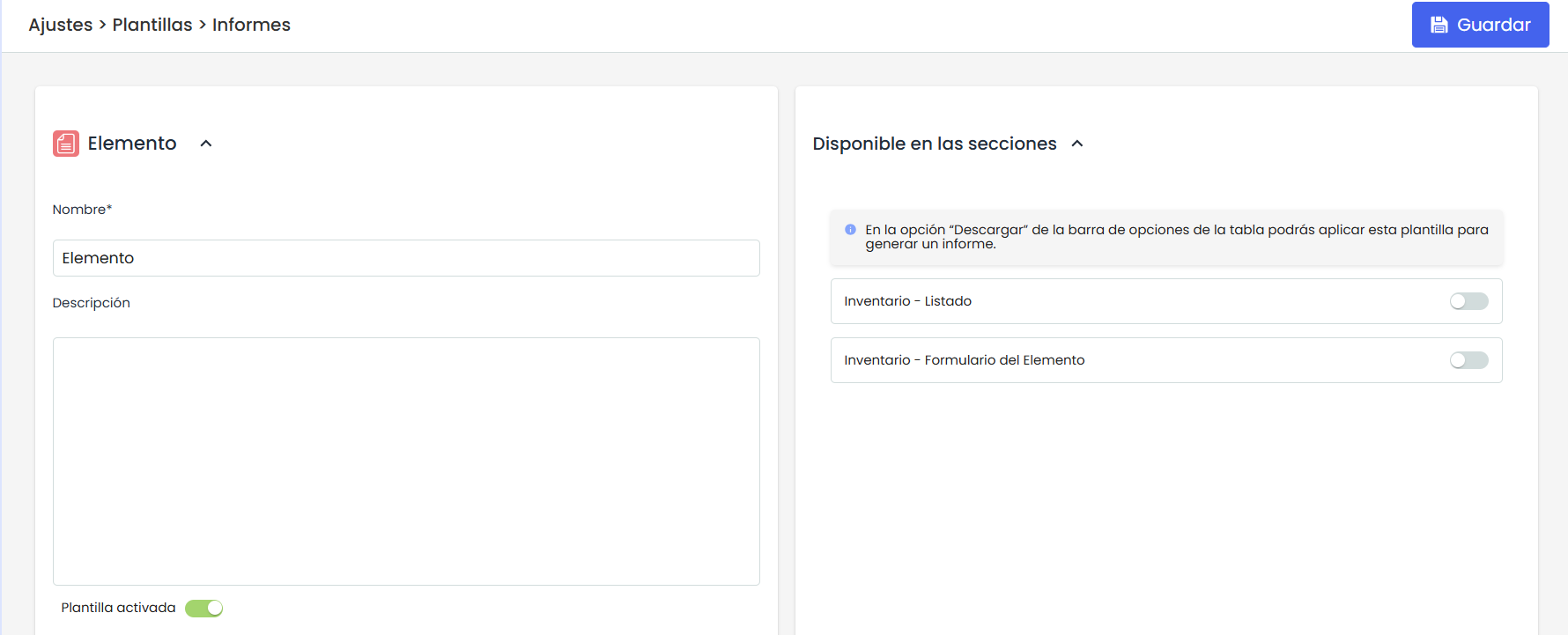
Template Details
In this section, you can perform the following actions on the template:
-
Edit the template name.
-
Activate or deactivate the template as needed.
-
Configure visibility: Depending on the type of template, the module from which it can be downloaded with the corresponding data will be displayed.
-
Item Template and Item and Lower Items Template
-
Inventory - Item Table
-
Inventory - Item Form.
-
-
Template of type Item - Risk - Control
-
Inventory - Item Table
-
Inventory - Item Form.
-
Risk Analysis - Item List.
-
Risk Analysis - Risk List.
-
-
Item - Risk - Control Template (exceed NRA)
-
Inventory - Item Table
-
Inventory - Item Form.
-
Risk Analysis - Item List.
-
Risk Analysis - Risk List.
-
-
DPIA Template.
-
Data Processing - List
-
Data Processing - Item Form.
-
-
Variables
The available variables for creating templates are as follows:
Item Variables.
Open table in full screen
|
Variable |
Description |
|
{element.name} |
Item Name |
|
{element.units} |
Item Units |
|
{element.category} |
Item Category |
|
{element.category_path} |
Item Category Path |
|
{element.supervisor} |
Item Supervisor |
|
{element.other_supervisor} |
Other Item Supervisors |
|
{element.owner} |
Item Owner |
|
{element.dim_IX.dimension_name} |
Dimension Name with alias IX. Replace X with the alias number. |
|
{element.dim_IX.dimension_alias} |
Item dimension alias. Replace X with the alias number. (I1, I2, …, IN) |
|
{element.dim_IX.dimension_value} |
Specific value of dimension IX in the item. Replace X with the alias number. |
|
{element.element_customAttr_Atributo_N} |
Configurable Attributes where N is the number of the configurable attribute |
|
{#element.custom_attrs}
|
List of configurable attributes. Start tag and end tag (start with '#' and end with '/'), and the block of text inside repeats as many times as there are elements of that type. |
|
{#element.dimensions}
|
Loop through all dimensions where you can add all the dimension values of the item, their aliases, and their names. |
|
{#element.descendants}
{descendant.category} {descendant.dim_I1.dimension_value}
{descendant.dim_I1.dimension_value}
|
Loop that iterates through all the children of the item according to the dependency tree. This would list all the items under the selected item as a flat list, showing their names. The same requirements as for the item would also be available, as mentioned in the previous comment, except that 'descendant.' would not need to be added when inside the loop. It is important to highlight that within this information, risks and controls can also be obtained as seen in the following section. |
|
{#element.descendants | categoryType: ‘PROCESSES’} {descendant.name} {descendant.category} {descendant.dim_I1.dimension_value}
{descendant.dim_I1.dimension_value}
|
Loop to obtain the items configured in the dependency tree with a special category. SERVICES
|
|
{element.analysis.AA1.rge} |
Global Risk Calculation by Item (RGE) of the Risk Analysis where AA1 is the alias of the analysis |
|
{element.analysis.AA1.rrge} |
Global Repercussed Risk Calculation by Item (RRGE) of the Risk Analysis where AA1 is the alias of the analysis |
Threats/Risks Variables. GlobalSuite Risk Analysis Option.
The information in this table represents all the information that can be obtained from the Risk Analysis option. This information will be associated with an item, which will be the item of the downloaded report.
To obtain the Risk Analysis information, you need to add its alias, which is a field that can be configured in GlobalSuite in the general configuration of the risk analysis (Analysis - Risk Analysis - General Information)
Open table in full screen
|
Variable |
Description |
|---|---|
|
{#element.analysis.AA1.threats}
|
Value of the main columns of risks (these are text fields). Example with Threat and Vulnerability. The alias AA1 corresponds to the alias of the analysis where the risks and controls to be obtained in the report are located. |
|
{#element.analysis.AA1.threats}
{threat_dim_A2} …. {threat_dim_AXX}
|
Within the threats/risks loop, specific dimensions can also be obtained one by one through the dimension alias. The result will be the value of that dimension for each of the threats. This loop will be used when a specific value of the risk/threat is desired. The alias AA1 corresponds to the alias of the analysis where the risks and controls to be obtained in the report are located. |
|
{#element.analysis.AA1.threats | where: ‘threat_dim_A2 == “High”‘ && threat_dim_A2 == “Very High”’}
|
Previous loop with the possibility of iterating only through risks/threats that meet the condition. In the example, it can be seen that the dimension with alias A2 = High and Very High. The alias AA1 corresponds to the alias of the analysis where the risks and controls to be obtained in the report are located. |
|
{#element.analysis.AA1.threats}
{#threat_dimensions} {dimension_name}
|
Within the threats loop, another loop can also be obtained with all the dimensions, to obtain their name, alias, and value. This loop serves to represent all the information of the risks/threats. The alias AA1 corresponds to the alias of the analysis where the risks and controls to be obtained in the report are located. A where condition could also be added to the threats loop here. |
Control List
The rows of this table represent all the information that can be obtained from the GlobalSuite Control Management option. This information can be obtained within the risks/threats loop.
Open table in full screen
|
Variable |
Description |
|---|---|
|
{#element.analysis.AA1.threats}
|
If you want to obtain the controls of a threat to have the entire hierarchical structure, within the risks/threats loop, a controls loop can be generated to obtain all the information. In the example, the Core Control fields can be seen. The alias AA1 corresponds to the alias of the analysis where the risks and controls to be obtained in the report are located. |
|
{#element.analysis.AA1.threats}
|
Following the same loop as the previous one, in addition to the core fields, specific dimensions can be obtained by identifying them by the Alias number: CX |
|
{#element.analysis.AA1.threats}
{control_dim_C1}
|
In addition to obtaining dimensions by the alias number, a loop can be created to obtain all the information of the dimensions of all controls. In the example, the two ways to obtain control dimensions are shown: Identifying the specific alias Adding a loop that iterates through the dimensions to obtain a value. |
|
{#element.analysis.AA1.threats}
{control_dim_CX}
{/} |
Example of filtering controls by a control dimension. In this case, it would only bring the controls that meet this condition. |
List of Risk Analysis and Methodologies Variables
Open table in full screen
|
Analysis |
{analysis.AliasAnálisis.name} |
Analysis Name, where AliasAnálisis is the value configured in GlobalSuite. |
|
Analysis |
{analysis.AliasAnálisis.start_date} |
Analysis Start Date, where AliasAnálisis is the value configured in GlobalSuite. |
|
Analysis |
{analysis.AliasAnálisis.supervisor} |
Analysis Responsible, with AliasAnálisis being the value configured in GlobalSuite. |
|
Analysis |
{analysis.AliasAnálisis.department} |
Analysis Department, with AliasAnálisis being the value configured in GlobalSuite. |
|
Analysis |
{analysis.AliasAnálisis.nra} |
Acceptable Risk Level of the analysis, with AliasAnálisis being the value configured in GlobalSuite. |
|
Analysis |
{analysis.AliasAnálisis.nro} |
Target Risk Level of the analysis, with AliasAnálisis being the value configured in GlobalSuite. |
|
Analysis |
{analysis.AliasAnálisis.vgan} |
General Value of the Risk Analysis, with AliasAnálisis being the value configured in GlobalSuite. |
|
Analysis |
{analysis.AliasAnálisis.grouping_risk_calculation} |
Risk Grouping Calculation, with AliasAnálisis being the value configured in GlobalSuite. |
|
Analysis |
{analysis.AliasAnálisis.risk_appetite} |
Risk Appetite of the analysis, with AliasAnálisis being the value configured in GlobalSuite. |
|
Methodology |
{analysis.AliasAnálisis.methodology.name} |
Name of the methodology associated with the risk analysis, with AliasAnálisis being the value configured in GlobalSuite. |
|
Methodology |
{analysis.AliasAnálisis.methodology.acceptable_percentage} |
Acceptable % for the calculation of critical risks in the risk analysis, with AliasAnálisis being the value configured in GlobalSuite. |
|
Methodology |
{analysis.AliasAnálisis.methodology.risk_dimension} |
Main dimension of the risk analysis of the associated methodology, with AliasAnálisis being the value configured in GlobalSuite. |
|
Methodology |
{analysis.AliasAnálisis.methodology.cost_dimension} |
Cost dimension of the risk analysis of the associated methodology, with AliasAnálisis being the value configured in GlobalSuite. |
|
Methodology |
{analysis.AliasAnálisis.methodology.controls_methodology_name} |
Name of the controls methodology of the risk analysis, with AliasAnálisis being the value configured in GlobalSuite. |
|
Methodology |
{analysis.AliasAnálisis.methodology.controls_evaluation_type} |
Evaluation type of the controls methodology, with AliasAnálisis being the value configured in GlobalSuite. |