
General Data Configuration
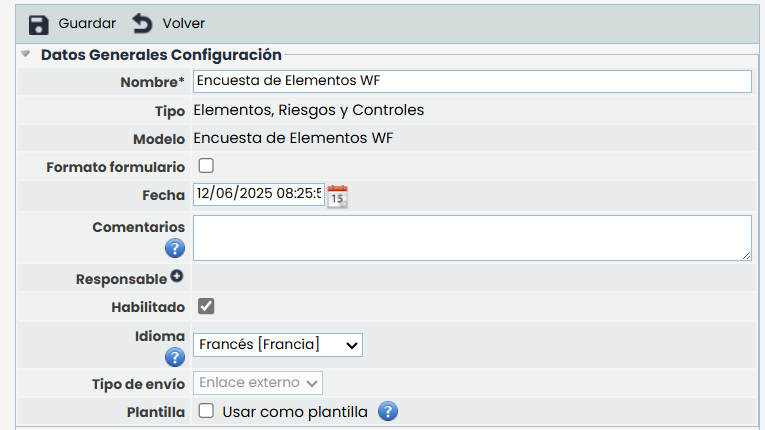
When accessing an item in the table (survey configuration), the tool allows defining the following parameters for any type of survey:
-
Name: Allows identifying the name of the survey. This name will be displayed in the initial survey list.
-
Type: Allows viewing the type of the survey.
-
Model: Allows viewing the type of the survey.
-
Date: Identifies the creation date of the survey.
-
Comments: This field allows including information or instructions to complete the survey, which will be received by the survey recipients.
-
Lock Follow-ups: If this indicator is checked, follow-ups are locked, preventing the creation of new follow-ups or the modification or deletion of existing ones in the table.
-
Enabled: Allows displaying the survey on the Customer Portal.
-
Language: This option allows configuring the language in which notifications associated with surveys using this configuration will be sent.
The language selector is only enabled when the MS has more than one language configured.
By default, the main language of the entity is selected.
The chosen language will apply to the content of all emails, notifications, and survey links intended for users who do not have an account in GlobalSuite®. For users registered on the platform, the language defined in their profile will always be used, regardless of the value configured here.
If a previously configured language is removed, configurations using it will be automatically updated, replacing it with the organization's main language.
Notifications
Alerts can be configured to notify recipients that they have assigned surveys.
The main ones are:
-
They can be configured for both internal and external surveys.
-
They can be configured for all types of surveys.
-
They are configurable from the survey launch date.
-
Possibility to choose the frequency of sending and;
-
the time during which the notification will be active.
-
They will be sent as long as the survey is not completed.
The options are as follows:
-
Activate: Checking this option will activate the section to configure the sending of notifications.
-
Frequency: It can be configured
-
Daily
-
Weekly
-
Monthly
-
-
Active Days: The days during which notifications will be active will be indicated, considering the frequency.
NOTE: The maximum value established for this field is 365 days.
.gif)
States
If the selected survey model has configured states, the survey configuration displays a section called "States" containing a table with the configured states and the employees assigned as responsible for each state. This table allows assigning an employee as responsible for each state of the survey, so that depending on the survey state, the tool will assign the indicated employee as responsible.
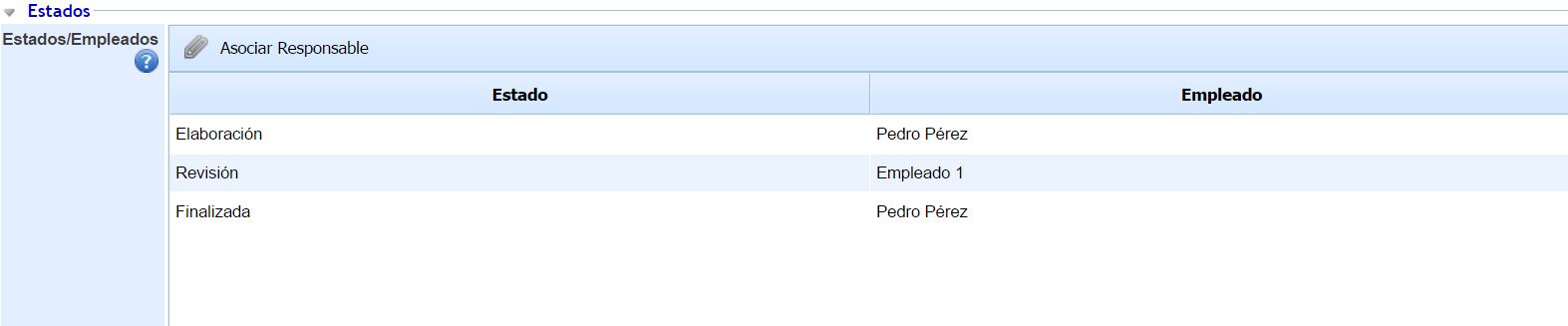
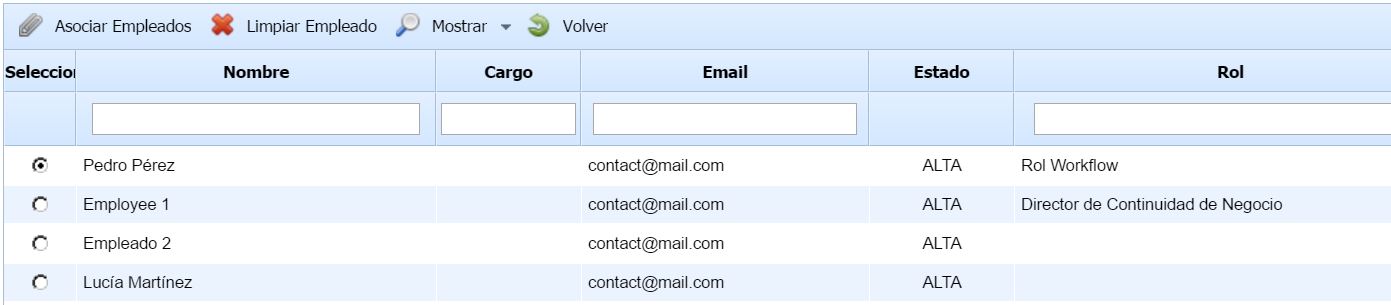
The assignment of a responsible person to each state is done by selecting a state from the table and clicking the "Associate Responsible" button. When performing this action, a pop-up window appears containing all the organization's employees, allowing the selection of one of them and clicking the "Associate Employees" button to assign them.
General Data Model
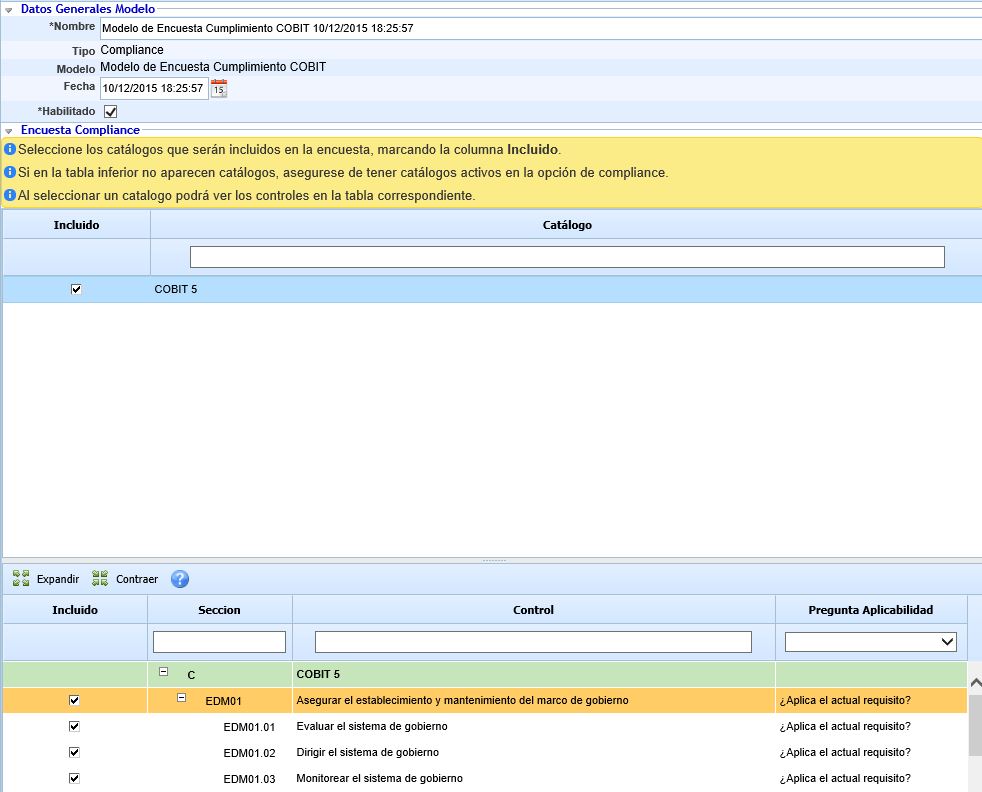
In the case of Compliance-type surveys, the tool allows defining the following parameters:
Compliance Survey
-
Catalog: Allows selecting the catalog or catalogs on which the survey will be configured.
-
Applicability Question: Allows selecting the questions of the controls to be included as part of the survey.